Using WSL2 Part 4 (Ubuntu 16.04, ROS Kinetic, Open Manipulator)
 管理人
管理人Introduction
So far, I’ve installed Ubuntu 18.04, 20.04, and 22.04 on WSL2 and built ROS/ROS2 environments. This time, I’m working with Ubuntu 16.04.
I really wanted to try ROS Kinetic because there is a wealth of information available in online documentation and books. With this many environments, I think I’m well-equipped for operation verification for the time being. Although, I might encounter WSL2-specific issues down the road.
▼For example, there is a resource called "ROS Industrial (Kinetic) Hands-on Training."
https://industrial-training-jp.readthedocs.io/ja/latest/index.html
Last time, I operated the actual Open Manipulator machine, but this time I tried the simulation.
▼Previous articles are here:
Trying Out WSL2 Part 2 (Ubuntu 22.04, ROS2 Iron)
Info This article is translated from Japanese to English. Introduction In a previous article, I built a ROS2 environment directly on Windows. Since then, I’ve …
 趣味的ロボット研究所
Trying Out WSL2 Part 3 (Ubuntu 20.04, ROS Noetic, Open Manipulator)
Info This article is translated from Japanese to English. Introduction In this post, I tried installing ROS on Ubuntu 20.04 within WSL2.The environment I built…
Installing Ubuntu 16.04 on WSL2
Last time, I used the "wsl" command to install, but Ubuntu 16.04 was not in the list of available distributions.
▼Ubuntu 18.04 and later are listed, but not 16.04.
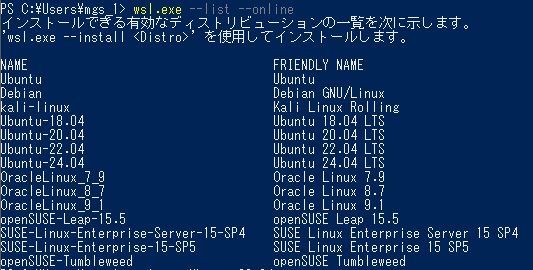
When I tried using an .appx file for Ubuntu 20.04 before, it didn't install, but for 16.04, it worked successfully.
▼A list of distributions can be found on this page:
https://learn.microsoft.com/ja-jp/windows/wsl/install-manual#downloading-distributions
▼Clicking this link starts the download:
https://aka.ms/wsl-ubuntu-1604
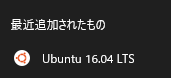
Running the downloaded .appx file installs the distribution.
▼It has been added.
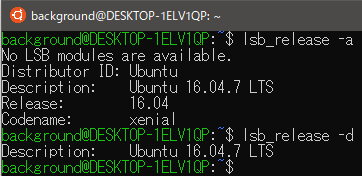
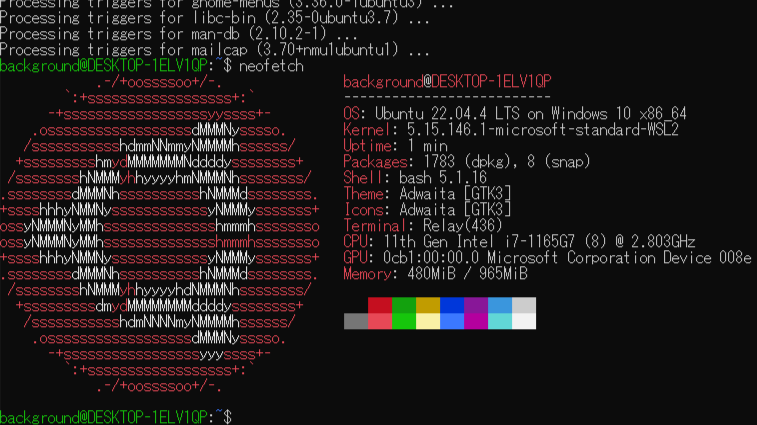
Usually, I would show the version using "neofetch" after installation, but this time I couldn't install it via "apt." I tried another command to display the version information.
▼I executed the command found on the following page:
https://www.famlog.jp/article/4873
▼The commands are:
 lsb_release -a
 lsb_release -d
▼The Ubuntu version is now displayed.
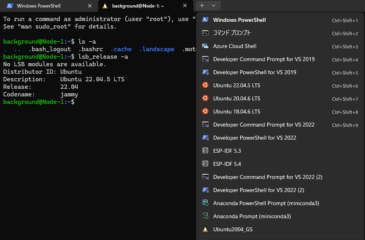
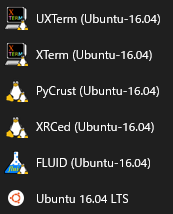
▼It looks like other versions have been added as well.
Installing ROS Kinetic
Since I installed Ubuntu 16.04, the corresponding ROS version is Kinetic. Again, I followed the Open Manipulator e-Manual as I wanted to operate it later.
▼Here is a correspondence table between Ubuntu and ROS versions:
https://qiita.com/atsuto/items/d7a7730b278ef8c9b662
▼I referred to this page for the installation:
https://emanual.robotis.com/docs/en/platform/openmanipulator_x/quick_start_guide
▼As mentioned at the top of the page, you can switch instructions by selecting the ROS version.

▼The steps are almost the same as for ROS Noetic. The troubleshooting for errors was also the same.
Trying Out WSL2 Part 3 (Ubuntu 20.04, ROS Noetic, Open Manipulator)
Info This article is translated from Japanese to English. Introduction In this post, I tried installing ROS on Ubuntu 20.04 within WSL2.The environment I built…
First, install ROS.
▼The commands are as follows. "noetic" from the previous time is now "kinetic."
 sudo apt-get update
 wget https://raw.githubusercontent.com/ROBOTIS-GIT/robotis_tools/master/install_ros_kinetic.sh
 chmod 755 ./install_ros_kinetic.sh
 bash ./install_ros_kinetic.sh
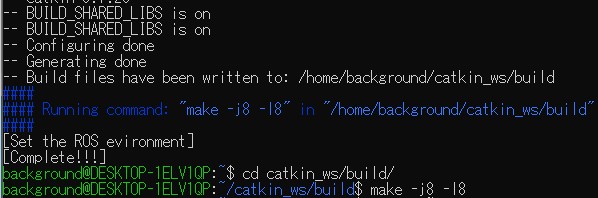
A command was displayed once the environment setup was finished. Running this might help avoid errors later. As I'll mention later, when I redid the environment, I didn't get any errors.
▼It says to run "make -j8 -l8" in the /home/background/catkin_ws/build directory.
Next, install the ROS packages.
▼The commands are:
 source ~/.bashrc
 sudo apt-get install ros-kinetic-ros-controllers ros-kinetic-gazebo* ros-kinetic-moveit* ros-kinetic-industrial-core
 sudo apt-get install ros-kinetic-dynamixel-sdk ros-kinetic-dynamixel-workbench*
 sudo apt-get install ros-kinetic-robotis-manipulator
Installation went smoothly up to this point, but an error occurred when I ran "catkin_make."
▼The commands were:
 cd ~/catkin_ws/src/
 git clone -b kinetic-devel https://github.com/ROBOTIS-GIT/open_manipulator.git
 git clone -b kinetic-devel https://github.com/ROBOTIS-GIT/open_manipulator_msgs.git
 git clone -b kinetic-devel https://github.com/ROBOTIS-GIT/open_manipulator_simulations.git
 git clone https://github.com/ROBOTIS-GIT/open_manipulator_dependencies.git
 cd ~/catkin_ws && catkin_make
▼The error was "Invoking 'make -j8 -l8' failed."
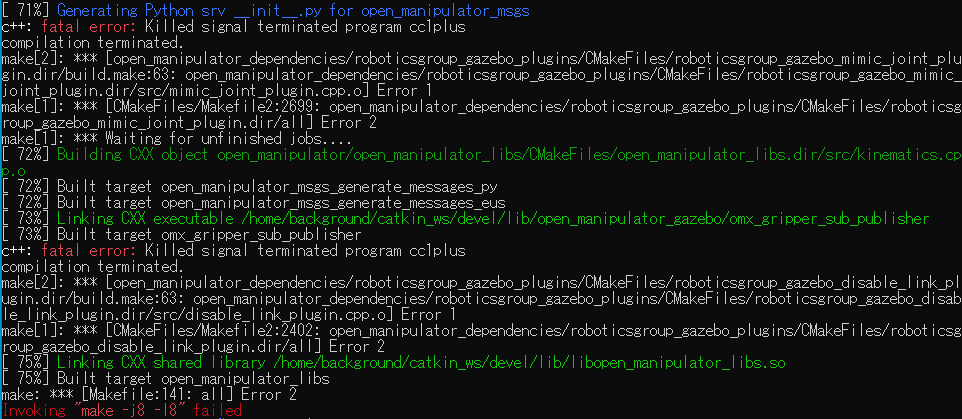
It was resolved by deleting "CMakeLists.txt" once and then running "catkin_make" again.
▼I was able to run "catkin_make" with these commands:
 rm -r src/CMakeLists.txt
 cd ~/catkin_ws && catkin_make
Rebuilding the Environment
After installing various things, my Python environment got corrupted, so I decided to redo the entire Ubuntu environment.
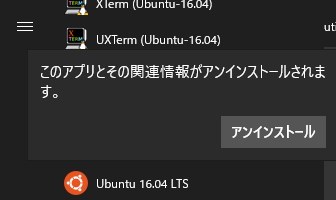
▼I right-clicked Ubuntu 16.04 in the Start menu and uninstalled it.
▼When I tried running the same .appx file again, it wouldn't install.
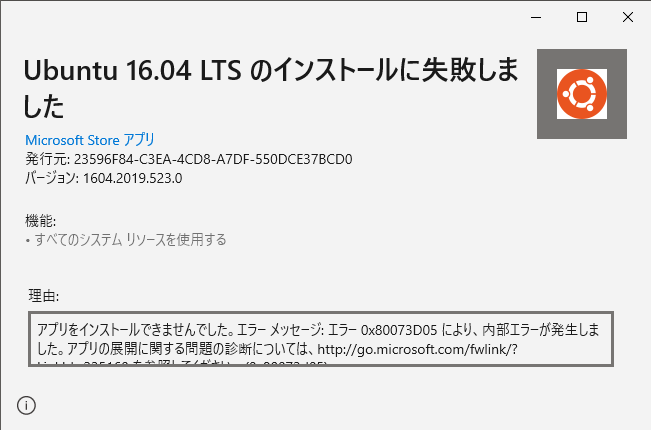
▼I had the same issue when re-installing Ubuntu 22.04, and I used a similar workaround.
Trying Out WSL2 Part 1 (Ubuntu 22.04, Node-RED, and Memory Limits)
Info This article is translated from Japanese to English. Introduction In this post, I set up a WSL (Windows Subsystem for Linux) environment, which allows you…
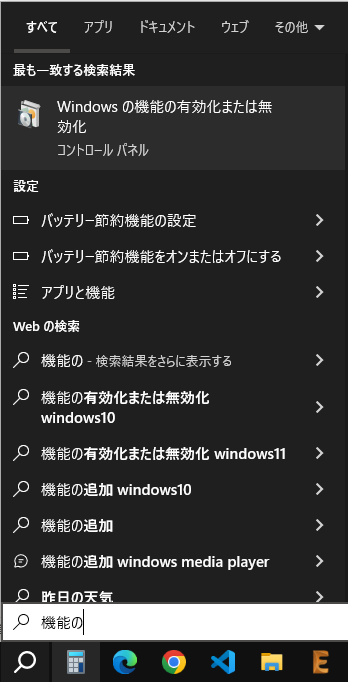
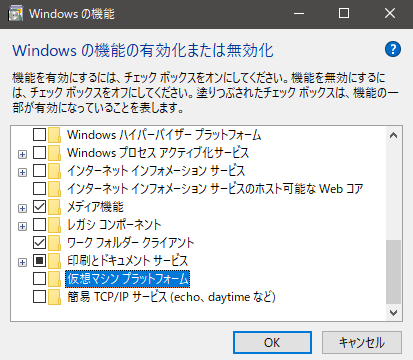
In "Turn Windows features on or off," I disabled "Virtual Machine Platform" and "Windows Subsystem for Linux."
▼You can find this by searching in the Windows search bar.
▼I disabled "Virtual Machine Platform" and "Windows Subsystem for Linux."
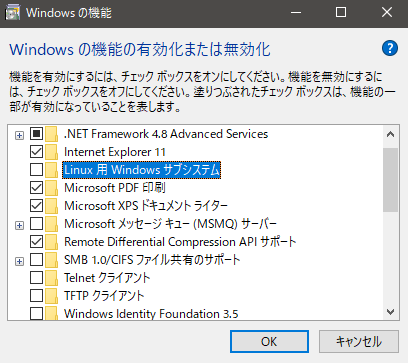
After restarting, I was able to install it by running the .appx file.
Then, I re-enabled the features I had disabled, restarted again, and Ubuntu 16.04 was ready to use.
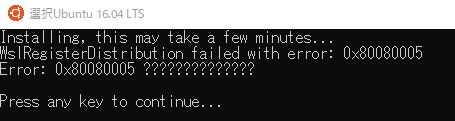
▼An error would occur if I didn't enable the features first.
Trying Out Gazebo
I tried the Simulation described in the ROBOTIS e-Manual.
▼I referred to this page:
https://emanual.robotis.com/docs/en/platform/openmanipulator_x/ros_simulation/#launch-gazebo
First, launch Gazebo. The Open Manipulator model will appear in a 3D space.
▼The command is:
roslaunch open_manipulator_gazebo open_manipulator_gazebo.launch
▼Gazebo has launched.
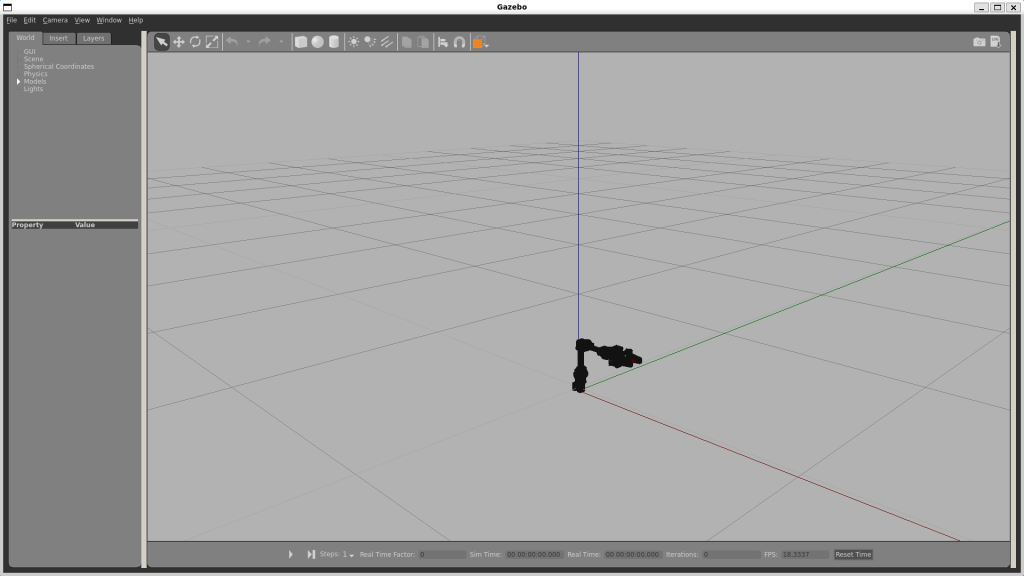
There is a triangular "Start" button at the very bottom; make sure to click it.
In another terminal, launch the "open_manipulator_controller."
▼The command is:
roslaunch open_manipulator_controller open_manipulator_controller.launch use_platform:=false
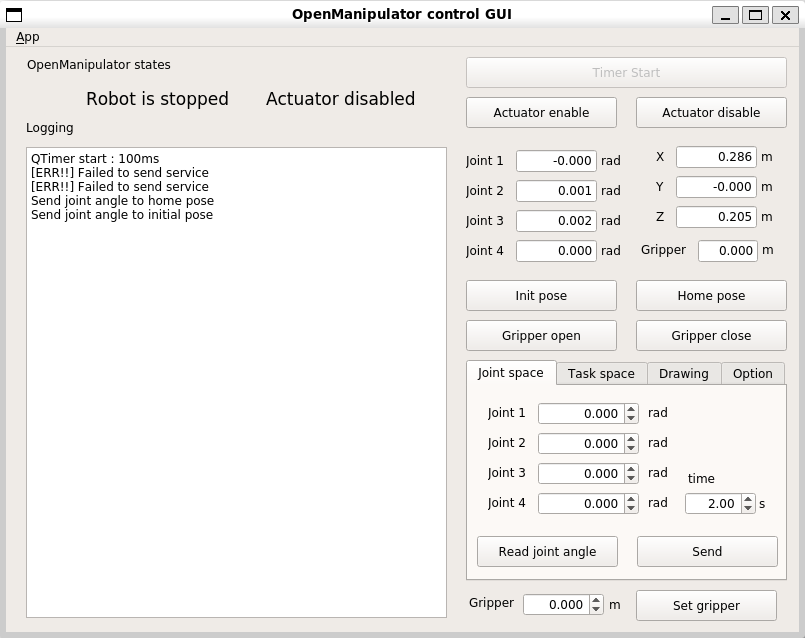
In yet another terminal, launch the "open_manipulator_control_gui." While I used the keyboard to operate the actual machine, this time I used a GUI app.
▼The command is:
roslaunch open_manipulator_control_gui open_manipulator_control_gui.launch
▼The GUI app has launched.
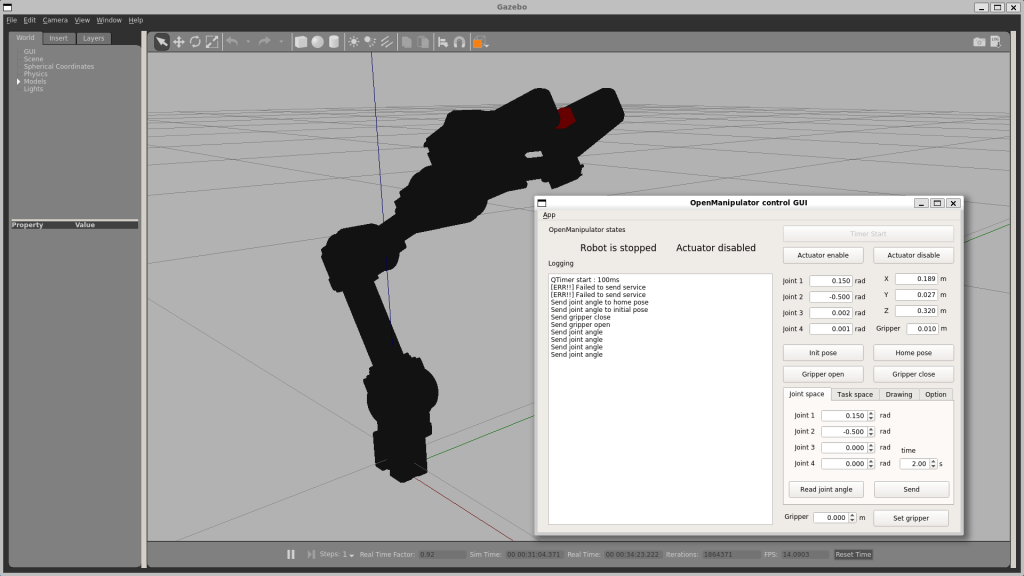
I then operated the Open Manipulator within Gazebo.
▼Although it's not shown in the video, I am operating it via the GUI app.
▼I was able to operate it successfully.
Trying Out MoveIt
I tried MoveIt, which was introduced in a book. It has features for kinematics and inverse kinematics calculations, as well as motion planning. I hope to use this with Unreal Engine 5 later.
▼This book mentioned ROS1 briefly, and that's where I found the info.

 ポチップ
ポチップ
I installed MoveIt for Open Manipulator.
▼The command is:
sudo apt install ros-$ROS_DISTRO-open-manipulator-moveit
▼You can launch it with the following command:
roslaunch open_manipulator_moveit demo.launch
▼RViz is used for 3D visualization.
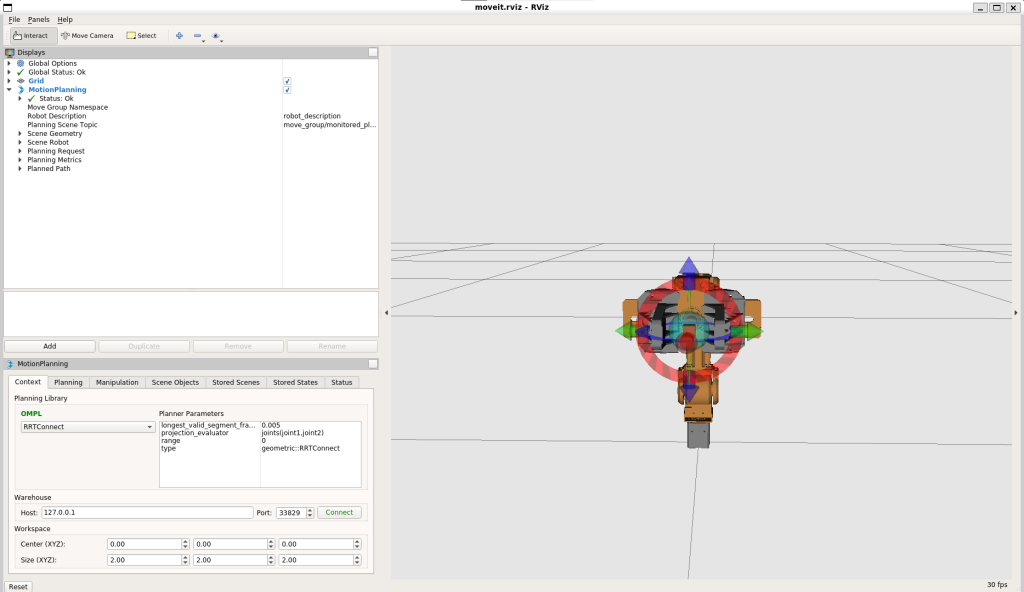
I performed a simulation.
▼The simulation shows how to move from one random pose to another.
Finally
Just like with ROS Noetic, I was able to build an environment for ROS Kinetic. Information found in books and online varies in version, but I figure I can just set up whatever version I need when the time comes.
As for Gazebo and MoveIt, I only did the initial launch this time. I want to look into linking them with the actual machine and communicating with Node-RED, so I’ll be researching that in more detail.