Trying Out Unreal Engine 5 Part 9 (Remote Control API and Node-RED)
 管理人
管理人Introduction
Previously, I used the HTTP Blueprint to test communication from Unreal Engine 5 (UE5) to Node-RED, but this time I tried the opposite. I used the HTTP Remote Control API to operate UE5 objects from Node-RED. Once bidirectional communication with Node-RED is possible, I will be able to integrate various tools like Python and microcontrollers.
▼The conceptual diagram looks like this:
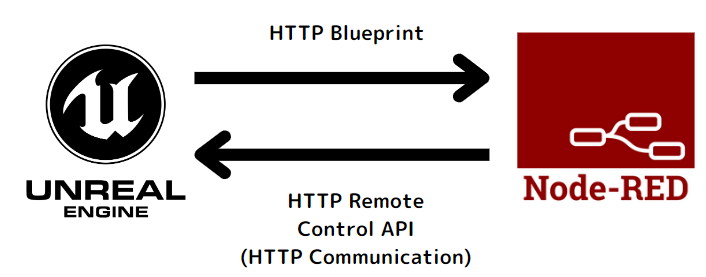
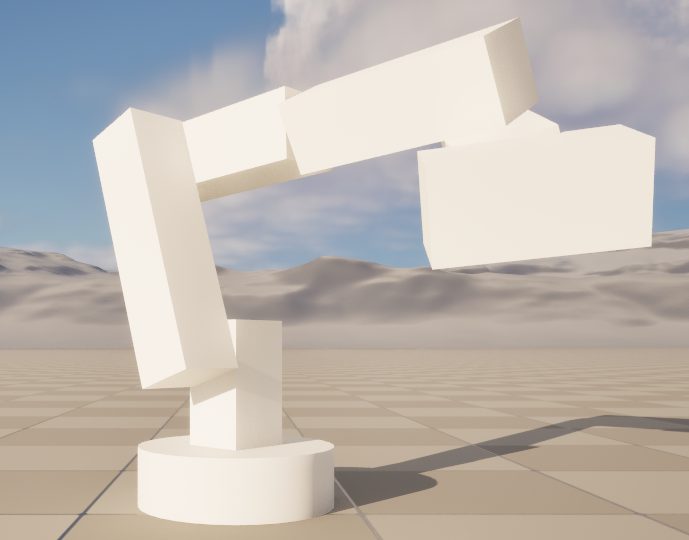
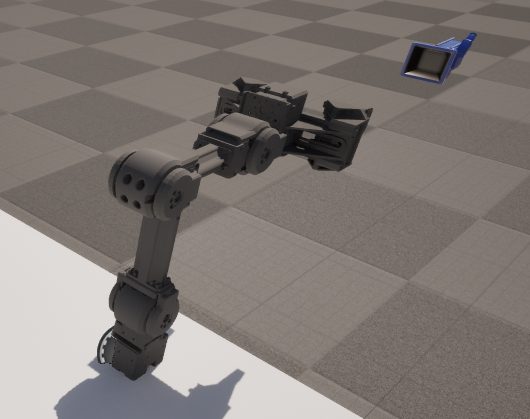
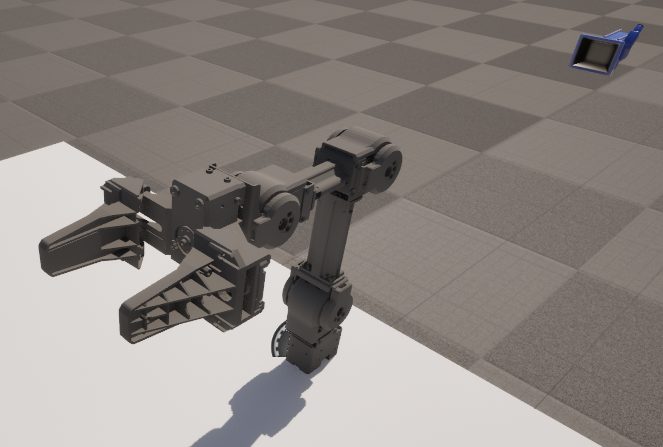
▼I used the Open Manipulator model again for this test.
Trying Out Unreal Engine 5 Part 7 (Open Manipulator)
Info This article is translated from Japanese to English. Introduction In the previous post, I created a basic robotic arm in Unreal Engine 5 (UE5). This time,…
 趣味的ロボット研究所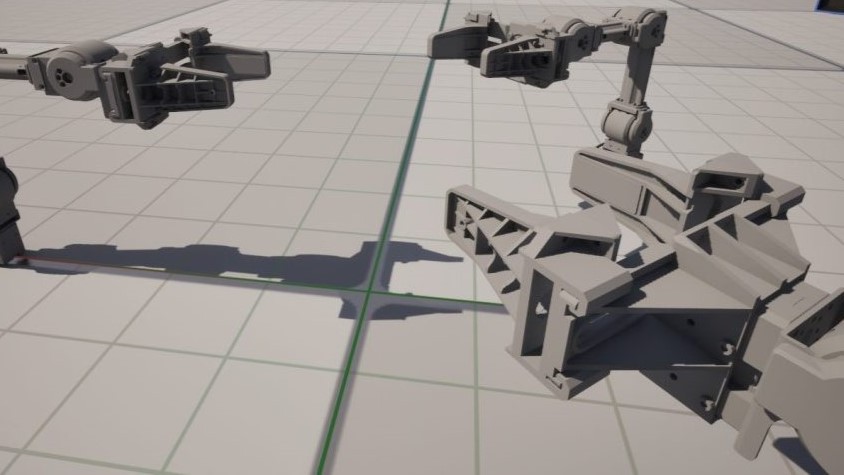
▼Previous articles:
Trying Out Unreal Engine 5 Part 6 (Robotic Arm and Blueprints)
Info This article is translated from Japanese to English. Introduction In this post, I tried creating something like a robotic arm in Unreal Engine 5 (UE5). It…
Using WSL2 Part 4 (Ubuntu 16.04, ROS Kinetic, Open Manipulator)
Info This article is translated from Japanese to English. Introduction So far, I’ve installed Ubuntu 18.04, 20.04, and 22.04 on WSL2 and built ROS/ROS2 environ…
About the Plugins
Two Types of APIs
It can be a bit confusing, but there are two distinct APIs: the Remote Control API and the Remote Control Preset API.
▼Remote Control API HTTP Reference:
▼Remote Control Preset API HTTP Reference:
The "Remote Control API" provides the HTTP endpoints.
The "Remote Control Preset" (which I used in a previous post) allows access to properties specifically exposed through a Preset.
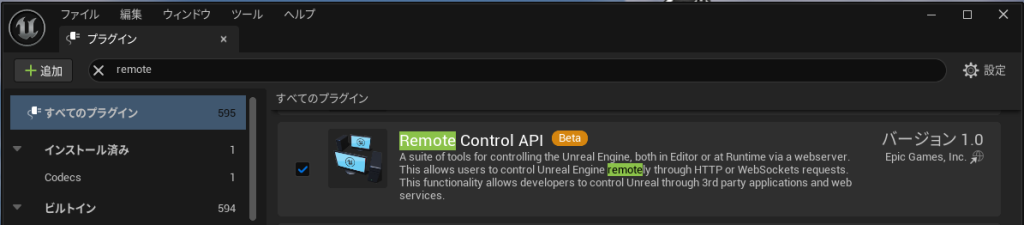
▼Make sure to add the "Remote Control API" plugin.
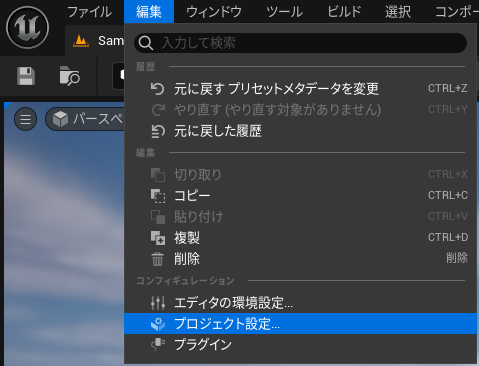
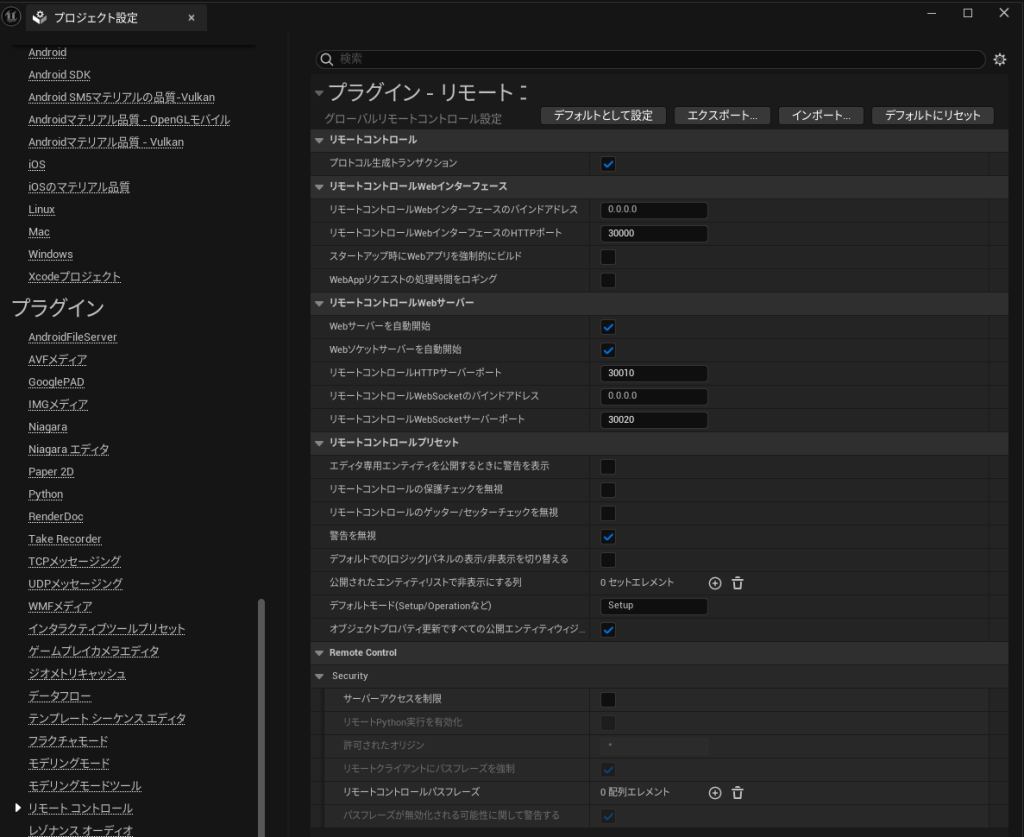
▼You can change the port number and other settings in the Project Settings.
Issue: Unable to Operate During Play
As a note of caution, while I could change properties in the editor view using the Remote Control API, I couldn't change them during active Play mode.
The reason was stated in the reference documentation.
▼It mentions:
"To access an object in -game mode or Play In Editor (PIE) mode, the object must be set to BlueprintVisible. To change values, the property must not be set to BlueprintReadOnly."
https://dev.epicgames.com/documentation/ja-jp/unreal-engine/remote-control-api-http-reference-for-unreal-engine#putremote/object/property
I checked the Blueprint properties by previewing the equivalent C++ header.
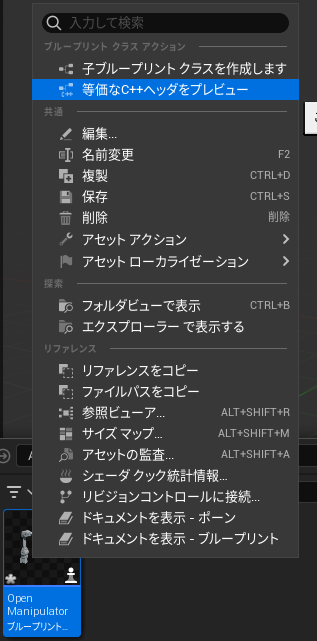
▼Right-clicking the Open Manipulator Blueprint allowed me to select "Preview Equivalent C++ Header."
▼It showed "BlueprintReadOnly" in the UPROPERTY.
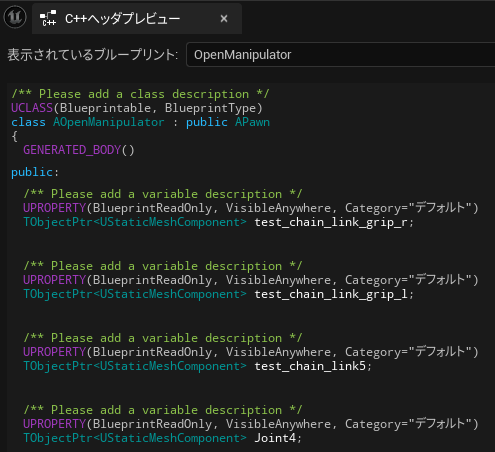
I did some research, but I couldn't find a way to change "BlueprintVisible" for properties created directly in Blueprints (as opposed to C++). If anyone knows how to change "BlueprintReadOnly" for Blueprint variables, I would appreciate it if you could let me know in the comments.
Ultimately, since the Remote Control Preset API did allow property changes during Play mode, I decided to use that instead.
Accessing from Other Devices
As mentioned in previous posts, if you want to use the Remote Control API from a different device, you need to add a few lines to a configuration file.
▼Detailed at the bottom of this page:
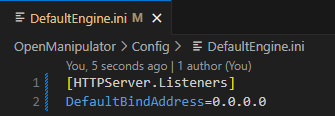
Edit the "DefaultEngine.ini" file in the project's Config folder (close the project first, edit, then restart).
▼It is located in the project's Config folder.
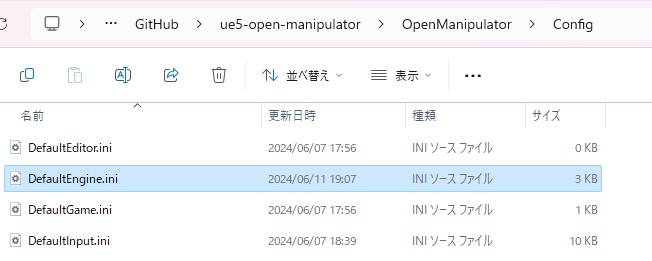
▼I added these two lines (0.0.0.0 is a wildcard):
 [HTTPServer.Listeners]
 DefaultBindAddress=0.0.0.0
Node-RED HTTP Request Node
In the previous post, I used "http in/out" nodes to receive requests from UE5.
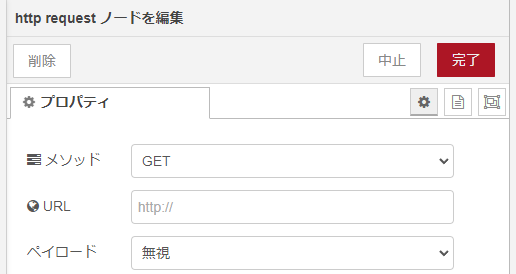
This time, I used Node-RED's "http request" node to send HTTP requests to UE5.
▼For details on the HTTP request node, please refer to this page.
https://qiita.com/utaani/items/a4ea0cba414f63adf09f
▼The node allows you to configure methods (GET, PUT, etc.) and URLs.

Using the Remote Control API
As mentioned, please remember that properties set to "BlueprintReadOnly" cannot be accessed during Play mode.
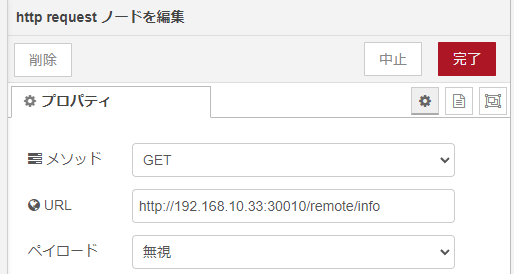
▼Configure the URL according to the reference.
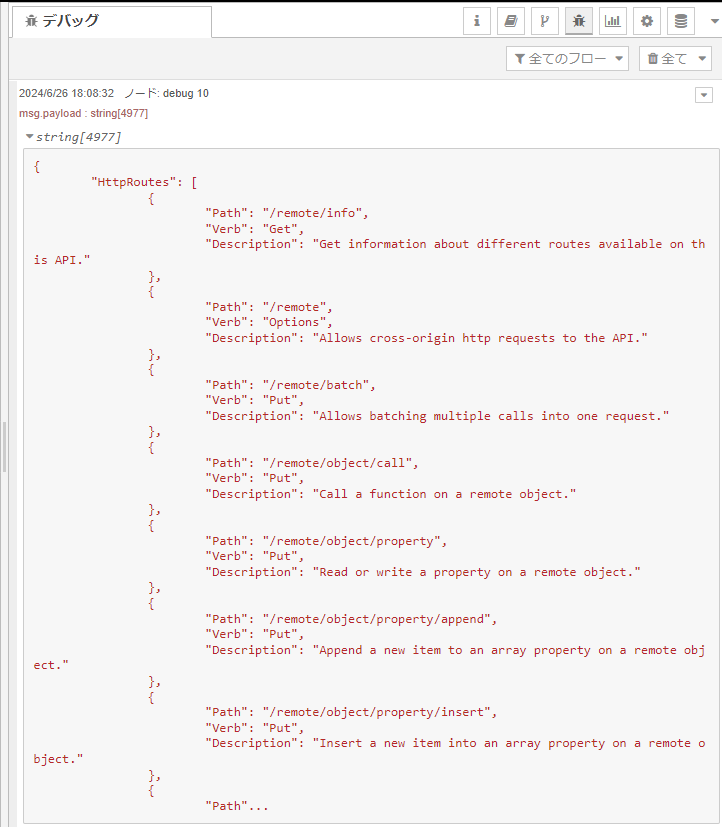
First, I sent a GET request to "remote/info" to see available HTTP routes.
▼URL example (replace with your own, or use localhost if on the same PC):
http://<IP address>:30010/remote/info
▼Flow structure:

▼The "http request" node is set to GET.
▼The HTTP routes were successfully displayed.
Next, I used the PUT method to operate an object in UE5 by sending a request to "remote/object/property."
▼URL:
http://<IP address>:30010/remote/object/property
▼Flow structure:
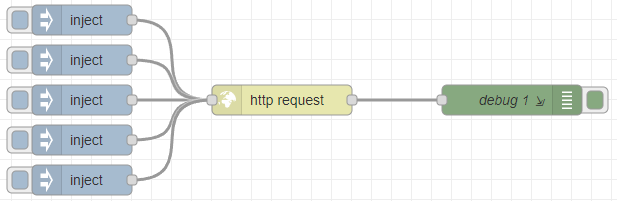
▼Method is set to PUT.
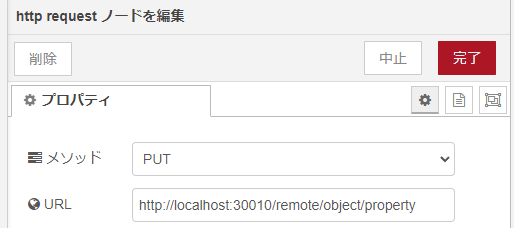
First, I tried to display the properties accessible on the Open Manipulator model.
▼Configuring the "inject" node:
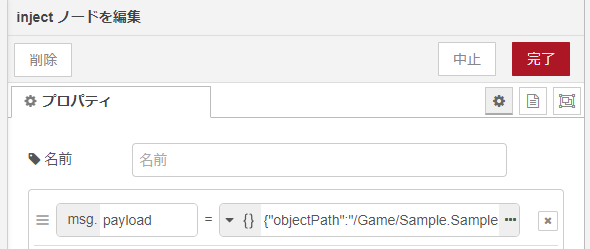
▼Select JSON on the left side.
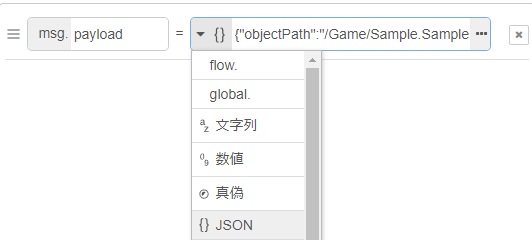
▼Click the three dots to open the JSON editor.
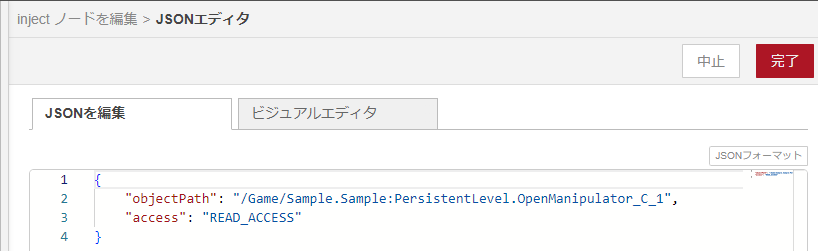
{
    "objectPath": "/Game/Sample.Sample:PersistentLevel.OpenManipulator_C_1",
    "access": "READ_ACCESS"
}
As shown above, this time I've specified the Open Manipulator model for the object's path.
▼You can copy the object path by right-clicking the object in UE5 and selecting "Copy Reference."
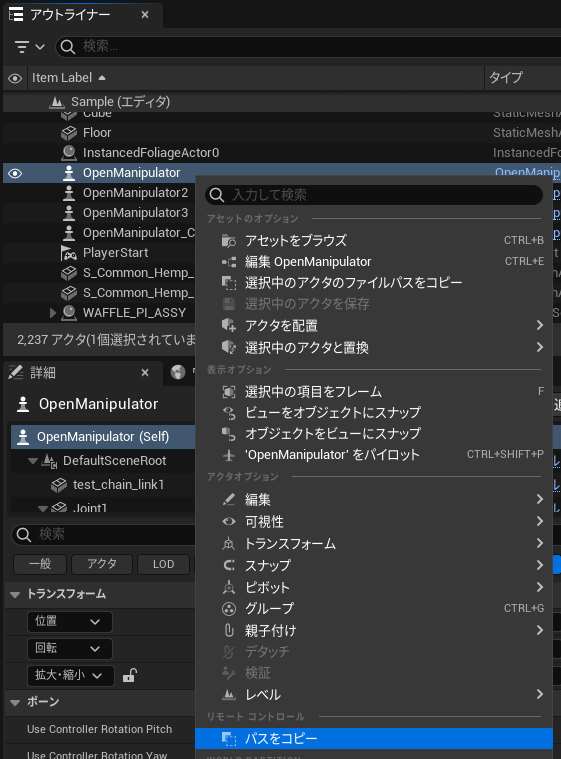
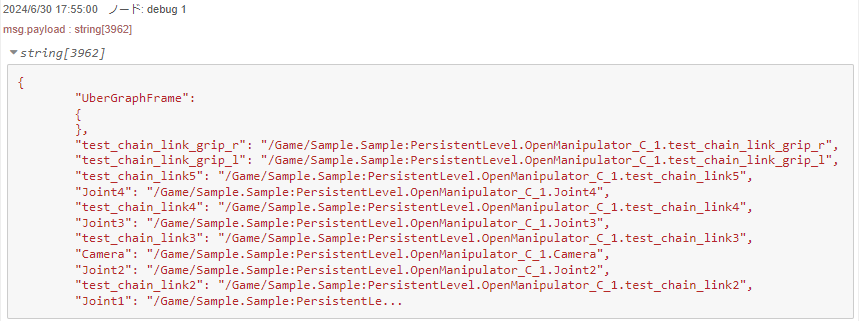
▼Executing this displays the values.
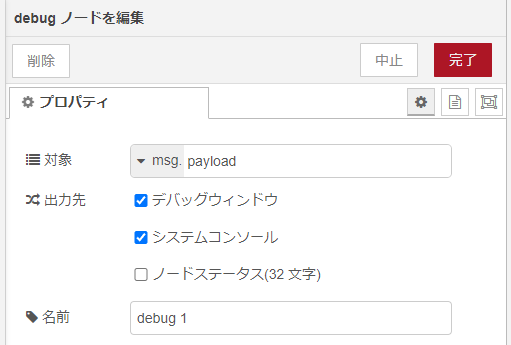
▼I enabled "display in system console" for the debug node as well, as large message volumes sometimes fail to show in the sidebar.
▼The values appeared in the Node.js system console.
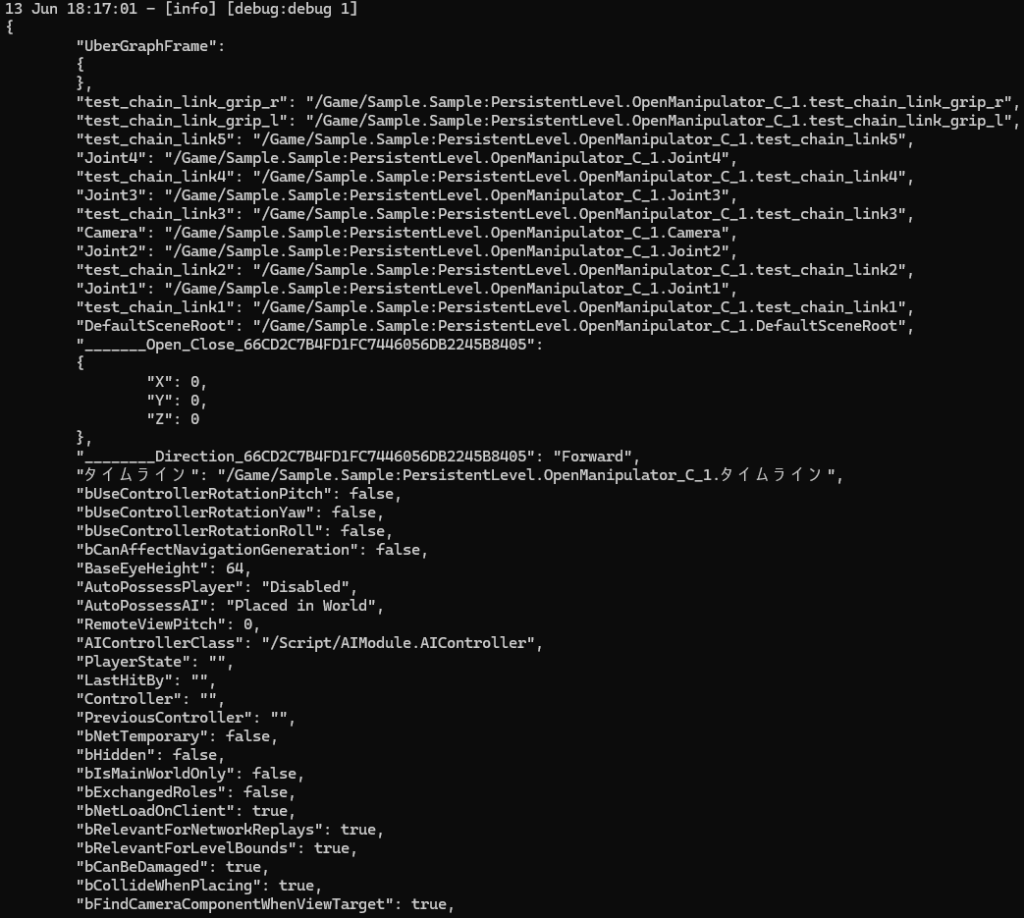
▼Blueprint component names were also visible.
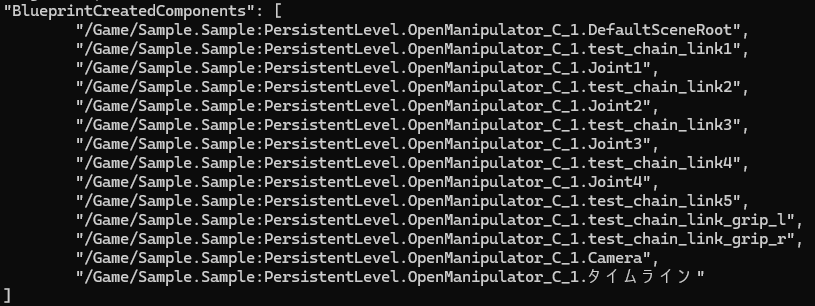
I then narrowed down the values to retrieve.
▼Retrieving Joint1 values:
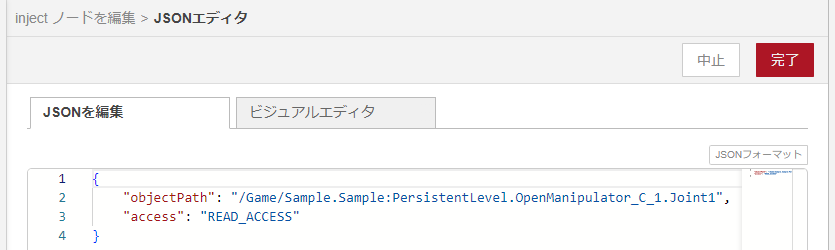
{
    "objectPath": "/Game/Sample.Sample:PersistentLevel.OpenManipulator_C_1.Joint1",
    "access": "READ_ACCESS"
}
▼The output included RelativeLocation and RelativeRotation.
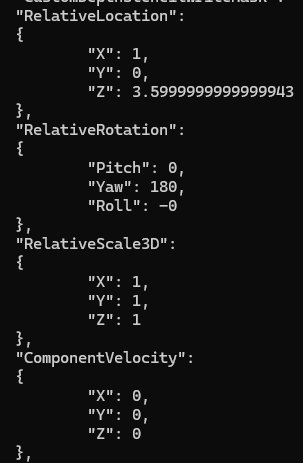
▼Retrieving just the "RelativeRotation" for Joint1:
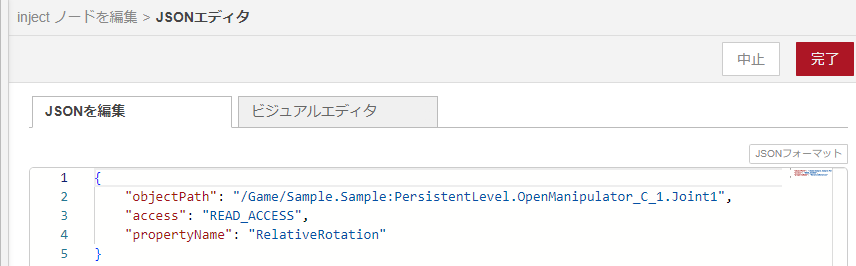
{
    "objectPath": "/Game/Sample.Sample:PersistentLevel.OpenManipulator_C_1.Joint1",
    "access": "READ_ACCESS",
    "propertyName": "RelativeRotation"
}
▼Only the RelativeRotation value was displayed.
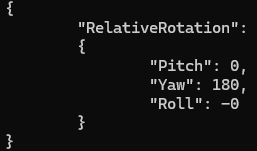
Now that I understood the property structure, I tried sending a HTTP request to change the RelativeRotation.
▼Setting the property values:
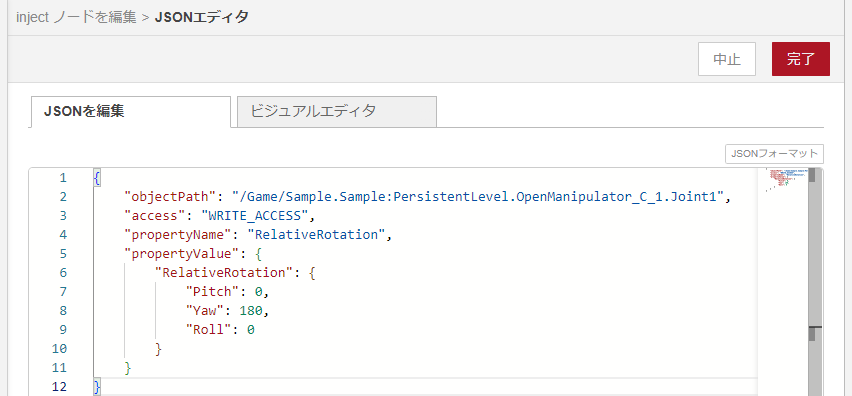
{
    "objectPath": "/Game/Sample.Sample:PersistentLevel.OpenManipulator_C_1.Joint1",
    "access": "WRITE_ACCESS",
    "propertyName": "RelativeRotation",
    "propertyValue": {
        "RelativeRotation": {
            "Pitch": 0,
            "Yaw": 180,
            "Roll": 0
        }
    }
}
▼By changing the Pitch value between 0 and 90, I was able to control the arm.
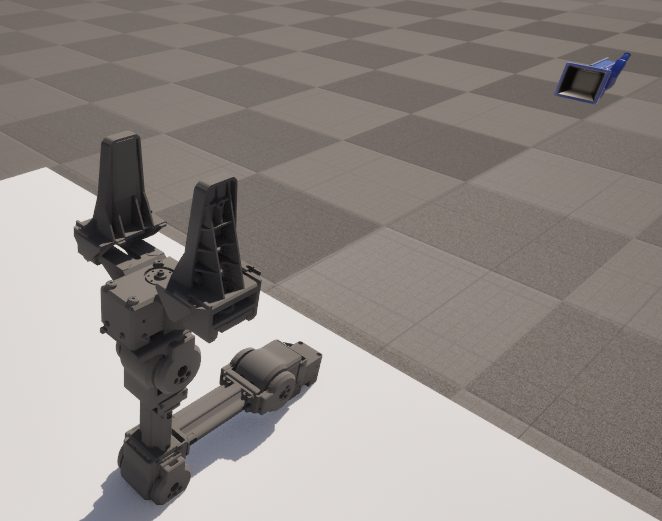
To make it easier to use later, I modified it to pass only the angle.
▼Flow: The "inject" node sends just a numerical value via msg.payload.

▼The "function" node contains JavaScript to construct the request body.
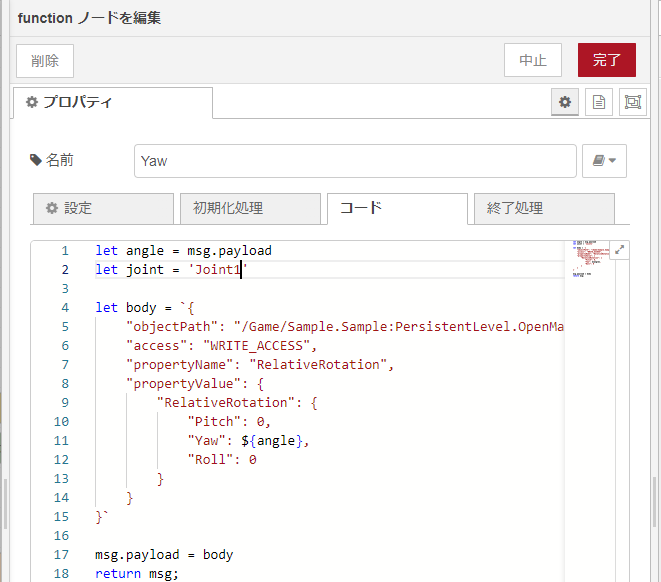
let angle = msg.payload
let joint = 'Joint1'

let body = `{
    "objectPath": "/Game/Sample.Sample:PersistentLevel.OpenManipulator_C_1.${joint}",
    "access": "WRITE_ACCESS",
    "propertyName": "RelativeRotation",
    "propertyValue": {
        "RelativeRotation": {
            "Pitch": 0,
            "Yaw": ${angle},
            "Roll": 0
        }
    }
}`

msg.payload = body
return msg;
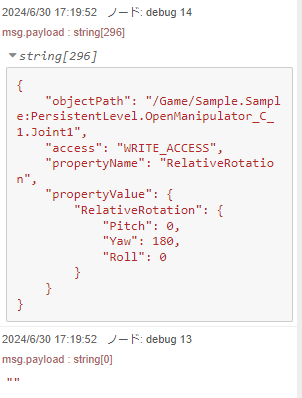
▼If the request is successful, msg.payload returns empty. If there is an error, it will be displayed.
Using the Remote Control Preset API
▼Configure the URL based on the reference:
Exposing Properties
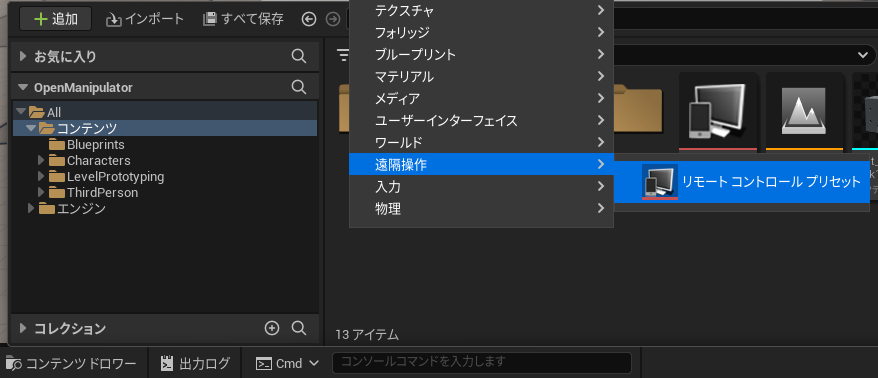
You need to expose properties in a Remote Control Preset.
▼Right-click in the Content Drawer to add a Remote Control Preset.
▼Double-click to open the group/property editor.
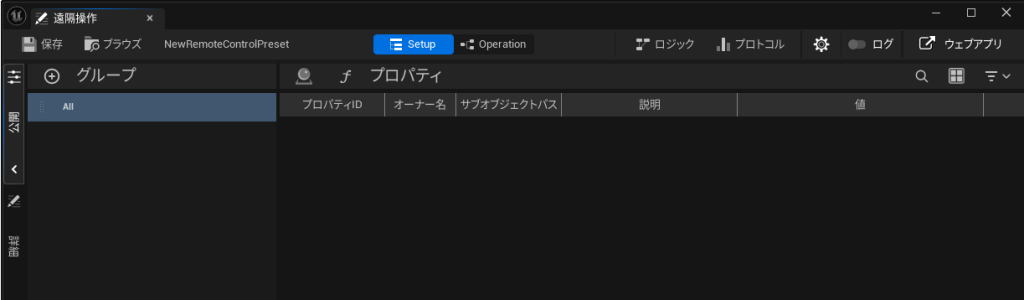
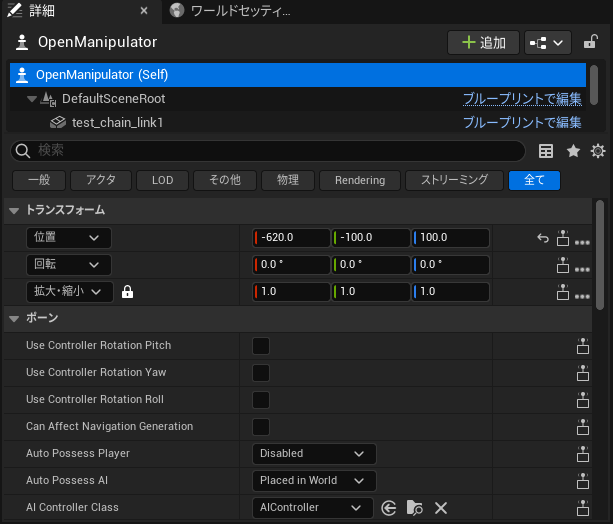
When the Remote Control Preset is open, an icon will appear to the right of the parameters for objects placed in the world.
▼With the preset open, icons appear next to parameters in the World.
▼Clicking these icons exposes the property (e.g., Pitch, Yaw, Roll).
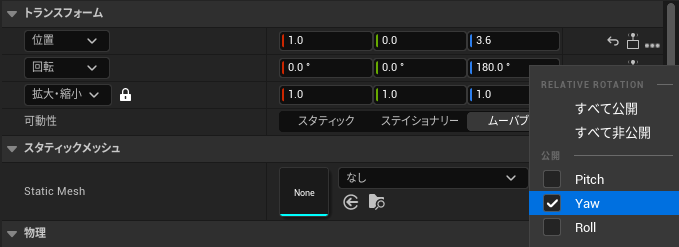
For this test, I exposed Joint1's Yaw and Joint2–4's Pitch.
GET Method
Retrieve the exposed properties in Node-RED by sending a GET request to "remote/presets."
▼URL:
http://<IP address>:30010/remote/presets
▼The flow is below.
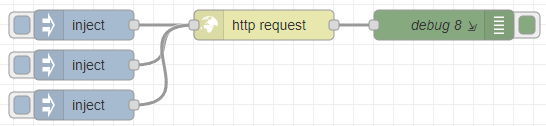
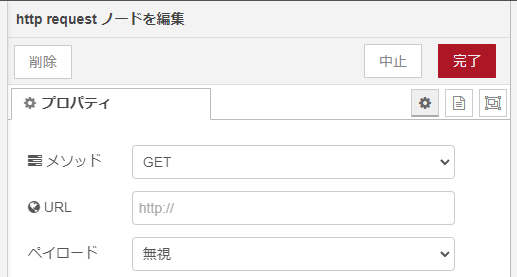
▼Set the method to GET in the http request node.
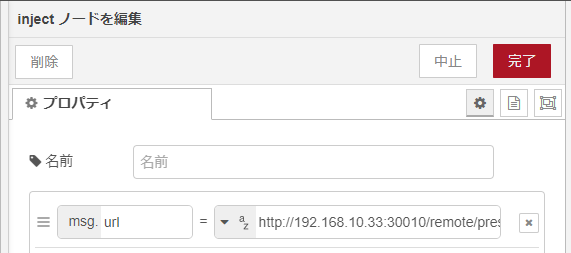
▼Each inject node puts the URL into msg.url.
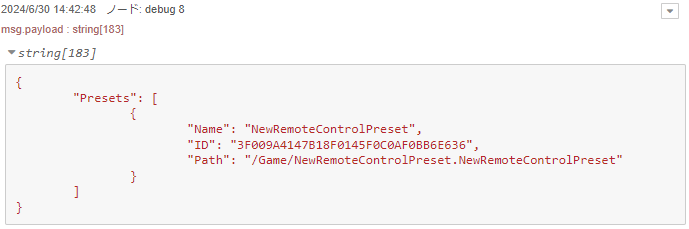
▼The name and path of the created Preset were displayed.
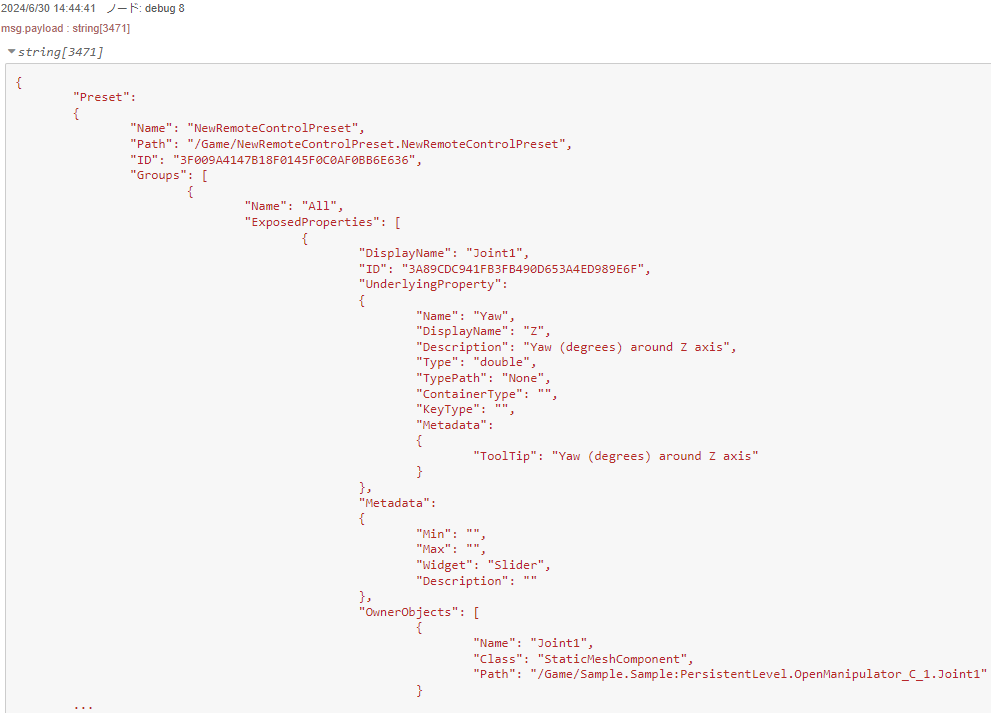
Next, I sent a GET request using the Preset name ("NewRemoteControlPreset") to "remote/preset/insert_preset_name."
▼URL:
http://<IP address>:30010/remote/preset/NewRemoteControlPreset
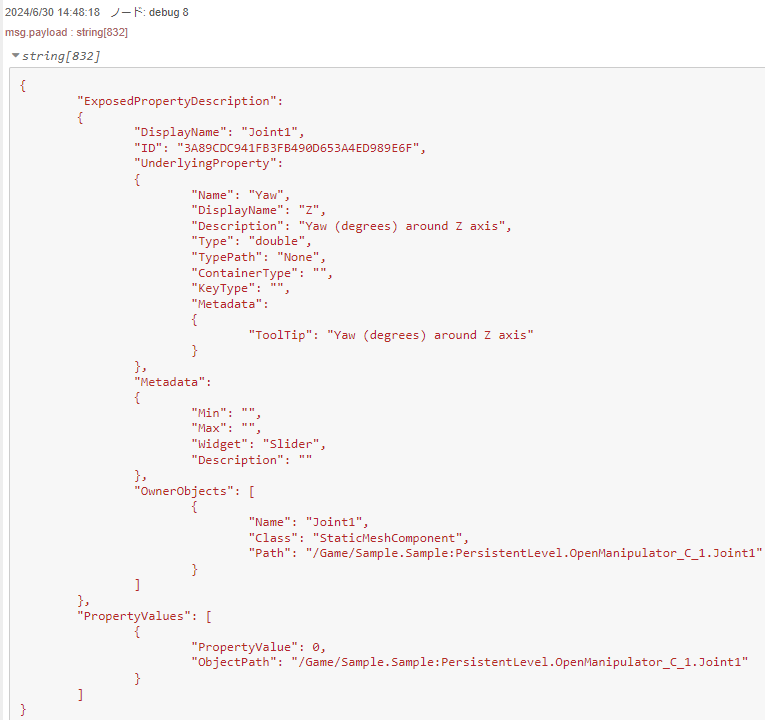
▼The exposed Joint1–4 properties were listed.
To get a specific property like "Joint1":
▼URL:
http://<IP address>:30010/remote/preset/NewRemoteControlPreset/property/Joint1
▼Only Joint1 properties appeared, showing the Yaw value.
PUT Method
To operate the arm, send a PUT request to the property endpoint.
▼URL:
http://<IP address>:30010/remote/preset/NewRemoteControlPreset/property/Joint1
▼The flow is below.

▼Method is PUT.
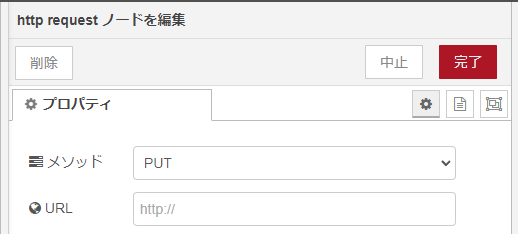
▼Change the Property Value in the inject node.
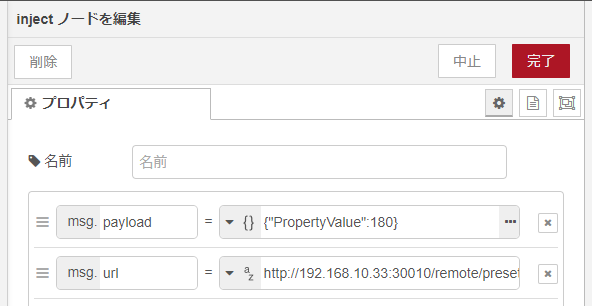
If sent correctly, it's successful.
▼The joint rotates based on the value.
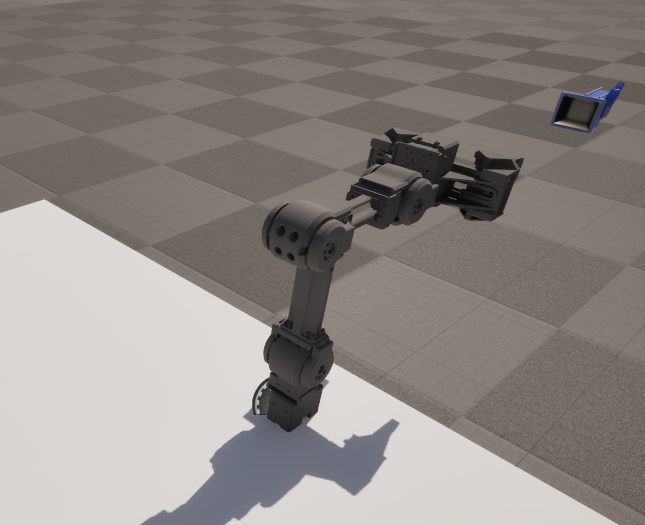
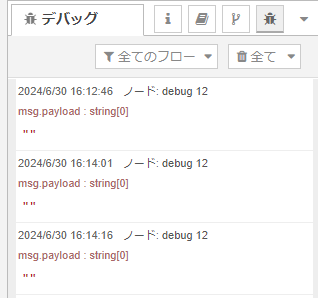
▼No response in msg.payload means success. Errors appear if something is wrong.
Testing the Operation
Object Placement
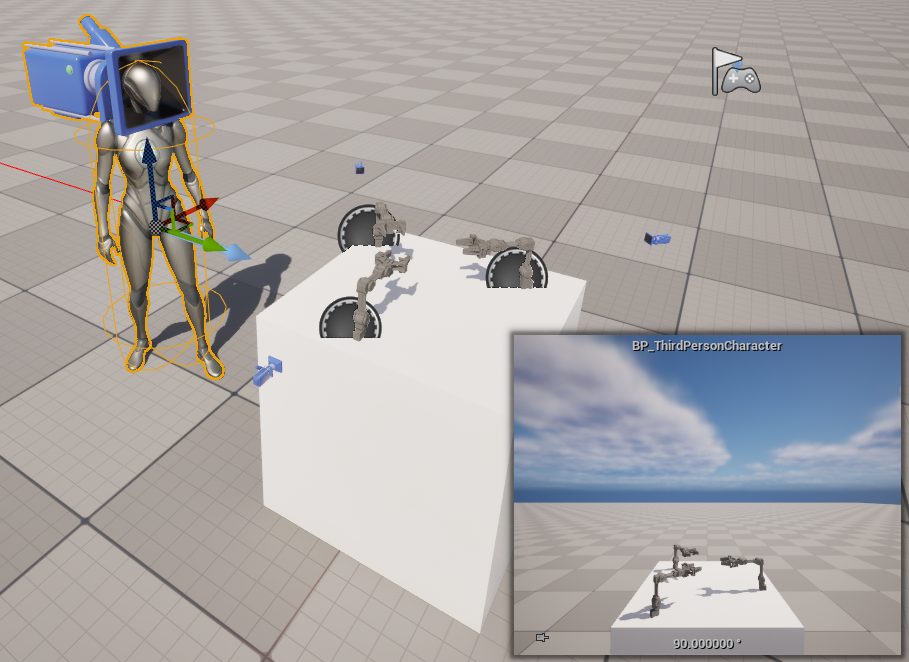
▼To make it easier to see, I moved the ThirdPersonCharacter camera closer and placed the Open Manipulator on a platform.
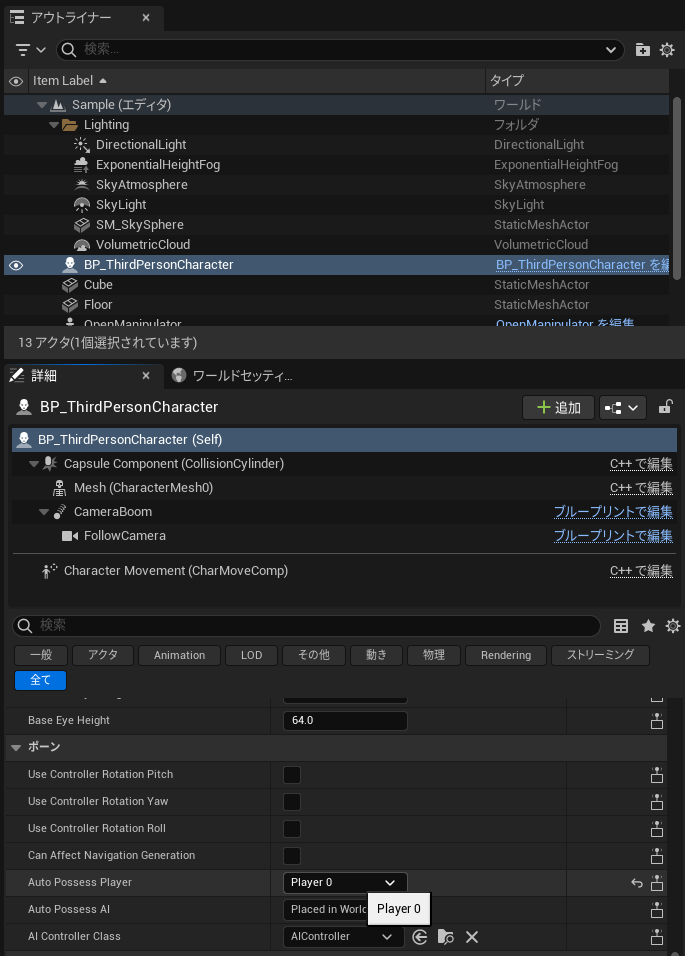
▼I set the ThirdPersonCharacter to be possessed automatically at the start of the game by setting "Auto Possess Player" to "Player 0."
Operation via Remote Control API
I used the Node-RED "dashboard" node for control. Moving the slider node operates the joints.
▼Full flow:
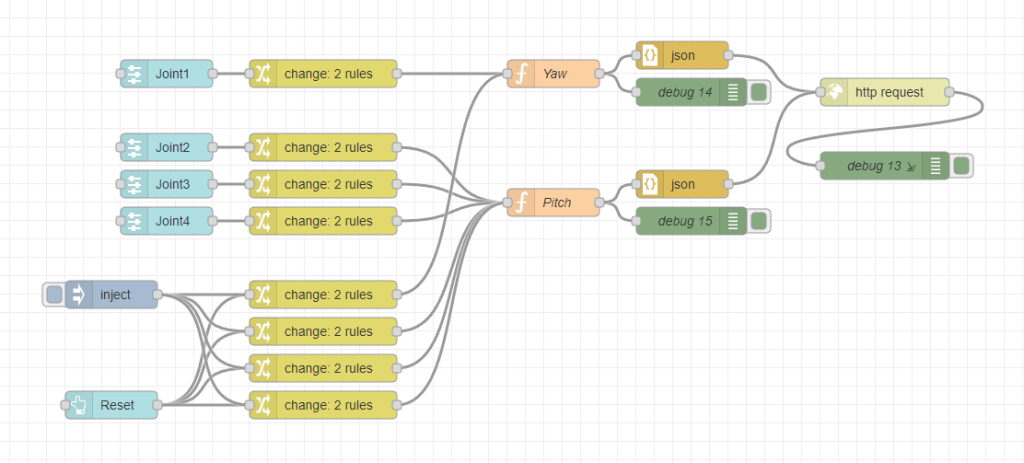
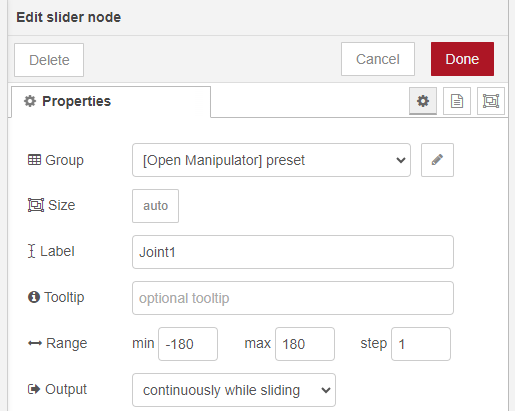
[{"id":"ee6b1a2f32212f1a","type":"http request","z":"2e28e0391bbfbac3","name":"","method":"PUT","ret":"txt","paytoqs":"body","url":"http://192.168.10.33:30010/remote/object/property","tls":"","persist":false,"proxy":"","insecureHTTPParser":false,"authType":"","senderr":false,"headers":[],"x":1110,"y":2640,"wires":[["e80c7c94a658aabf"]]},{"id":"e80c7c94a658aabf","type":"debug","z":"2e28e0391bbfbac3","name":"debug 13","active":true,"tosidebar":true,"console":true,"tostatus":false,"complete":"payload","targetType":"msg","statusVal":"","statusType":"auto","x":1110,"y":2720,"wires":[]},{"id":"c1e6d38d114a5bf1","type":"ui_slider","z":"2e28e0391bbfbac3","name":"","label":"Joint1","tooltip":"","group":"925c5c0fb531daae","order":2,"width":0,"height":0,"passthru":true,"outs":"all","topic":"topic","topicType":"msg","min":"-180","max":"180","step":1,"className":"","x":330,"y":2620,"wires":[["26e5824ca835f9a4"]]},{"id":"26e5824ca835f9a4","type":"change","z":"2e28e0391bbfbac3","name":"","rules":[{"t":"set","p":"angle","pt":"msg","to":"payload","tot":"msg"},{"t":"set","p":"joint","pt":"msg","to":"Joint1","tot":"str"}],"action":"","property":"","from":"","to":"","reg":false,"x":500,"y":2620,"wires":[["4550bc53e7726cbe"]]},{"id":"376904a0ec84c5eb","type":"json","z":"2e28e0391bbfbac3","name":"","property":"payload","action":"","pretty":false,"x":890,"y":2600,"wires":[["ee6b1a2f32212f1a"]]},{"id":"4550bc53e7726cbe","type":"function","z":"2e28e0391bbfbac3","name":"Yaw","func":"let angle = msg.angle\nlet joint = msg.joint\n\nlet body = `{\n \"objectPath\": \"/Game/Sample.Sample:PersistentLevel.OpenManipulator_C_1.${joint}\",\n \"access\": \"WRITE_ACCESS\",\n \"propertyName\": \"RelativeRotation\",\n \"propertyValue\": {\n \"RelativeRotation\": {\n \"Pitch\": 0,\n \"Yaw\": ${angle},\n \"Roll\": 0\n }\n }\n}`\n\nmsg.payload = body\nreturn msg;","outputs":1,"timeout":0,"noerr":0,"initialize":"","finalize":"","libs":[],"x":750,"y":2620,"wires":[["ba0c7e63a3b930b5","376904a0ec84c5eb"]]},{"id":"ba0c7e63a3b930b5","type":"debug","z":"2e28e0391bbfbac3","name":"debug 14","active":true,"tosidebar":true,"console":false,"tostatus":false,"complete":"false","statusVal":"","statusType":"auto","x":900,"y":2640,"wires":[]},{"id":"a64adb2c8233d579","type":"ui_slider","z":"2e28e0391bbfbac3","name":"","label":"Joint2","tooltip":"","group":"925c5c0fb531daae","order":3,"width":0,"height":0,"passthru":true,"outs":"all","topic":"topic","topicType":"msg","min":"-180","max":"180","step":1,"className":"","x":330,"y":2700,"wires":[["68d341881780cfa6"]]},{"id":"68d341881780cfa6","type":"change","z":"2e28e0391bbfbac3","name":"","rules":[{"t":"set","p":"msg.angle","pt":"msg","to":"payload","tot":"msg"},{"t":"set","p":"joint","pt":"msg","to":"Joint2","tot":"str"}],"action":"","property":"","from":"","to":"","reg":false,"x":500,"y":2700,"wires":[["f24d83155acdeb3a"]]},{"id":"53493dac4f57d416","type":"json","z":"2e28e0391bbfbac3","name":"","property":"payload","action":"","pretty":false,"x":890,"y":2740,"wires":[["ee6b1a2f32212f1a"]]},{"id":"f24d83155acdeb3a","type":"function","z":"2e28e0391bbfbac3","name":"Pitch","func":"let angle = msg.angle\nlet joint = msg.joint\n\nlet body = `{\n \"objectPath\": \"/Game/Sample.Sample:PersistentLevel.OpenManipulator_C_1.${joint}\",\n \"access\": \"WRITE_ACCESS\",\n \"propertyName\": \"RelativeRotation\",\n \"propertyValue\": {\n \"RelativeRotation\": {\n \"Pitch\": ${angle},\n \"Yaw\": 0,\n \"Roll\": 0\n }\n }\n}`\n\nmsg.payload = body\nreturn msg;","outputs":1,"timeout":0,"noerr":0,"initialize":"","finalize":"","libs":[],"x":750,"y":2760,"wires":[["d7fd5f69427766d6","53493dac4f57d416"]]},{"id":"d7fd5f69427766d6","type":"debug","z":"2e28e0391bbfbac3","name":"debug 15","active":true,"tosidebar":true,"console":false,"tostatus":false,"complete":"false","statusVal":"","statusType":"auto","x":900,"y":2780,"wires":[]},{"id":"3dc1571aa5d2a1b8","type":"ui_slider","z":"2e28e0391bbfbac3","name":"","label":"Joint3","tooltip":"","group":"925c5c0fb531daae","order":4,"width":0,"height":0,"passthru":true,"outs":"all","topic":"topic","topicType":"msg","min":"-180","max":"180","step":1,"className":"","x":330,"y":2740,"wires":[["478280dfc7866c25"]]},{"id":"478280dfc7866c25","type":"change","z":"2e28e0391bbfbac3","name":"","rules":[{"t":"set","p":"msg.angle","pt":"msg","to":"payload","tot":"msg"},{"t":"set","p":"joint","pt":"msg","to":"Joint3","tot":"str"}],"action":"","property":"","from":"","to":"","reg":false,"x":500,"y":2740,"wires":[["f24d83155acdeb3a"]]},{"id":"925c303276be5ce7","type":"ui_slider","z":"2e28e0391bbfbac3","name":"","label":"Joint4","tooltip":"","group":"925c5c0fb531daae","order":5,"width":0,"height":0,"passthru":true,"outs":"all","topic":"topic","topicType":"msg","min":"-180","max":"180","step":1,"className":"","x":330,"y":2780,"wires":[["acc9e755ecee2743"]]},{"id":"acc9e755ecee2743","type":"change","z":"2e28e0391bbfbac3","name":"","rules":[{"t":"set","p":"msg.angle","pt":"msg","to":"payload","tot":"msg"},{"t":"set","p":"joint","pt":"msg","to":"Joint4","tot":"str"}],"action":"","property":"","from":"","to":"","reg":false,"x":500,"y":2780,"wires":[["f24d83155acdeb3a"]]},{"id":"4d3e8f4626b60a8b","type":"ui_button","z":"2e28e0391bbfbac3","name":"","group":"925c5c0fb531daae","order":1,"width":0,"height":0,"passthru":false,"label":"Reset","tooltip":"","color":"","bgcolor":"","className":"","icon":"","payload":"0","payloadType":"num","topic":"topic","topicType":"msg","x":270,"y":2980,"wires":[["b1d105a5add6942c","b2cd2513f7b1182f","e577ddd7c3d287bd","566950d99c3f2d19"]]},{"id":"d794c31e11ba6b32","type":"inject","z":"2e28e0391bbfbac3","name":"","props":[],"repeat":"","crontab":"","once":false,"onceDelay":0.1,"topic":"","x":270,"y":2860,"wires":[["b1d105a5add6942c","b2cd2513f7b1182f","e577ddd7c3d287bd","566950d99c3f2d19"]]},{"id":"b1d105a5add6942c","type":"change","z":"2e28e0391bbfbac3","name":"","rules":[{"t":"set","p":"angle","pt":"msg","to":"180","tot":"num"},{"t":"set","p":"joint","pt":"msg","to":"Joint1","tot":"str"}],"action":"","property":"","from":"","to":"","reg":false,"x":500,"y":2860,"wires":[["4550bc53e7726cbe"]]},{"id":"b2cd2513f7b1182f","type":"change","z":"2e28e0391bbfbac3","name":"","rules":[{"t":"set","p":"msg.angle","pt":"msg","to":"0","tot":"num"},{"t":"set","p":"joint","pt":"msg","to":"Joint2","tot":"str"}],"action":"","property":"","from":"","to":"","reg":false,"x":500,"y":2900,"wires":[["f24d83155acdeb3a"]]},{"id":"e577ddd7c3d287bd","type":"change","z":"2e28e0391bbfbac3","name":"","rules":[{"t":"set","p":"msg.angle","pt":"msg","to":"90","tot":"num"},{"t":"set","p":"joint","pt":"msg","to":"Joint3","tot":"str"}],"action":"","property":"","from":"","to":"","reg":false,"x":500,"y":2940,"wires":[["f24d83155acdeb3a"]]},{"id":"566950d99c3f2d19","type":"change","z":"2e28e0391bbfbac3","name":"","rules":[{"t":"set","p":"msg.angle","pt":"msg","to":"0","tot":"num"},{"t":"set","p":"joint","pt":"msg","to":"Joint4","tot":"str"}],"action":"","property":"","from":"","to":"","reg":false,"x":500,"y":2980,"wires":[["f24d83155acdeb3a"]]},{"id":"925c5c0fb531daae","type":"ui_group","name":"preset","tab":"bd328187fa445237","order":2,"disp":true,"width":"6","collapse":false,"className":""},{"id":"bd328187fa445237","type":"ui_tab","name":"Open Manipulator","icon":"dashboard","disabled":false,"hidden":false}]▼The slider node is set from -180 to 180.
▼The code for the Yaw of the function node is here.
let angle = msg.angle
let joint = msg.joint

let body = `{
    "objectPath": "/Game/Sample.Sample:PersistentLevel.OpenManipulator_C_1.${joint}",
    "access": "WRITE_ACCESS",
    "propertyName": "RelativeRotation",
    "propertyValue": {
        "RelativeRotation": {
            "Pitch": 0,
            "Yaw": ${angle},
            "Roll": 0
        }
    }
}`

msg.payload = body
return msg;
▼The code for the Pitch of the function node is here.
let angle = msg.angle
let joint = msg.joint

let body = `{
    "objectPath": "/Game/Sample.Sample:PersistentLevel.OpenManipulator_C_1.${joint}",
    "access": "WRITE_ACCESS",
    "propertyName": "RelativeRotation",
    "propertyValue": {
        "RelativeRotation": {
            "Pitch": ${angle},
            "Yaw": 0,
            "Roll": 0
        }
    }
}`

msg.payload = body
return msg;
▼In the change node, values are assigned to msg.angle and msg.joint respectively.
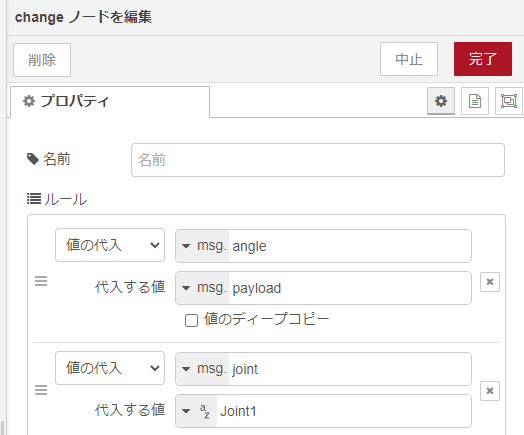
Open the dashboard screen.
▼The dashboard screen can be opened from the external link button in the dashboard tab of the browser.
▼A screen like this appears. The RESET button sets everything to 0.
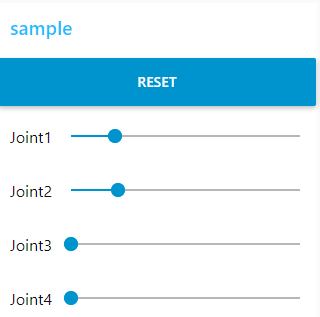
As mentioned, this won't work while the game is running, but it works while editing.
▼Response is quite fast.
Operation via Remote Control Preset API
I also set this up using dashboard nodes.
▼Full flow:
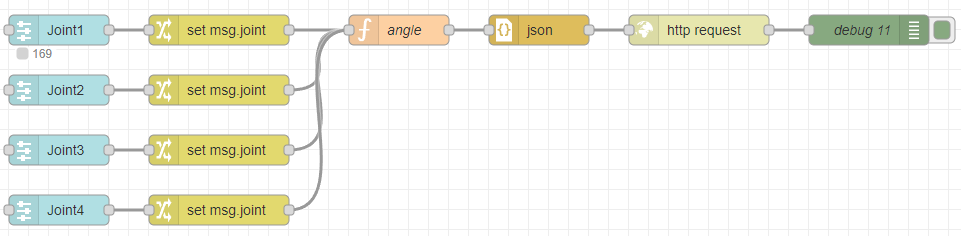
[{"id":"b2928af6fb2fafaa","type":"http request","z":"2e28e0391bbfbac3","name":"","method":"PUT","ret":"txt","paytoqs":"ignore","url":"","tls":"","persist":false,"proxy":"","insecureHTTPParser":false,"authType":"","senderr":false,"headers":[],"x":750,"y":1960,"wires":[["9534e2c79abe5347"]]},{"id":"9534e2c79abe5347","type":"debug","z":"2e28e0391bbfbac3","name":"debug 11","active":true,"tosidebar":true,"console":false,"tostatus":false,"complete":"false","statusVal":"","statusType":"auto","x":920,"y":1960,"wires":[]},{"id":"e4107f5c0e72575b","type":"function","z":"2e28e0391bbfbac3","name":"angle","func":"let angle = msg.payload\nlet joint = msg.joint\n\nlet body = `{\n \"PropertyValue\":${angle}\n}`\n\nmsg.payload = body\nmsg.url = `http://192.168.10.33:30010/remote/preset/NewRemoteControlPreset/property/${joint}`\nreturn msg;","outputs":1,"timeout":0,"noerr":0,"initialize":"","finalize":"","libs":[],"x":450,"y":1960,"wires":[["dc6745b9e66e17e6"]]},{"id":"530255f9b6b430b8","type":"ui_slider","z":"2e28e0391bbfbac3","name":"","label":"Joint1","tooltip":"","group":"925c5c0fb531daae","order":7,"width":0,"height":0,"passthru":true,"outs":"all","topic":"topic","topicType":"msg","min":"-180","max":"180","step":1,"className":"","x":110,"y":1960,"wires":[["431a7a2519248b7f"]]},{"id":"431a7a2519248b7f","type":"change","z":"2e28e0391bbfbac3","name":"","rules":[{"t":"set","p":"joint","pt":"msg","to":"Joint1","tot":"str"}],"action":"","property":"","from":"","to":"","reg":false,"x":270,"y":1960,"wires":[["e4107f5c0e72575b"]]},{"id":"dc6745b9e66e17e6","type":"json","z":"2e28e0391bbfbac3","name":"","property":"payload","action":"","pretty":false,"x":590,"y":1960,"wires":[["b2928af6fb2fafaa"]]},{"id":"427916068d3fdf49","type":"ui_slider","z":"2e28e0391bbfbac3","name":"","label":"Joint2","tooltip":"","group":"925c5c0fb531daae","order":8,"width":0,"height":0,"passthru":true,"outs":"all","topic":"topic","topicType":"msg","min":"-180","max":"180","step":1,"className":"","x":110,"y":2020,"wires":[["e4c39878a09b12f9"]]},{"id":"e4c39878a09b12f9","type":"change","z":"2e28e0391bbfbac3","name":"","rules":[{"t":"set","p":"joint","pt":"msg","to":"Joint2","tot":"str"}],"action":"","property":"","from":"","to":"","reg":false,"x":270,"y":2020,"wires":[["e4107f5c0e72575b"]]},{"id":"807f934e714941cd","type":"ui_slider","z":"2e28e0391bbfbac3","name":"","label":"Joint3","tooltip":"","group":"925c5c0fb531daae","order":9,"width":0,"height":0,"passthru":true,"outs":"all","topic":"topic","topicType":"msg","min":"-180","max":"180","step":1,"className":"","x":110,"y":2080,"wires":[["d69bd19c62903a20"]]},{"id":"d69bd19c62903a20","type":"change","z":"2e28e0391bbfbac3","name":"","rules":[{"t":"set","p":"joint","pt":"msg","to":"Joint3","tot":"str"}],"action":"","property":"","from":"","to":"","reg":false,"x":270,"y":2080,"wires":[["e4107f5c0e72575b"]]},{"id":"58bc175c6f9f1be1","type":"ui_slider","z":"2e28e0391bbfbac3","name":"","label":"Joint4","tooltip":"","group":"925c5c0fb531daae","order":10,"width":0,"height":0,"passthru":true,"outs":"all","topic":"topic","topicType":"msg","min":"-180","max":"180","step":1,"className":"","x":110,"y":2140,"wires":[["9c9d48be51e5ecbf"]]},{"id":"9c9d48be51e5ecbf","type":"change","z":"2e28e0391bbfbac3","name":"","rules":[{"t":"set","p":"joint","pt":"msg","to":"Joint4","tot":"str"}],"action":"","property":"","from":"","to":"","reg":false,"x":270,"y":2140,"wires":[["e4107f5c0e72575b"]]},{"id":"925c5c0fb531daae","type":"ui_group","name":"preset","tab":"bd328187fa445237","order":2,"disp":true,"width":"6","collapse":false,"className":""},{"id":"bd328187fa445237","type":"ui_tab","name":"Open Manipulator","icon":"dashboard","disabled":false,"hidden":false}]▼The contents of the angle property in the function node are as follows:
let angle = msg.payload
let joint = msg.joint

let body = `{
    "PropertyValue":${angle}
}`

msg.payload = body
msg.url = `http://192.168.10.33:30010/remote/preset/NewRemoteControlPreset/property/${joint}`
return msg;
▼The Joint name is specified in the change node.
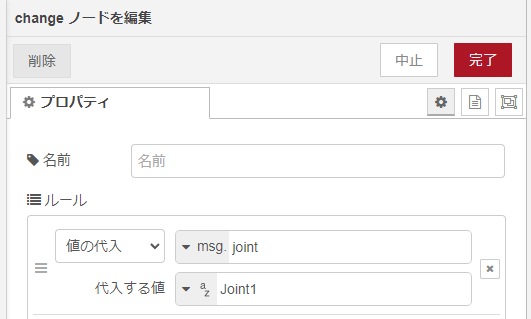
▼Sliders appear on the dashboard.

I tested it out.
▼This works even during play, but the response is slower.
Finally
I recalled that the slower response in the Remote Control Preset API might be because I had limited the background processing speed of the game. I should check those settings.
Also, the changes sometimes didn't reflect unless the UE5 window was focused. When using two monitors (one for UE5, one for Node-RED), I had to click the UE5 screen to see movement.
For that reason, I operated Node-RED from a separate PC. I need to look into how UE5 displays while running. To make it completely remote, I’ll need a way to stream the game screen as well.