Trying Out Unreal Engine 5 Part 5 (Environment Setup on Ubuntu 22.04.4)
 管理人
管理人Introduction
In this post, I tried installing Unreal Engine 5 in an Ubuntu environment. While it is slightly more complex than installing it on Windows, it was relatively straightforward to complete.
Since I’ve struggled quite a bit with setting up the Node-RED MCU environment recently, I feel like I'm getting more used to these kinds of tasks. I also tried installing a slightly older version as well.
As always, this is a memo for myself so that I don't forget the steps later.
▼Previous articles are here:
Trying Out Unreal Engine 5 Part 3 (NPC Navigation)
Info This article is translated from Japanese to English. Introduction In this post, I tried moving agents in Unreal Engine 5 (UE5). In a game context, these w…
 趣味的ロボット研究所
Trying Out Unreal Engine 5 Part 4 (Unreal Learning Kit: Training Virtual Robots – Lesson 1)
Info This article is translated from Japanese to English. Introduction I recently tried out a virtual robot tutorial available in Unreal Engine 5. This is my f…
Related Information
▼The "Linux Game Development" page is here:
▼There is a "Getting Started" page, but there is currently no information available there:
▼Hardware and software requirements for Linux:
▼Although this page is for Unreal Engine 4.27, the setup workflow is still very helpful:
▼An article about installing Unreal Engine 5 on Ubuntu 20.04.4, which I found extremely useful:
https://zenn.dev/sotahi/articles/d6eeab4385e903
Installing on Windows
▼You can download the launcher from this page. Please make sure to register an account.
https://www.unrealengine.com/ja/download
After downloading and starting the launcher, you can install any version of the engine.
▼You can specify the version in the "Library" tab. It looks like version 5.4.1 has been released. I am currently using 5.1.1.

▼There is a video explaining the installation process, but it's so simple you probably don't even need to watch it.
Installing on Ubuntu
▼I followed the steps in this article as a reference:
https://zenn.dev/sotahi/articles/d6eeab4385e903
Downloading Source Code from GitHub
You can access the Unreal Engine source code on GitHub. Since it's a private repository, authentication is required.
▼The instructions are provided on this page:
https://www.unrealengine.com/ja/ue-on-github
Go to your account page and connect your GitHub account under the "Apps and Accounts" section.
▼You can access it here:
https://www.unrealengine.com/account/connections?lang=ja-jp
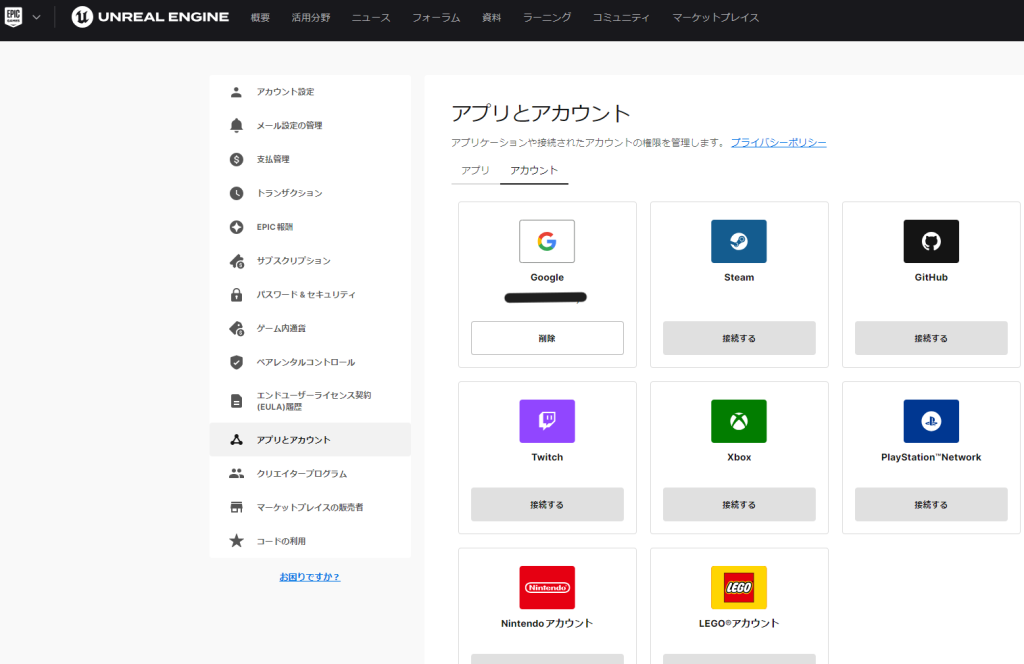
After connecting, an invitation will appear when you access the GitHub repository. You should also receive an email.
▼The Epic Games GitHub repository is here:
▼Once you have access, a yellow banner will be displayed at the top.

▼Join the Epic Games organization.
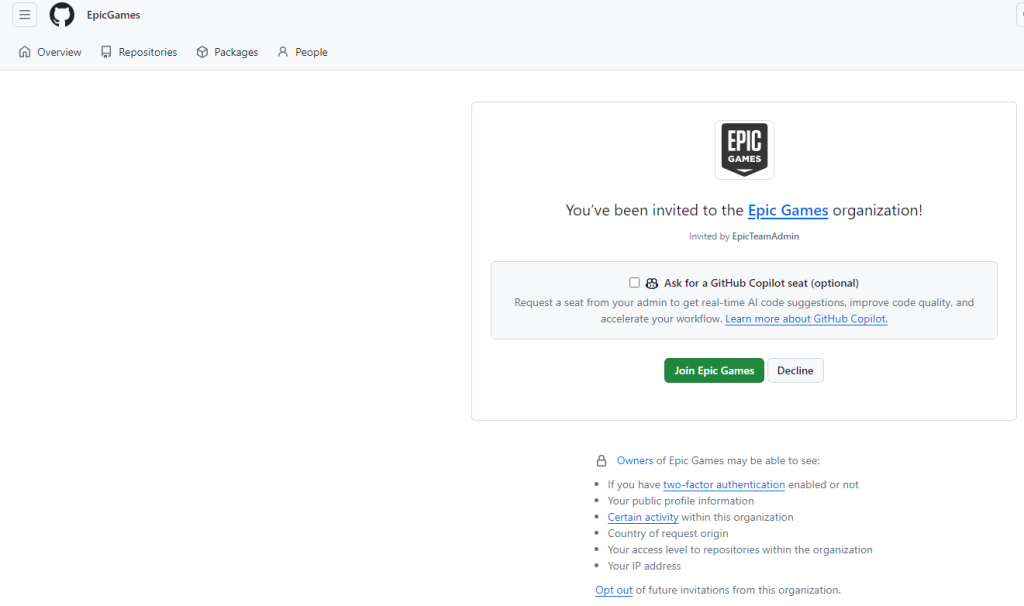
▼Joined successfully!

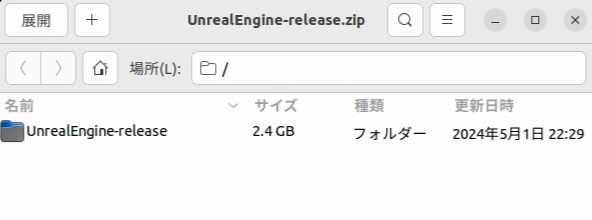
Now you can access the private UnrealEngine repository. I downloaded the source by selecting "Download ZIP" from the green "Code" button.
▼If you prefer to clone via Git, use the following command:
git clone https://github.com/EpicGames/UnrealEngine.git
▼Extract the downloaded file.
Building the Engine
I moved the downloaded folder to a directory named "ue5" and ran the following commands for the installation.
▼You just need to enter this series of commands:
 cd ue5/UnrealEngine-release
 ./Setup.sh
 ./GenerateProjectFiles.sh
 make
 ./Engine/Binaries/Linux/UnrealEditor
▼The familiar splash screen appeared!


▼To launch the editor again later, run UnrealEditor once more:
 cd UnrealEngine-release
 Engine/Binaries/Linux/UnrealEditor
Changing the Version
This time, I want to install version 5.1.1. The file I just downloaded from the main branch is the latest version, so I need to download the source code for 5.1.1 from the "Releases" section.
▼The "Releases" section is located on the right side of the GitHub repository page.

▼I searched for Unreal Engine 5.1.1 and downloaded "Source code (zip)" and "Commit.gitdeps.xml."
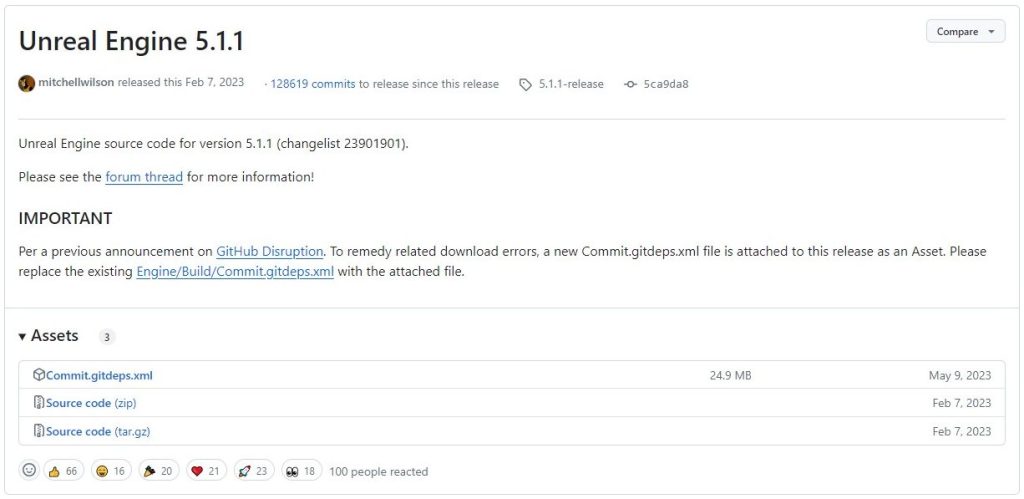
After extracting the 5.1.1 source, running "Setup.sh" normally results in an error.
▼This issue was discussed here:
To fix this, replace the "Commit.gitdeps.xml" file located in "UnrealEngine-5.1.1-release/Engine/Build" with the one you just downloaded separately. Now you can run "Setup.sh" successfully.
Finally
Setting up the environment is usually the hardest part, but installing Unreal Engine was relatively easy. It's incredibly simple on Windows.
On Ubuntu, you have to use terminal commands, which can be a bit intimidating, but I managed to get it working. I look forward to trying out various things in this new environment.