Shopping: Trying Out a Robotic Arm (5-axis and Gripper)
 管理人
管理人Introduction
In this post, I tried out a robotic arm I bought on Amazon. My original goal was to get a large number of servo motors at a low price, but I decided to buy this kit as it seemed easier to use in a pre-packaged form.
The robotic arm I purchased comes with six servo motors. It also includes metal brackets, horns, and a gripper, so it has everything you need to get started. Since it's on Amazon, you might be able to pick it up even cheaper during a sale.
I don’t actually intend to use it as a robotic arm in the long run; I’m thinking of repurposing the parts later for something like a robot’s tail.
▼The product I purchased is here:

 ポチップ
ポチップ
Assembling the Kit
I went ahead and assembled the kit.
▼It includes metal parts. The servo horns are pre-threaded with screw holes.


▼The assembly wasn't too complex. There are many mounting holes, so it looks like you could build things other than just an arm.


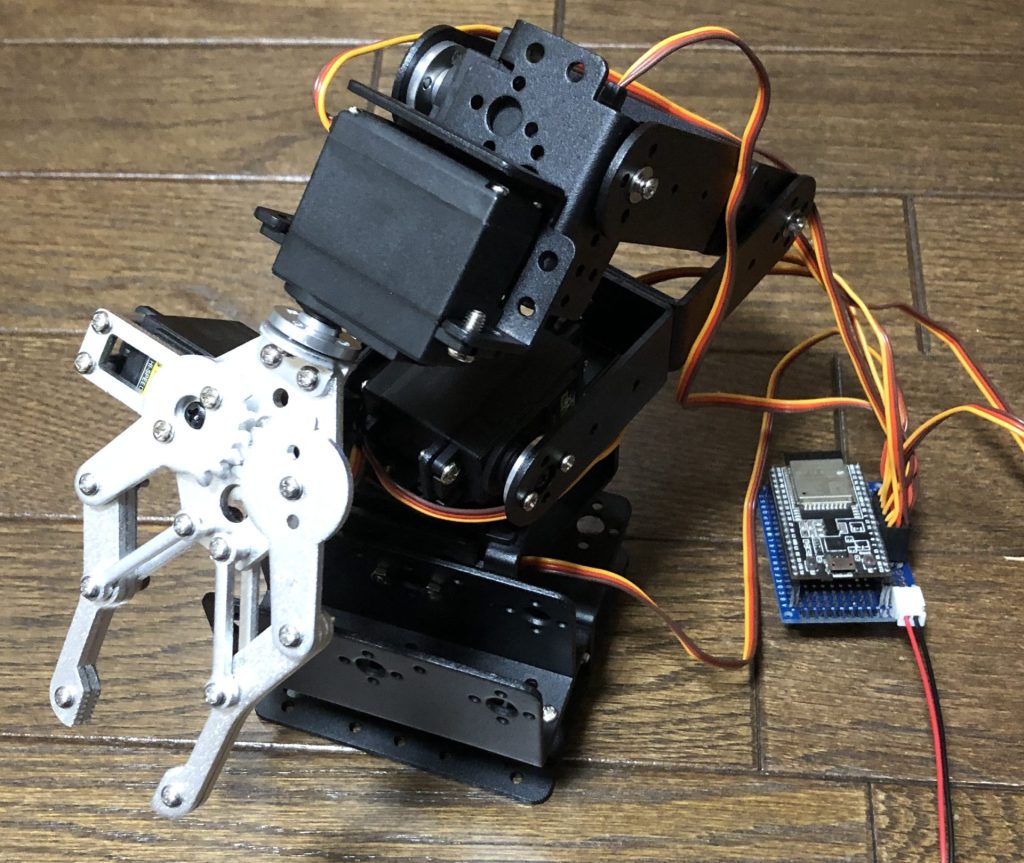
▼This is what it looks like finished.

Creating the Circuit Board
I wired everything up so that the six servo motors can be controlled by an ESP32. I used a universal protoboard.
I originally wanted to use the ESP32-WROVER-E, but for some reason, GPIO pins 16 and 17 didn't seem to work. I haven't looked into the details yet, but I couldn't get the servos to move with it. It worked fine with the ESP32-WROOM-32.
▼Here is the front of the board. I separated the power supply for the servo motors from the microcontroller's power supply.

Taking advantage of the double-sided board, I attached switches to the back. Since GPIO pins 34 and 35 do not have internal pull-up resistors, I added external ones just for those pins. I used polyurethane-coated wire for the wiring in tight spaces.
▼Here is the back of the board. There are 12 switches to control the forward and reverse rotation of the servo motors.
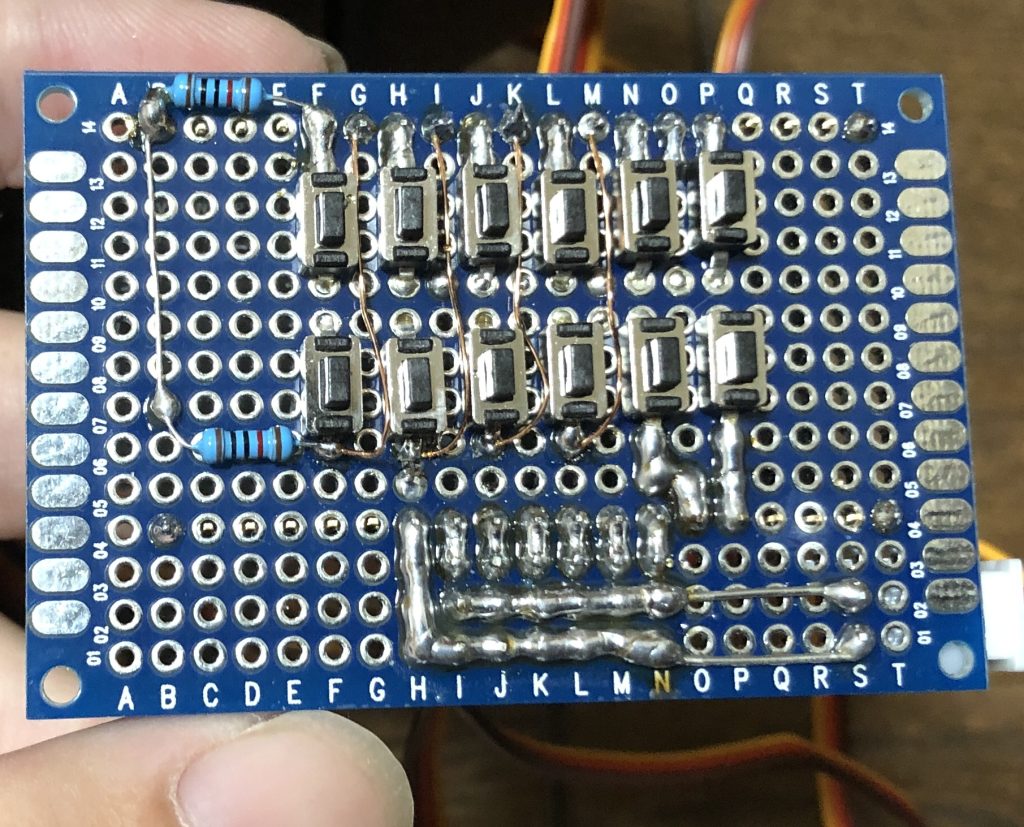
▼This is what it looks like when wired. The servo leads are short, so they tend to get tangled easily.
Operating the Arm
I wrote a program to handle the inputs from the 12 switches and control the six servo motors.
▼The program is here. Parts of it are separated into header files. (I'd like to make the Servo declarations more compact…)
▼Here is the actual movement. I tried grabbing a stuffed penguin I had at home.
▼From another angle. When reset, it returns to the initial position.
Finally
After testing it out, I felt that it is difficult for the base servo motor to move when the arm is fully extended. Possibly due to the increased torque and resulting higher current draw, the operation sometimes became unstable, with the arm moving on its own. Continuous overloading is dangerous for the equipment, so I need to think of some countermeasures. I’ve actually broken servo motors several times in the past by letting them get too hot... I’d like to try transmitting power via belts or similar methods to change the placement of heavy motorized components in the future.