Trying Out XIAO ESP32C3 Part 2 (analogWrite Function and Servo Motors)
 管理人
管理人Introduction
In this post, I experimented with the analogWrite function and servo motor control using the XIAO ESP32C3.
Regarding the servo motor, existing libraries did not work. Therefore, I controlled it by sending pulses while referring to the datasheet.
▼This was also discussed here, but the proposed library resulted in an error for me.
https://forum.arduino.cc/t/xiao-esp32-c3-pwm-servo-control/1087850
▼The product page for the XIAO ESP32C3 is here:
https://akizukidenshi.com/catalog/g/g117454
Seeed Studio XIAO ESP32C3 — スイッチサイエンス
Bluetooth Low EnergyとWi-Fiを搭載した小型マイコンボードです。IoTや携帯するアプリケーションに最適です。工事設計認証を取得しています。


 ポチップ
ポチップ
▼Previous article:
Using XIAO ESP32C3 Part 1 (Battery, Bluetooth)
Introduction The previous article was about my exhibit at Maker Faire Kyoto 2023. This time I will talk about the microcontroller I used for our exhibit, the…
 趣味的ロボット研究所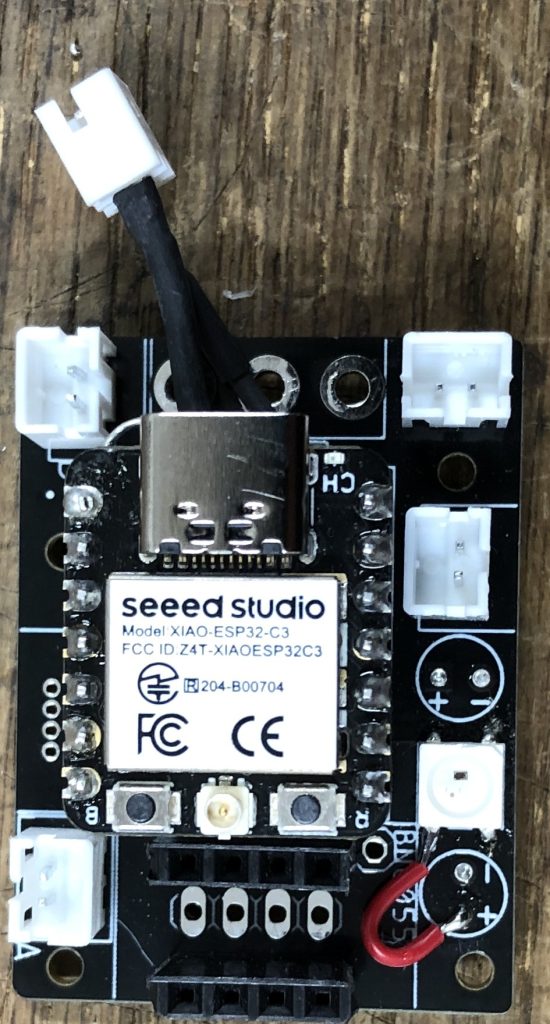
Precautions Regarding Pins
While researching, I discovered that some pins on the XIAO ESP32C3 are connected to internal circuits. Pins D6, D8, and D9 require caution.
▼More details can be found here:
Seeed Studio XIAO ESP32C3のI/O割り付けに注意 - Seeed K.K. エンジニアブログ
Seeed K.K.の松岡です。 最近、Seeed Studio XIAO ESP32C3を使った某プロジェクトの回路を設計しました。基板を作って動かしてみると、なにもしていないのにLEDが点灯する…
 Seeed K.K. エンジニアブログ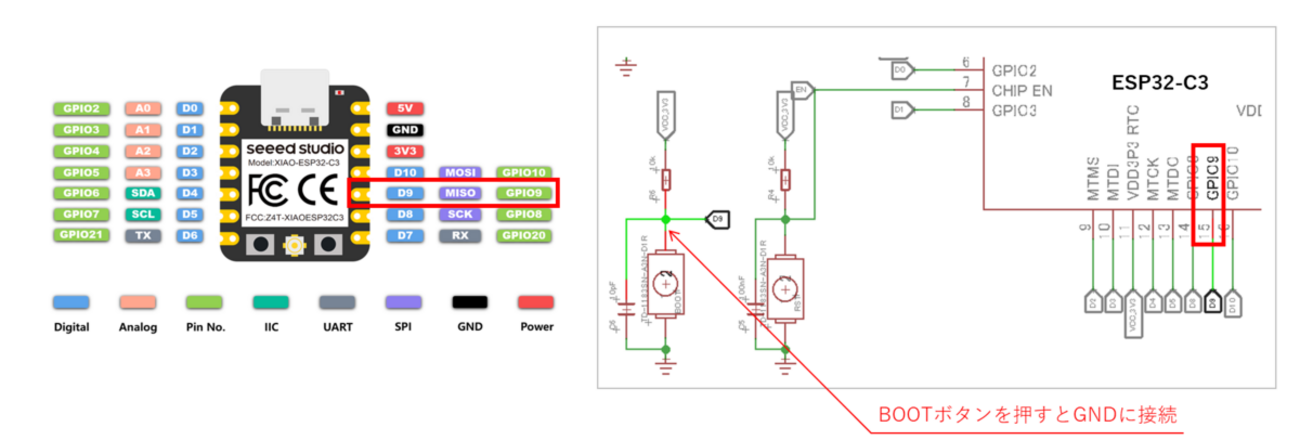
▼Information on the various modes can be found here:
https://wiki.seeedstudio.com/XIAO_ESP32C3_Getting_Started/#strapping-pins
Performing PWM Control
In the Arduino ecosystem, the analogWrite function is typically used for PWM output. Since it wasn't available for standard ESP boards, I used to use the ledcWrite function. However, it seems that analogWrite can actually be used with the XIAO ESP32C3.
▼It was mentioned here:
https://qiita.com/ginger/items/476012a24c6b30121606
I tried the "Fade" program, which adjusts LED brightness.
▼I used the standard Arduino "Fade" code as is. It works perfectly.
Controlling a Servo Motor
This time, I am controlling the SG90. First, let's look at the datasheet.
▼Datasheet:
https://akizukidenshi.com/download/ds/towerpro/SG90_a.pdf
It appears control is handled by the duration of HIGH and LOW intervals:
- 0.5ms for the -90° position
- 1.45ms for the 0° position
- 2.4ms for the 90° position
- The cycle period is 20ms
It seems manageable with functions like digitalWrite() and delay(). Let's write a program and test it.
Precautions Regarding delay
▼I referred to the following article for pulse control:
【Arduino入門編⑧】サーボモーターを動かしてみる。PWM制御についていの解説です! | ぶらり@web走り書き
【Arduino入門編⑧】サーボモーターを動かしてみる。PWM制御についていの解説です!
 ぶらり@web走り書き
Normally, delay() is used to pause the program with units in milliseconds (ms).
Checking the official reference for delay(), the argument is an unsigned long type. Since it takes integer values from 0 to 4,294,967,295, decimal values cannot be used. However, the datasheet requires control between 0.5ms and 2.4ms.
Therefore, to control time intervals in microseconds (μs) instead of ms, I use delayMicroseconds() instead of delay().
▼Page regarding delay():
https://www.arduino.cc/reference/en/language/functions/time/delay/
▼Page regarding unsigned long:
https://www.arduino.cc/reference/en/language/variables/data-types/unsignedlong/
▼Page regarding delayMicroseconds():
https://www.arduino.cc/reference/en/language/functions/time/delaymicroseconds/
Verifying with Arduino Nano
The SG90 datasheet states the "Power and Signal" should be 4.8V to 5V, but the pin voltage for ESP32-based boards is 3.3V. Just to be safe, I decided to verify the operation with a 5V Arduino Nano first.
▼Verified with Arduino Nano and the servo motor.


▼With the Arduino Nano, you can use standard libraries. Here is how the "Sweep" example from the Servo library looks:
▼Here is the pulse control program without using a library. I used a for loop to achieve control similar to "Sweep."
▼Actual operation:
Verifying with XIAO ESP32C3
Unlike the verification with the Arduino Nano, I noticed the rotation was slow until the Serial Monitor was opened. For this version, I have omitted the serial communication part.
Also, while I used pin 9 in the video, as mentioned earlier, it has internal connections. I changed the program to use pin 10, and it worked correctly.
▼Program for the XIAO ESP32C3:
▼Actual operation:
▼By the way, the SG92R, which has slightly more torque than the SG90, could be controlled in the same way.
Finally
I was able to control a servo motor without using a library. Since I only used standard Arduino functions, this method should work on other boards as well.
I am a bit concerned that the rotation is slower on the XIAO ESP32C3 compared to the Arduino Nano. Perhaps the signal voltage is indeed better at 4.8V to 5V.
Personally, I was surprised that the analogWrite function worked. I’m more used to it than ledcWrite, and it’s simple and easy to use.