Trying Out ROS1 Part 1 (Turtlesim, Node-RED)
 管理人
管理人Introduction
In this post, since I wanted to properly learn ROS, I checked the communication aspects using Turtlesim.
I have operated the Turtlesim turtle using a keyboard or GUI before, but I am trying it again. Also, while I have received data in Node-RED before, I had never sent it, so I tried operating it using nodes that can utilize ROS.
▼I am testing with ROS Noetic, which I previously installed on WSL2 Ubuntu 20.04.
WSL2を使ってみる その3(Ubuntu 20.04、ROS Noetic、Open Manipulator)
はじめに 今回はWSL2のUbuntu 20.04に、ROSをインストールしてみました。 前回構築したのはWSL2のUbuntu 22.04です。WSL2で複数のバージョンのUbuntu環境をインストー…
 趣味的ロボット研究所
▼The ROS Noetic Turtlesim page is here:
https://wiki.ros.org/turtlesim
▼Previous articles are here:
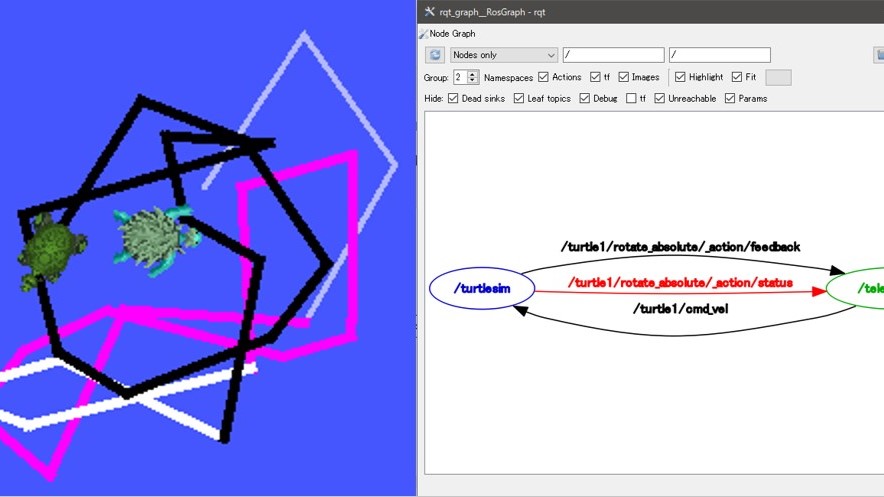
ROS2を使ってみる その2(Turtlesim、rqt、Windows)
はじめに 今回はROS2でTurtlesimとrqtを試してみました。 ROSとROS2について最近触るようになったのですが、Turtlesimとrqtは書籍やオンラインのチュートリアルでよく…
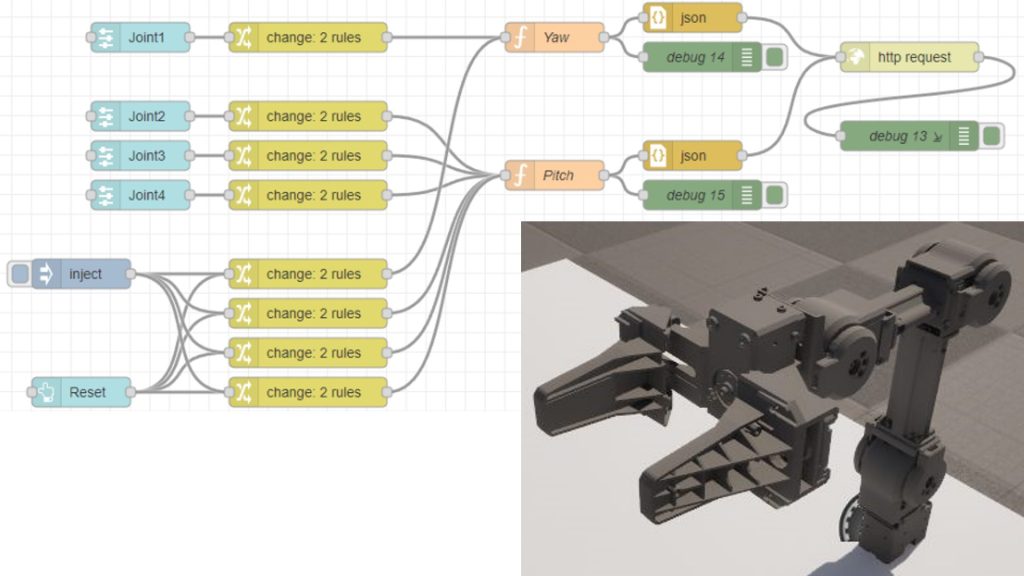
Unreal Engine 5を使ってみる その9(Remote Control API、Node-RED)
はじめに 以前HTTP Blueprintを使ってUnreal Engine 5(UE5)からNode-REDへの通信は試したのですが、今回はその逆です。 HTTP Remote Control APIを使ってNode-REDか…
Trying Out Turtlesim
I will run Turtlesim immediately. Open multiple terminals and run the following commands in each.
▼First, run roscore.
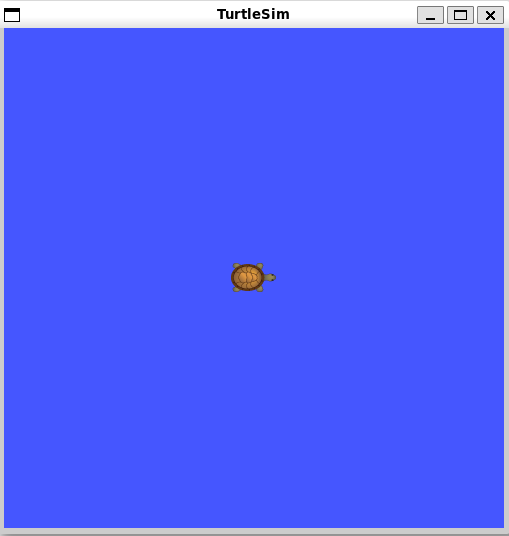
roscore▼The turtle will appear with the following command.
rosrun turtlesim turtlesim_node
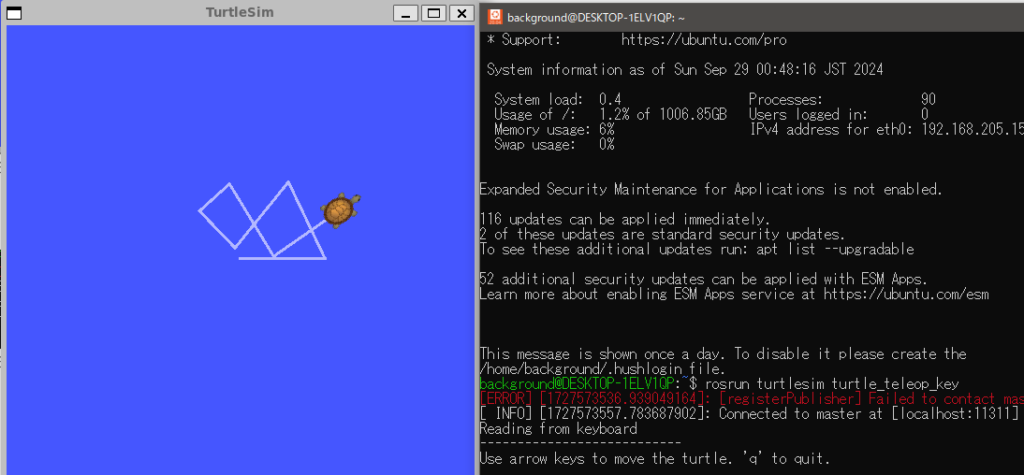
▼The teleop key for operating with the keyboard is here:
rosrun turtlesim turtle_teleop_key▼In this state, you can operate it by inputting the arrow keys.

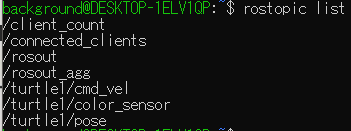
I checked the Topics in this state with rostopic list.
▼There are /turtle1/cmd_vel, /turtle1/color_sensor, /turtle1/pose, etc.
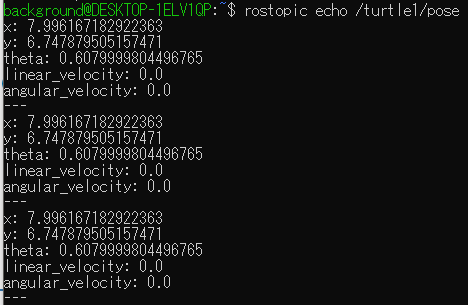
I looked at the values of /turtle1/pose with rostopic echo /turtle1/pose.
▼The values for x, y, theta, linear_velocity, and angular_velocity were displayed sequentially.
Operating with Node-RED
About the nodes to use
Regarding ROS-related nodes, there were node-red-contrib-ros and node-red-contrib-flowake-ros-nodes, but a bug-like phenomenon was seen in the former.
▼With node-red-contrib-ros, the editor would sometimes become unresponsive when trying to open the settings for some nodes like ros-publish.
https://flows.nodered.org/node/node-red-contrib-ros
This time, I am using the latter, node-red-contrib-flowake-ros-nodes.
▼This is the node:
https://flows.nodered.org/node/node-red-contrib-flowake-ros-nodes
Please be careful when installing. Hereafter, I will refer to them as ros nodes.
▼The following nodes will be added:
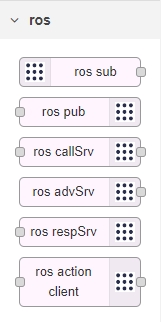
Node Settings
The ros nodes assume communication with ROS Bridge. First, run ROS Bridge.
▼For information on installing ROS Bridge, please see the previous article.
WebSocket Communication with ROS on WSL2 (ROS Bridge, Node-RED, Gazebo)
Introduction In this article, I used ROS Noetic and Node-RED with WSL2 for WebSocket communication. I wanted to get the values calculated by ROS with Node-…
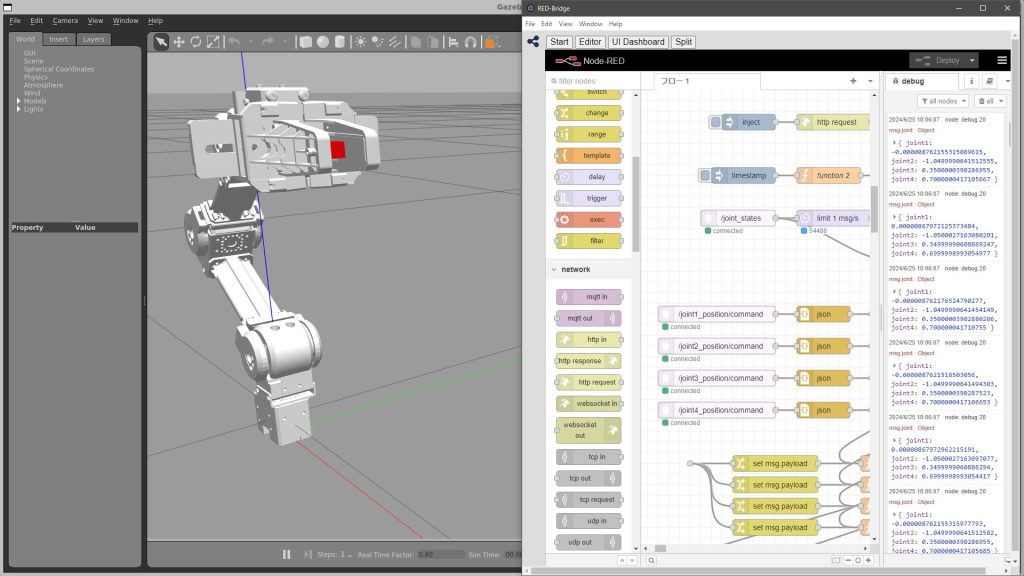
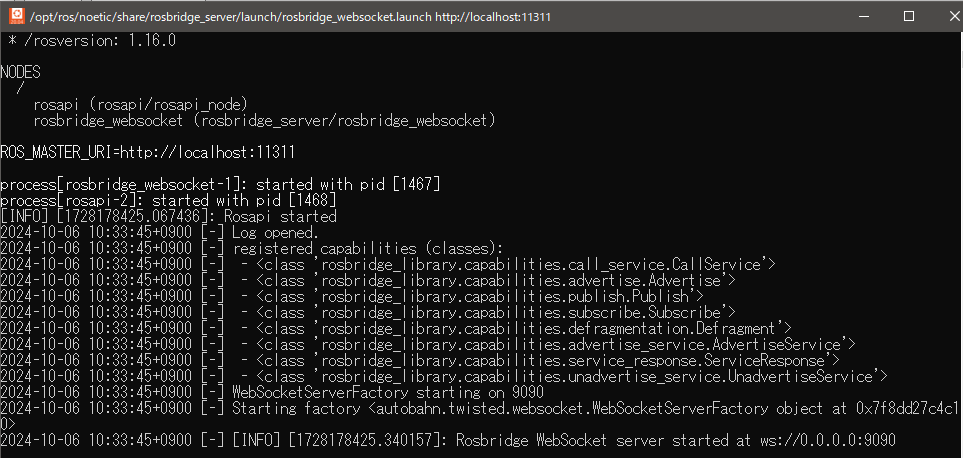
▼The command is here:
roslaunch rosbridge_server rosbridge_websocket.launch▼When executed, the server starts at ws://0.0.0.0:9090.
Let's look at the settings for the ros sub node.
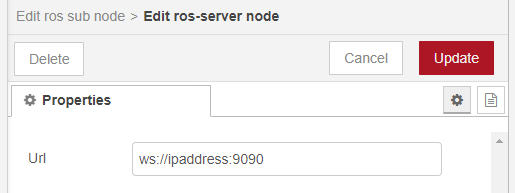
The ROS Server URL is initially ws://ipaddress:9090. This "ipaddress" part needs to be changed.
▼Any ros node will do, but edit it using the pencil icon in the ROS Server column.
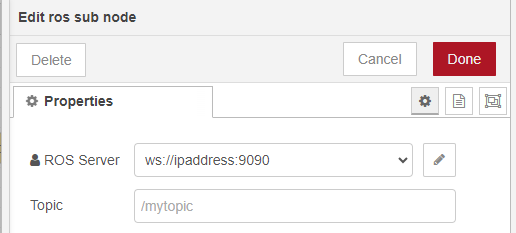
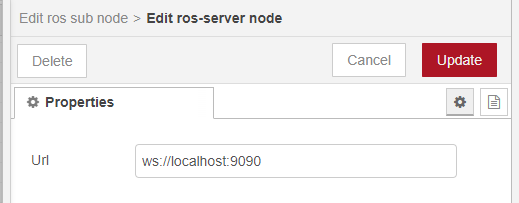
If the PC running ROS and the PC running Node-RED are the same, you can communicate by changing it to localhost. If they are running on different PCs, please set the IP address of the PC running ROS.
▼This time, I changed it to localhost.
Receiving Data
Subscribe using the ros sub node.
▼The flow is here:

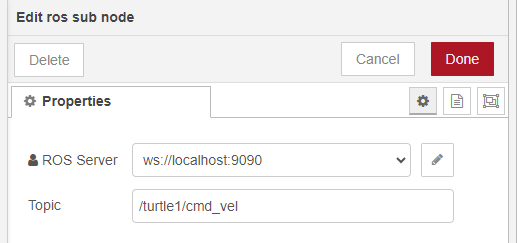
I will try to receive the /turtle1/cmd_vel Topic, which was included when I ran rostopic list.
▼The contents of the ros sub node are here:
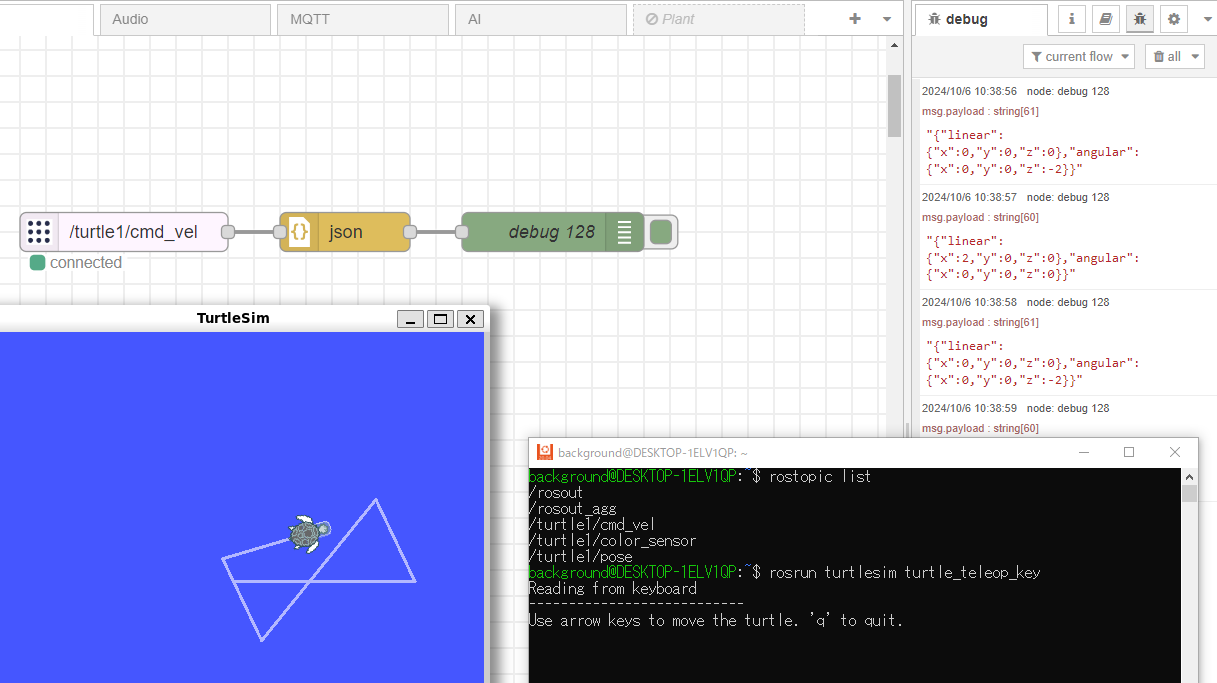
▼It is being received, but it's received as a "[object Object]" Message.
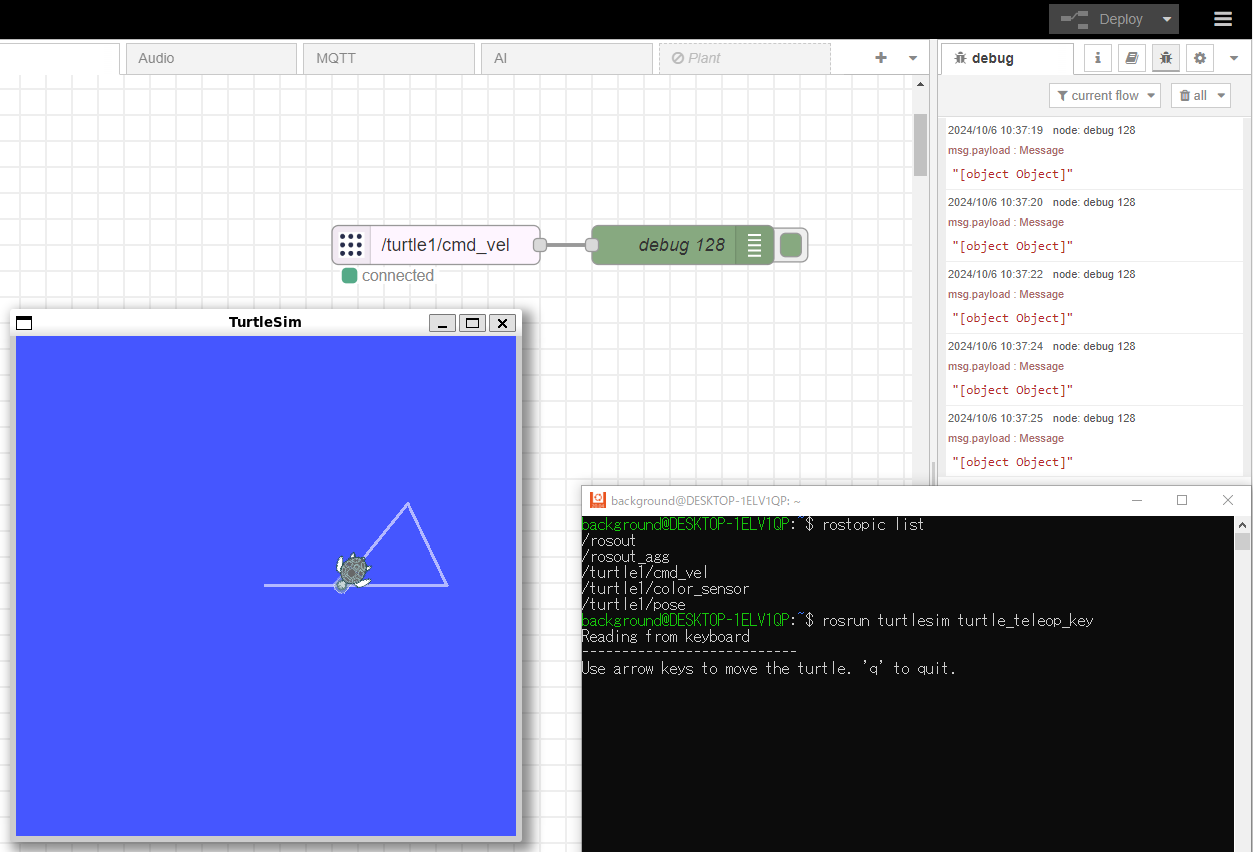
I tried converting it once with a json node.
▼I was able to get the value as a string.
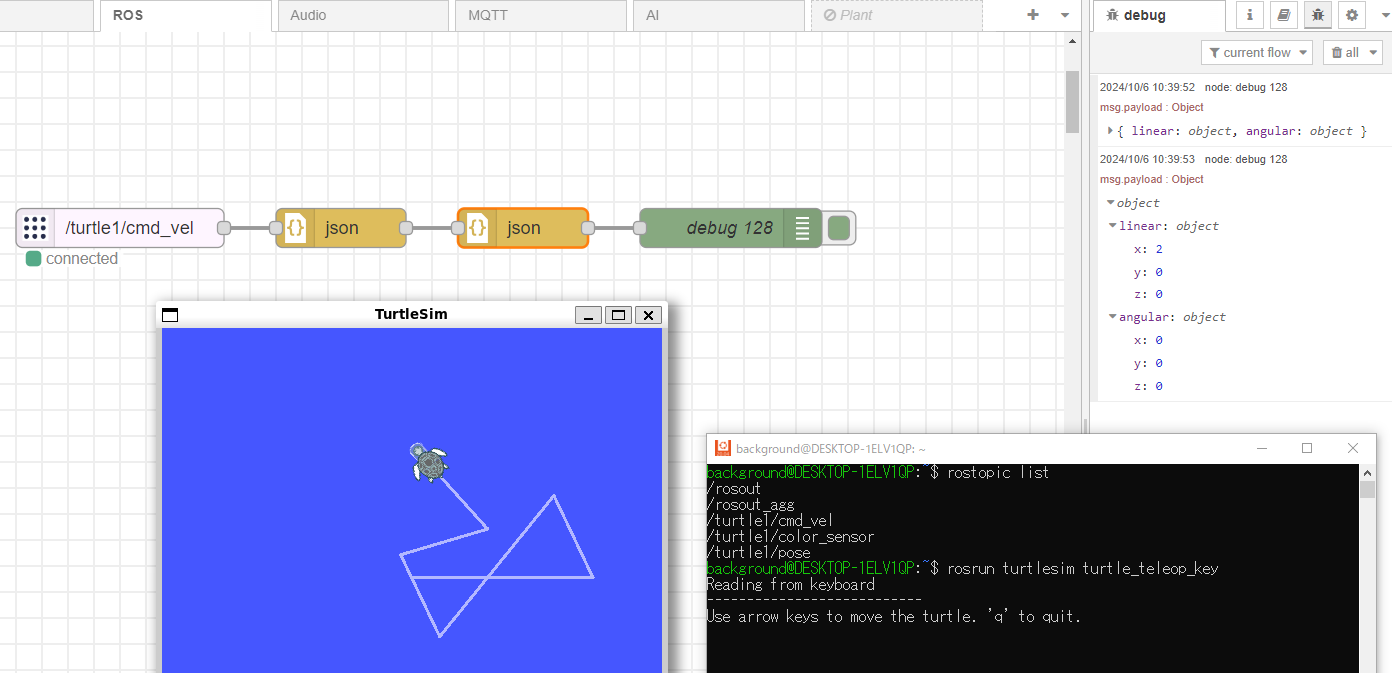
By adding another json node, I was able to receive it as an Object type.
▼This format is the easiest to handle if you want to receive the values of each property.
Sending Data
Publish using the ros pub node.
▼The flow is here:
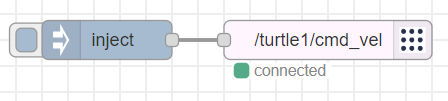
Send the data to msg.payload of the inject node in the data format received earlier.
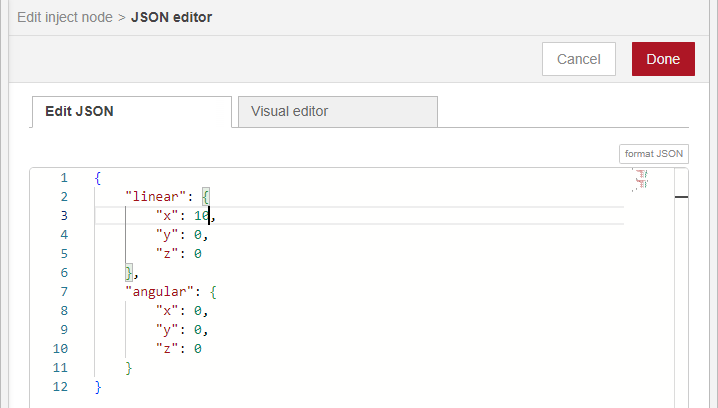
▼Select JSON in msg.payload and select the three dots on the right to open the JSON format editing screen.
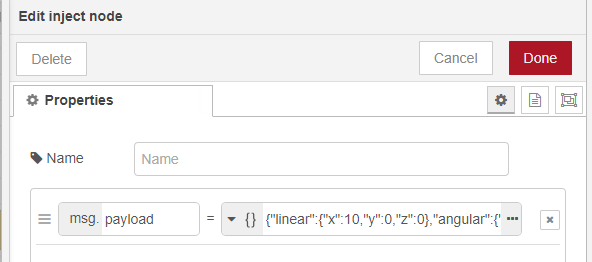
▼I changed the linear x from 2 to 10.
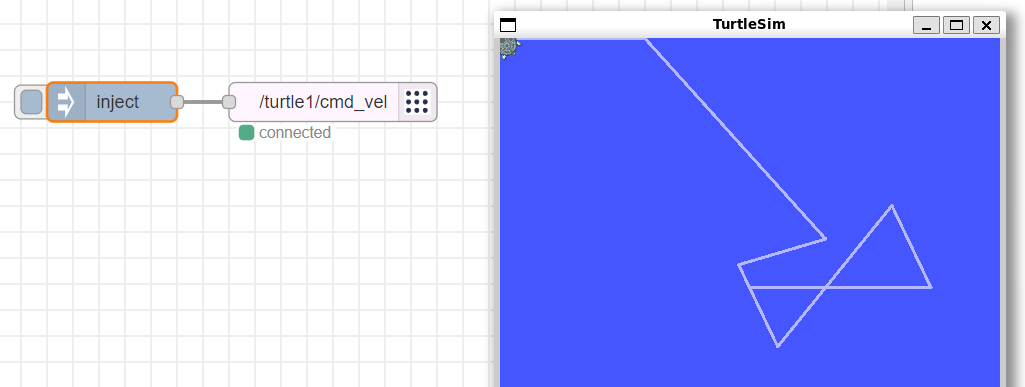
Now, after deploying, I was able to move the turtle by executing the inject node.
▼It went too far and collided with the window.
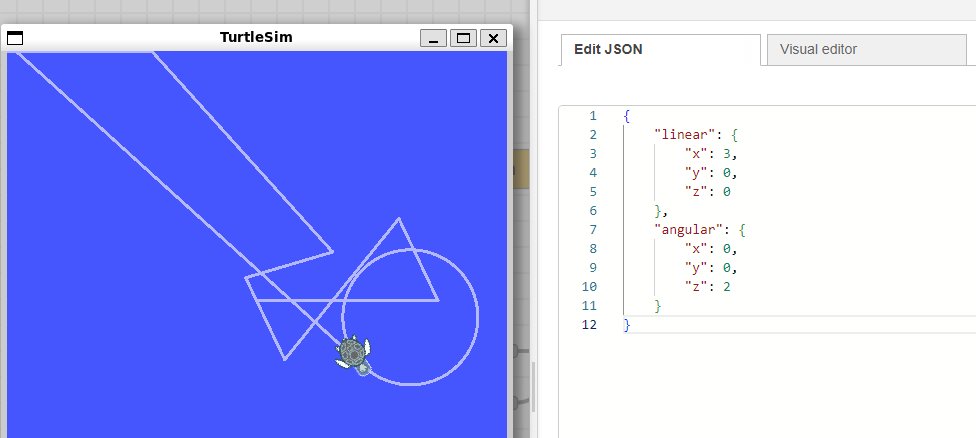
▼When I set linear and angular values, it moved in a circle.
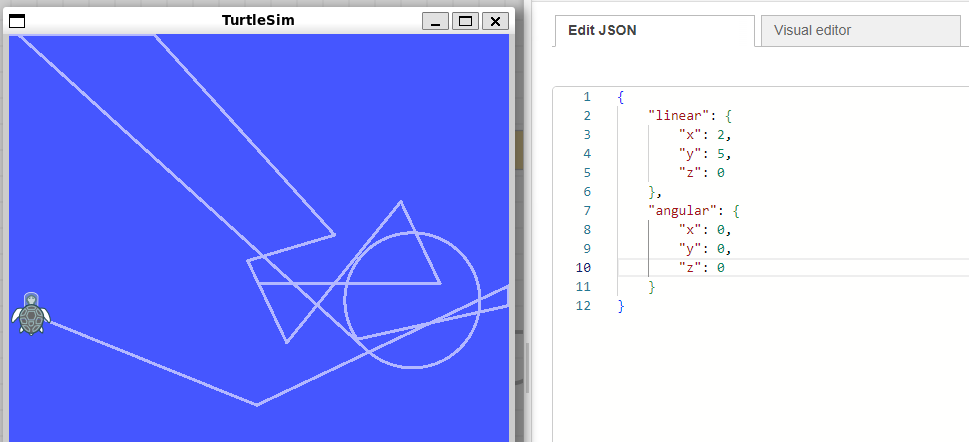
▼When I also set linear y, it moved sideways.
Trying Operation with Dashboard
Now that I know the data format, I tried operating it with Node-RED's dashboard node.
▼The overall flow is here:
[{"id":"5d946bfdb80ee978","type":"ros-publish","z":"6f967b24d95ab8d8","server":"ed72b9d48a11624b","topicname":"/turtle1/cmd_vel","msgtype":"std_msgs/String","x":1240,"y":660,"wires":[]},{"id":"9667398f7ad70baa","type":"inject","z":"6f967b24d95ab8d8","name":"","props":[{"p":"payload"}],"repeat":"","crontab":"","once":false,"onceDelay":0.1,"topic":"","payload":"{\"linear\":{\"x\":10,\"y\":0,\"z\":0},\"angular\":{\"x\":0,\"y\":0,\"z\":0}}","payloadType":"json","x":1050,"y":580,"wires":[["5d946bfdb80ee978"]]},{"id":"e52a7f0b631f5b7e","type":"inject","z":"6f967b24d95ab8d8","name":"","props":[{"p":"payload"}],"repeat":"","crontab":"","once":false,"onceDelay":0.1,"topic":"","payload":"{\"linear\":{\"x\":2,\"y\":5,\"z\":0},\"angular\":{\"x\":0,\"y\":0,\"z\":0}}","payloadType":"json","x":1050,"y":620,"wires":[["5d946bfdb80ee978"]]},{"id":"7607c6c2e178c62c","type":"template","z":"6f967b24d95ab8d8","name":"","field":"payload","fieldType":"msg","format":"handlebars","syntax":"mustache","template":"{\n \"linear\": {\n \"x\": {{flow.turtle.linear.x}},\n \"y\": {{flow.turtle.linear.y}},\n \"z\": {{flow.turtle.linear.z}}\n },\n \"angular\": {\n \"x\": {{flow.turtle.angular.x}},\n \"y\": {{flow.turtle.angular.y}},\n \"z\": {{flow.turtle.angular.z}}\n }\n}","output":"json","x":1060,"y":660,"wires":[["5d946bfdb80ee978"]]},{"id":"0ba4ce9d5055c330","type":"ui_slider","z":"6f967b24d95ab8d8","name":"","label":"linear x","tooltip":"","group":"f1fe02d39b684f8f","order":0,"width":0,"height":0,"passthru":true,"outs":"all","topic":"topic","topicType":"msg","min":"-10","max":10,"step":1,"className":"","x":620,"y":660,"wires":[["9abf74891a5bcf1d"]]},{"id":"e53a8a520630e3fb","type":"ui_slider","z":"6f967b24d95ab8d8","name":"","label":"linear y","tooltip":"","group":"f1fe02d39b684f8f","order":0,"width":0,"height":0,"passthru":true,"outs":"all","topic":"topic","topicType":"msg","min":"-10","max":10,"step":1,"className":"","x":620,"y":700,"wires":[["362072607bb35fe7"]]},{"id":"c40154d12e88e4e7","type":"ui_slider","z":"6f967b24d95ab8d8","name":"","label":"linear z","tooltip":"","group":"f1fe02d39b684f8f","order":0,"width":0,"height":0,"passthru":true,"outs":"all","topic":"topic","topicType":"msg","min":"-10","max":10,"step":1,"className":"","x":620,"y":740,"wires":[["5e48592824959fba"]]},{"id":"d573f982d06b14e9","type":"ui_slider","z":"6f967b24d95ab8d8","name":"","label":"angular x","tooltip":"","group":"f1fe02d39b684f8f","order":0,"width":0,"height":0,"passthru":true,"outs":"all","topic":"topic","topicType":"msg","min":"-10","max":10,"step":1,"className":"","x":620,"y":780,"wires":[["b64362cd66da4d39"]]},{"id":"0d534d53bcc2e62e","type":"ui_slider","z":"6f967b24d95ab8d8","name":"","label":"angular y","tooltip":"","group":"f1fe02d39b684f8f","order":0,"width":0,"height":0,"passthru":true,"outs":"all","topic":"topic","topicType":"msg","min":"-10","max":10,"step":1,"className":"","x":620,"y":820,"wires":[["745383263e8cd6f7"]]},{"id":"8ba49015737643fe","type":"ui_slider","z":"6f967b24d95ab8d8","name":"","label":"angular z","tooltip":"","group":"f1fe02d39b684f8f","order":0,"width":0,"height":0,"passthru":true,"outs":"all","topic":"topic","topicType":"msg","min":"-10","max":10,"step":1,"className":"","x":620,"y":860,"wires":[["f54c5b7a210aa608"]]},{"id":"9abf74891a5bcf1d","type":"change","z":"6f967b24d95ab8d8","name":"","rules":[{"t":"set","p":"turtle.linear.x","pt":"flow","to":"payload","tot":"msg"}],"action":"","property":"","from":"","to":"","reg":false,"x":820,"y":660,"wires":[["7607c6c2e178c62c"]]},{"id":"8a404091350e4a73","type":"ui_button","z":"6f967b24d95ab8d8","name":"","group":"f1fe02d39b684f8f","order":6,"width":0,"height":0,"passthru":false,"label":"Reset","tooltip":"","color":"","bgcolor":"","className":"","icon":"","payload":"0","payloadType":"num","topic":"topic","topicType":"msg","x":390,"y":760,"wires":[["94e001c40acfac44"]]},{"id":"e958776a36abba1b","type":"inject","z":"6f967b24d95ab8d8","name":"","props":[{"p":"payload"}],"repeat":"","crontab":"","once":true,"onceDelay":0.1,"topic":"","payload":"0","payloadType":"num","x":390,"y":720,"wires":[["94e001c40acfac44"]]},{"id":"362072607bb35fe7","type":"change","z":"6f967b24d95ab8d8","name":"","rules":[{"t":"set","p":"turtle.linear.y","pt":"flow","to":"payload","tot":"msg"}],"action":"","property":"","from":"","to":"","reg":false,"x":820,"y":700,"wires":[["7607c6c2e178c62c"]]},{"id":"5e48592824959fba","type":"change","z":"6f967b24d95ab8d8","name":"","rules":[{"t":"set","p":"turtle.linear.z","pt":"flow","to":"payload","tot":"msg"}],"action":"","property":"","from":"","to":"","reg":false,"x":820,"y":740,"wires":[["7607c6c2e178c62c"]]},{"id":"b64362cd66da4d39","type":"change","z":"6f967b24d95ab8d8","name":"","rules":[{"t":"set","p":"turtle.angular.x","pt":"flow","to":"payload","tot":"msg"}],"action":"","property":"","from":"","to":"","reg":false,"x":820,"y":780,"wires":[["7607c6c2e178c62c"]]},{"id":"745383263e8cd6f7","type":"change","z":"6f967b24d95ab8d8","name":"","rules":[{"t":"set","p":"turtle.angular.y","pt":"flow","to":"payload","tot":"msg"}],"action":"","property":"","from":"","to":"","reg":false,"x":820,"y":820,"wires":[["7607c6c2e178c62c"]]},{"id":"f54c5b7a210aa608","type":"change","z":"6f967b24d95ab8d8","name":"","rules":[{"t":"set","p":"turtle.angular.z","pt":"flow","to":"payload","tot":"msg"}],"action":"","property":"","from":"","to":"","reg":false,"x":820,"y":860,"wires":[["7607c6c2e178c62c"]]},{"id":"94e001c40acfac44","type":"junction","z":"6f967b24d95ab8d8","x":480,"y":760,"wires":[["0ba4ce9d5055c330","e53a8a520630e3fb","c40154d12e88e4e7","d573f982d06b14e9","0d534d53bcc2e62e","8ba49015737643fe"]]},{"id":"ed72b9d48a11624b","type":"ros-server","url":"ws://localhost:9090"},{"id":"f1fe02d39b684f8f","type":"ui_group","name":"Turtlesim","tab":"7f2b0e1192b72dcc","order":1,"disp":true,"width":"6","collapse":false,"className":""},{"id":"7f2b0e1192b72dcc","type":"ui_tab","name":"ROS","icon":"dashboard","disabled":false,"hidden":false}]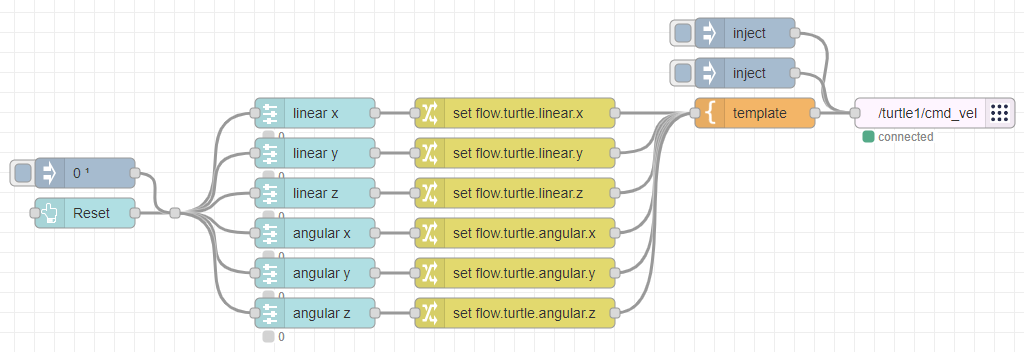
The property values are set with sliders, and the template node sends them according to the data format mentioned earlier.
The inject node and Reset button at the very top are for resetting all slider values to 0.
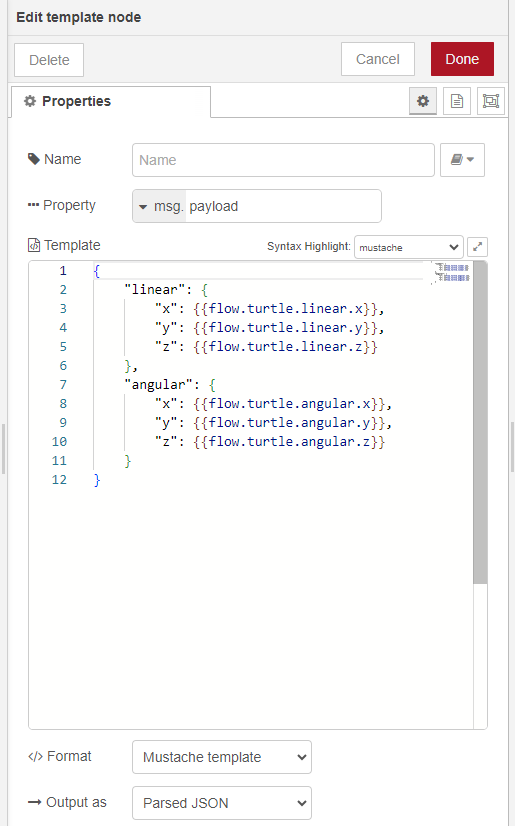
▼The contents of the template node are here. Each variable is set from flow.turtle properties and sent in JSON format.
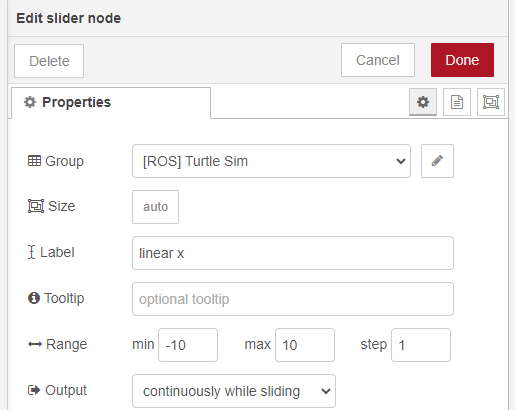
▼In the slider node, values from -10 to 10 are set. A value is sent every time you slide it.
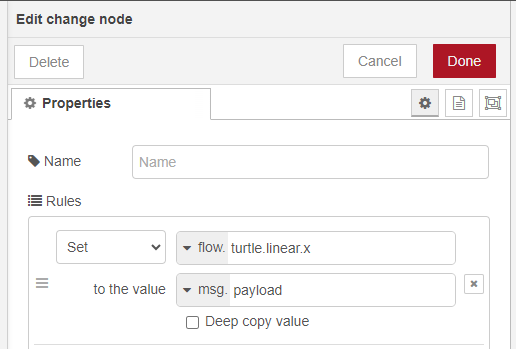
▼In the change node, the slider value is set to the flow.turtle property.
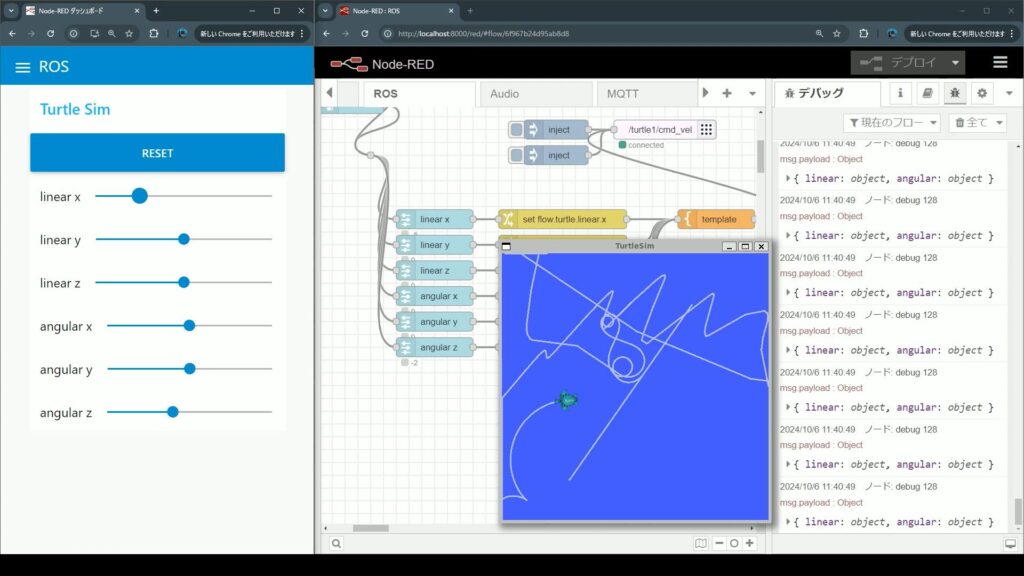
▼Here is how it looked when actually operating the turtle. Since it's 2D this time, it doesn't move even if you change the values for linear z, angular x, and angular y.
▼I was able to operate it.
Finally
Now that I've been able to operate the Turtlesim turtle with Node-RED, I think I'll be able to operate robots connected to ROS in the same way. I'd like to try it in simulation first, and then move the actual machine.