Trying Out XIAO ESP32S3 Part 2 (Creating a Controller and Operating Unreal Engine)
 管理人
管理人Introduction
In this post, I purchased a joystick—the kind used in arcade games—at Kyoritsu Denshi in Osaka and adapted it for use with Unreal Engine. I am utilizing the microcontroller's HID (Human Interface Device) function.
▼I have used the XIAO ESP32S3's HID function before:
MQTT Communication with ESP32 (XIAO ESP32S3, Node-RED, HID Keyboard)
Info This article is translated from Japanese to English. Introduction In this post, I tried using MQTT communication with the XIAO ESP32S3. I have used MQTT w…
 趣味的ロボット研究所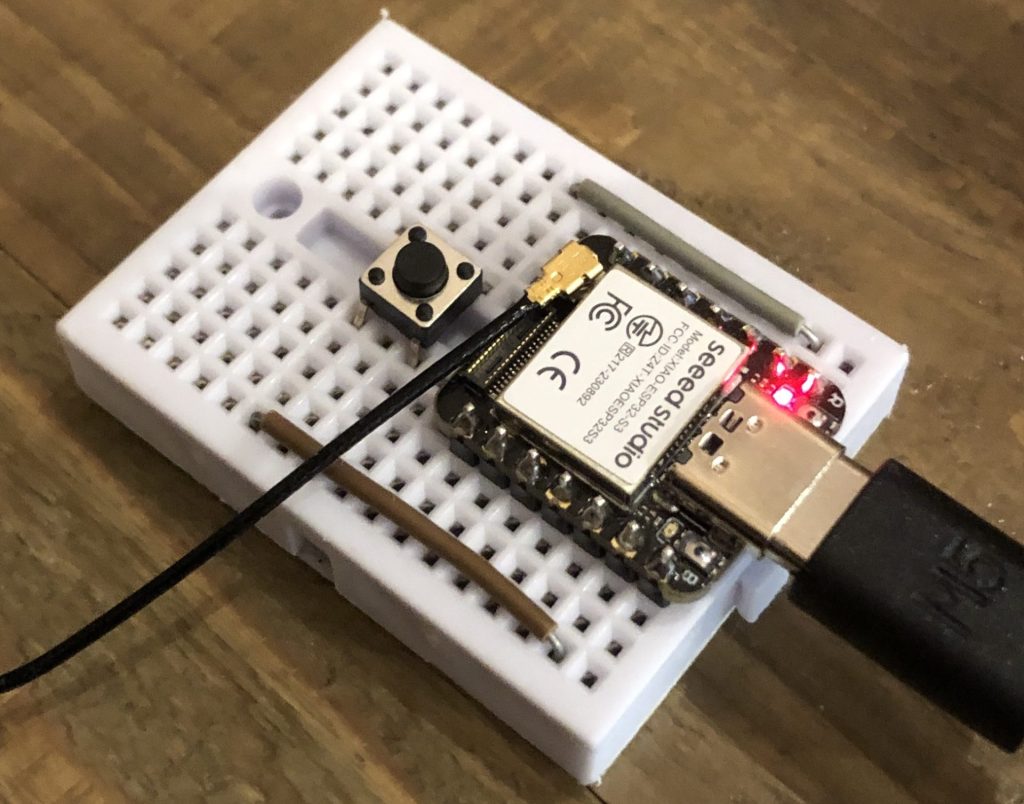
▼Previous articles:
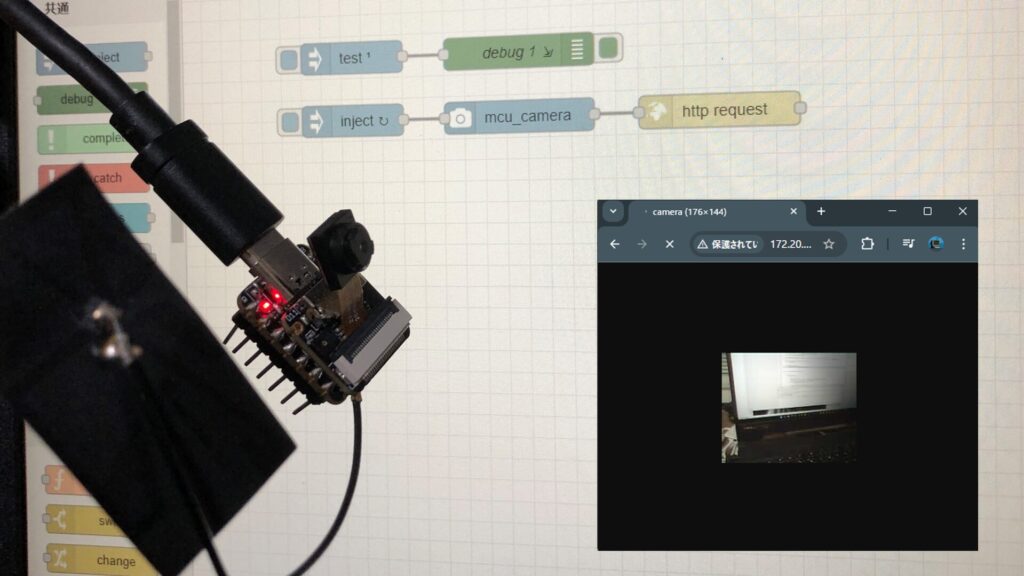
Trying Out XIAO ESP32S3 Sense Part 1 (Camera)
Info This article is translated from Japanese to English. Introduction In this post, I tried out the XIAO ESP32S3 Sense. It is a tiny microcontroller from the …
Node-RED MCUを使ってみる その2(カメラノード、XIAO ESP32S3 Sense)
はじめに 今回はNode-RED MCU用に開発されたmcu_cameraノードを試してみました。 Node-RED MCUの書籍の執筆者メンバーであるkitazakiさんが、ひと月ほど前に開発され…
Parts Used
▼Here is the joystick I purchased:
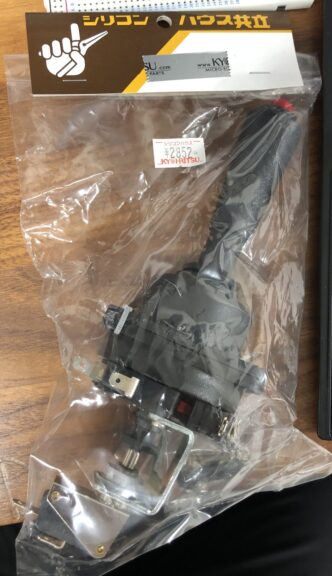
▼It is also available on their online shop:
https://eleshop.jp/shop/g/gJ66312/?srsltid=AfmBOooj6rDYOm3ZEU0QFRkLm6unPEnOimy99iW8D1gCsoY6WbfcLV-_
▼Unboxed, it looks like this:
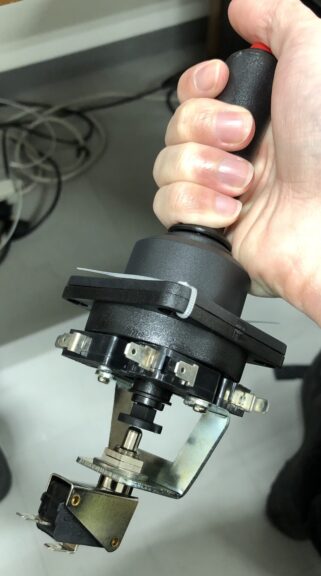
It has a great retro feel. It is equipped with five limit switches in total: four for front, back, left, and right, and one on the lever button. The wires were secured with cable ties, so I cut them off.
▼The lever part is detachable.
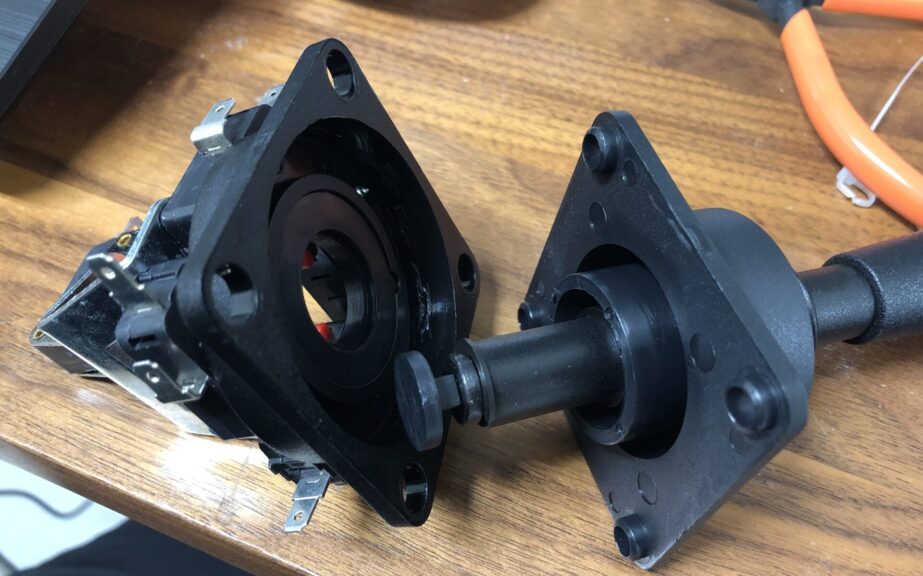
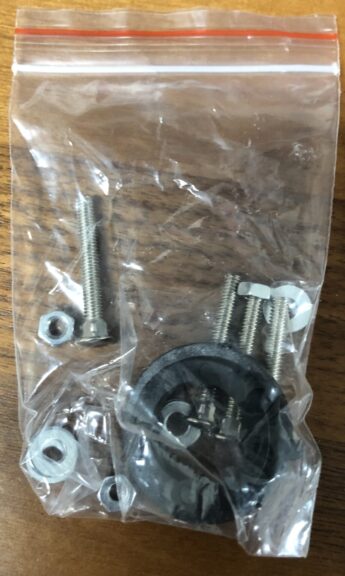
▼I didn't use them this time, but it came with screws as well.
▼Joysticks are also sold on Amazon.

 ポチップ
ポチップ
 ポチップ
ポチップ
For the microcontroller, I used the XIAO ESP32S3. While it feels a bit like a waste not to use its Wi-Fi or Bluetooth features, I chose it because I am familiar with it and it is very compact.
▼The sales page for XIAO ESP32S3 Sense is here.
https://akizukidenshi.com/catalog/g/g118079
Seeed Studio XIAO ESP32S3 Sense — スイッチサイエンス
Seeed Studio XIAO ESP32S3にカメラモジュールを搭載したモデルで、カメラ、デジタルマイク、mSDカードスロットを備えています

 ポチップ
ポチップ
Designing the Enclosure
Since the joystick has nothing to hold it in place as is, I designed a simple enclosure in Fusion 360.
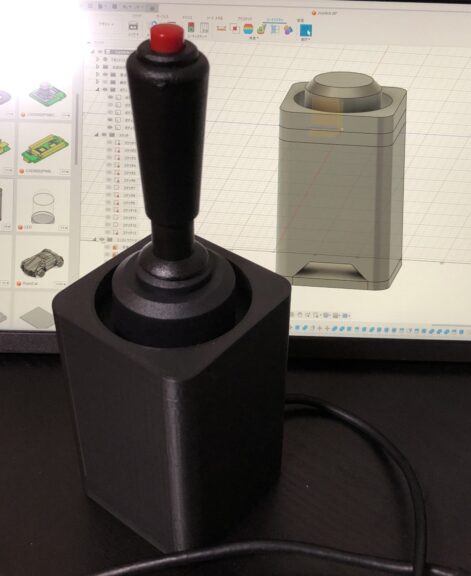
▼It looks like this when the joystick is housed. It’s a simple box.
▼I am using the Prusa MK4 3D printer.
Trying Out the Prusa MK4 (3D Printer)
Info This article is translated from Japanese to English. Introduction I finally bought my long-awaited 3D printer! The Prusa MK4!I had heard about Prusa from …
▼The Prusa MK 4 seems to be out of stock, but the MK4S appears to be available.
 ポチップ
ポチップ
ポチップ
ポチップ
The four corners are designed to be secured with M5 screws.
▼The microcontroller is located at the bottom and can be connected via USB.
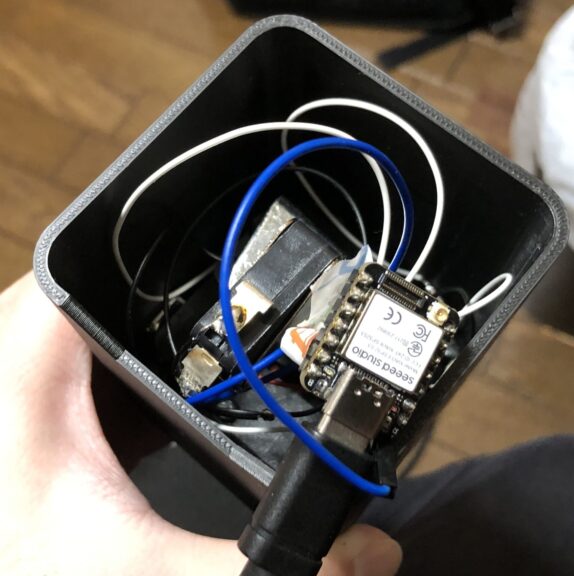
I also made a lid, which is designed to fit perfectly with zero clearance against the inner walls.
Programming the Microcontroller
Using the HID function, the state of the limit switches is sent to the PC as keyboard inputs.
I created the program while consulting with ChatGPT. Please change the pin numbers according to your wiring.
#include <Arduino.h>
#include "USB.h"
#include "USBHIDKeyboard.h"

#define BTN_SPACE D0
#define BTN_W D4
#define BTN_A D3
#define BTN_S D2
#define BTN_D D1

USBHIDKeyboard Keyboard;

void setup() {
  Serial.begin(115200);
  pinMode(BTN_SPACE, INPUT_PULLUP);
  pinMode(BTN_W, INPUT_PULLUP);
  pinMode(BTN_A, INPUT_PULLUP);
  pinMode(BTN_S, INPUT_PULLUP);
  pinMode(BTN_D, INPUT_PULLUP);

  USB.begin();        // USB 初期化
  Keyboard.begin();   // キーボード機能開始

  Serial.println("USB Keyboard Ready!");
}

void loop() {
  if (!digitalRead(BTN_SPACE)) {
    Keyboard.press(' ');  // スペースキーを押す
    Serial.println("Space Pressed");
  } else {
    Keyboard.release(' '); // スペースキーを離す
  }

  if (!digitalRead(BTN_W)) {
    Keyboard.press('w');
    Serial.println("W Pressed");
  } else {
    Keyboard.release('w');
  }

  if (!digitalRead(BTN_A)) {
    Keyboard.press('a');
    Serial.println("A Pressed");
  } else {
    Keyboard.release('a');
  }

  if (!digitalRead(BTN_S)) {
    Keyboard.press('s');
    Serial.println("S Pressed");
  } else {
    Keyboard.release('s');
  }

  if (!digitalRead(BTN_D)) {
    Keyboard.press('d');
    Serial.println("D Pressed");
  } else {
    Keyboard.release('d');
  }

  delay(10);  // CPU負荷を軽減
}
Many PC games use WASD for movement and Space for jumping. Setting these keys makes the controller easy to use for various applications. Note that when uploading the program, the device may not be recognized unless it is put into "Boot" mode.
▼This article also mentions precautions during uploading:
XIAO ESP32C3を使ってみる その7(RTC、ネットワークの時刻取得)
はじめに 今回はマイコンでRTCとネットワークを利用した時刻の取得について試してみました。 IoT用途として、水やりなどに使いたいなと思っています。 ▼家でトマトを…
Trying It Out
I created a game-like environment in Unreal Engine to test the operation using the joystick.
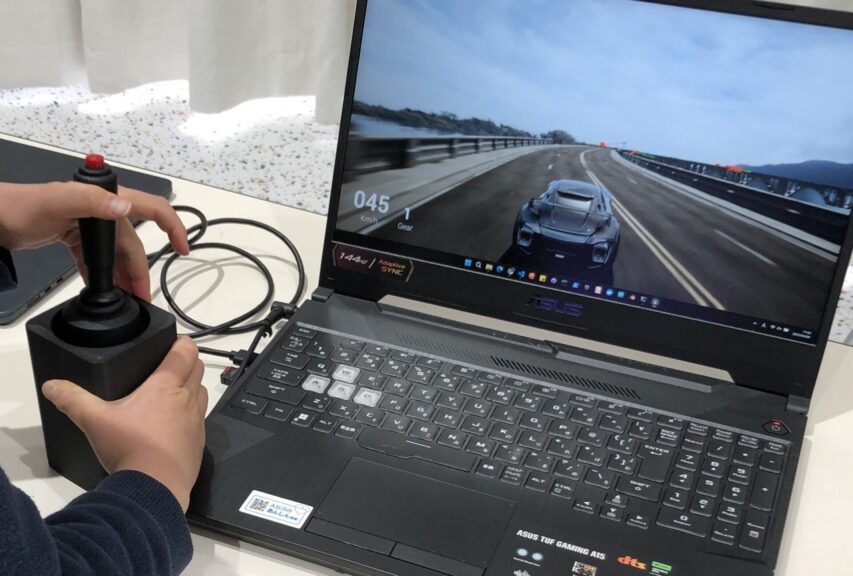
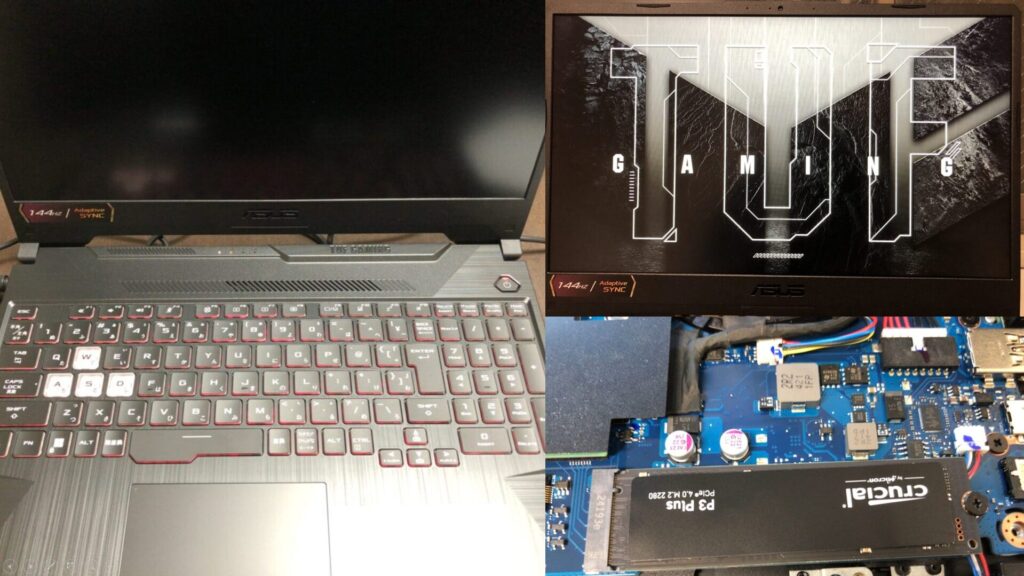
▼I am using a gaming laptop purchased for around 100,000 yen, running Windows 11.
Shopping: New Laptop and SSD Expansion (ASUS TUF Gaming A15)
Info This article is translated from Japanese to English. Introduction In this post, I’ll be talking about replacing my PC after my previous one broke down. I …
 ポチップ
ポチップ
▼I built an environment where you must proceed without falling. I cleared it easily in the video, but it’s surprisingly difficult.
Since camera operation still requires a mouse, it might be easier to operate while changing viewpoints if a VR headset is used.
I recently conducted autonomous driving simulations in Unreal Engine, so I tried controlling a car in that space as well.
▼Driving on a bridge. Since the camera follows the car automatically, it’s easy to operate with just the joystick.
Since it's a car, it would be nice to operate it with a steering wheel and an accelerator. Kyoritsu Denshi also sells foot switches.
Finally
I had the opportunity to let some children try out the controller, and they were completely absorbed in playing with it. Adults were also amazed by the graphics in Unreal Engine. The infill density of the 3D-printed parts was only 5%, but it didn't break even with kids playing with it, so the strength seems sufficient—likely because of the overall thickness of the parts. In addition to Unreal Engine, it could also be used to play games children created in Scratch. Since it works just by plugging it into a PC, no special setup is required. I plan to bring it along to future events.
▼I let the children play with it.