Trying Out Unreal Engine 5 Part 3 (NPC Navigation)
 管理人
管理人Introduction
In this post, I tried moving agents in Unreal Engine 5 (UE5). In a game context, these would be equivalent to NPCs.
While browsing through UE5 documentation, I found these features under the "Artificial Intelligence" section and decided to give them a try.
▼This is the page:
https://dev.epicgames.com/documentation/ja-jp/unreal-engine/artificial-intelligence-in-unreal-engine
▼I used the "Basic Navigation" page as a reference for this project:
In the guide above, they deleted the "ThirdPersonCharacter" that the player operates, but since I wanted to keep playing as a character, I left it in. I also modified the Blueprints slightly to change movement patterns and experiment with Spawning.
▼Previous articles are here:
Trying Out Unreal Engine 5 Part 1 (Datasmith, DUALSHOCK 4)
Introduction I have decided to use Unreal Engine 5 to simulate robots. I have been creating robots in both hardware and software, and I intend to use my expe…
 趣味的ロボット研究所
Trying Out Unreal Engine 5 Part 2 (Git/GitHub)
Info This article is translated from Japanese to English. Introduction In this post, I tried managing the history of Unreal Engine 5 (UE5) using Git/GitHub. I …
Placing the Navigation Mesh
First, place a Navigation Mesh. This seems to be the essential information used to define the area where NPCs can move.
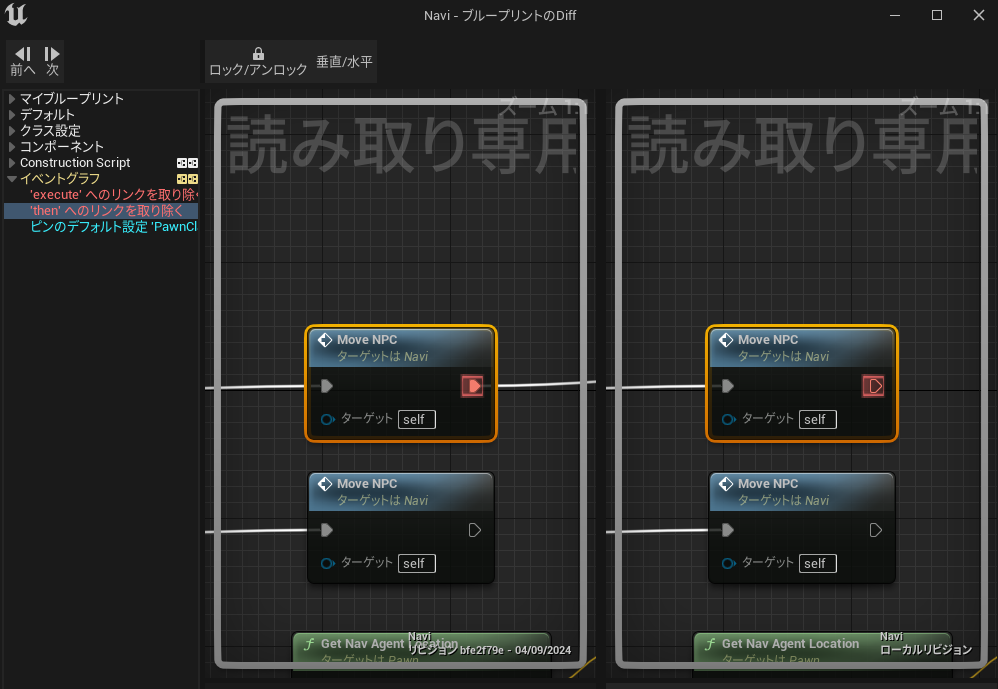
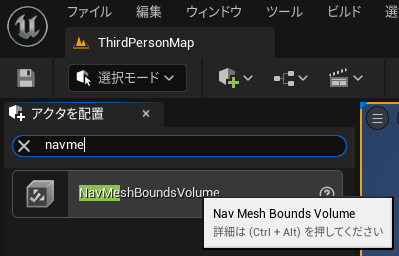
▼From the Window menu, select "Place Actors."
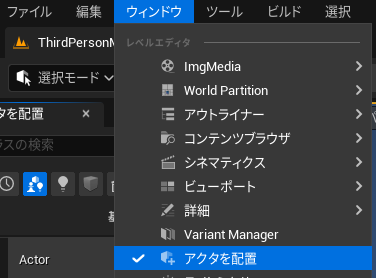
▼Select "NavMeshBoundsVolume."
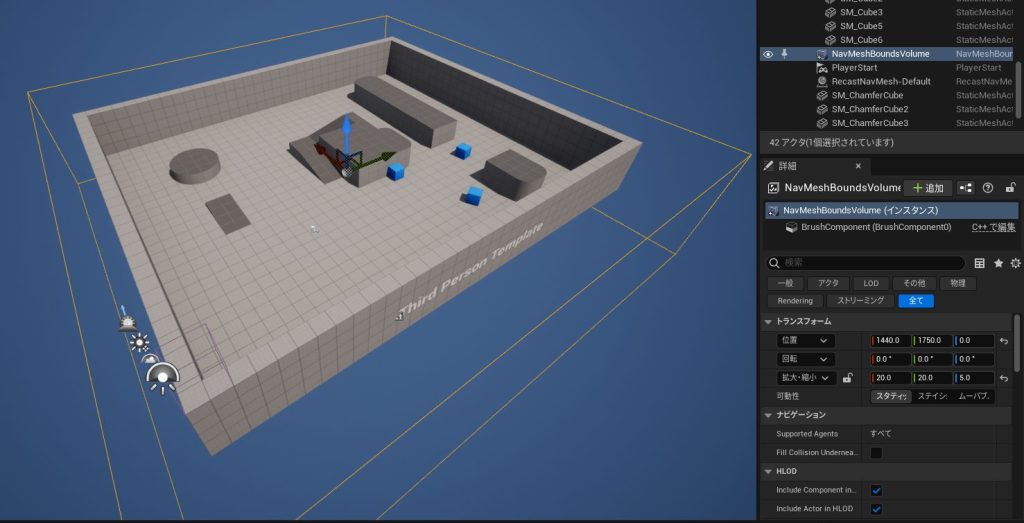
▼Scale it up to cover the entire area.
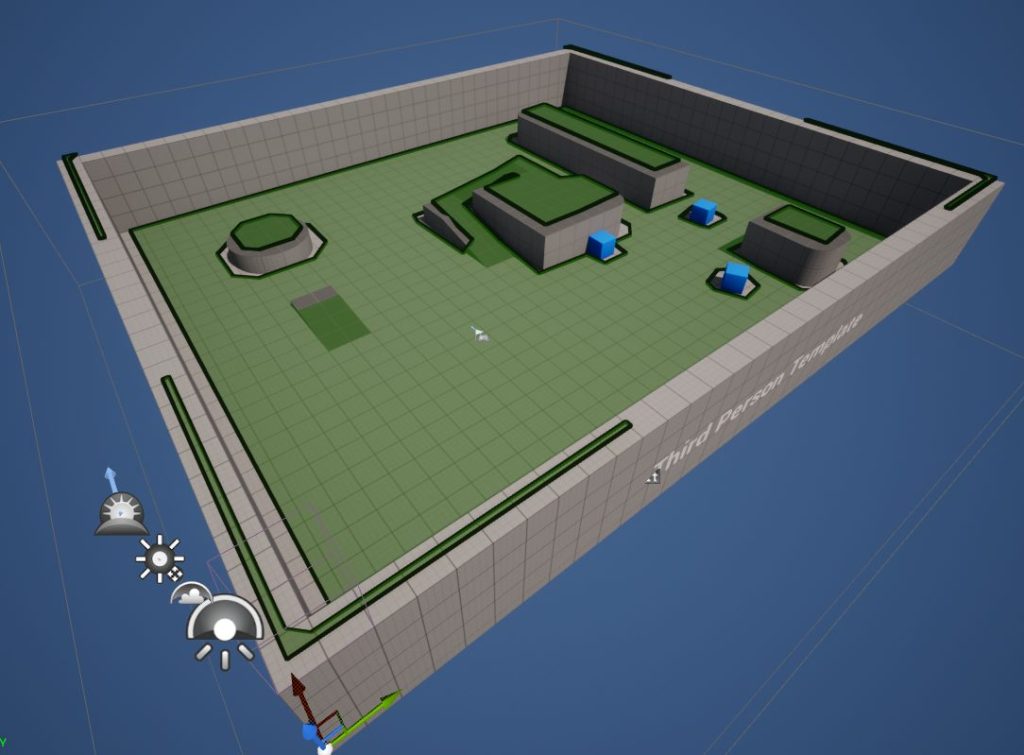
▼Pressing the "P" key on your keyboard visualizes the navigation mesh.
I read that adjusting the offset makes it easier to see, though it didn't feel like a huge change to me. It reminded me of placing an offset plane in 3D CAD to keep it slightly away from a surface.
▼You can adjust this by changing the "Draw Offset" value.
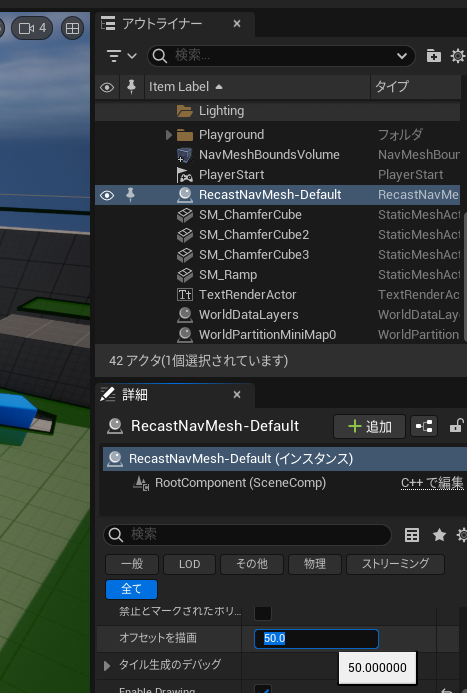
▼An offset value of 50 stays further away from the surface than a lower value.


There are other features to make the visualization clearer as well.
▼Here is what it looks like with "Draw Poly Edges" enabled.


▼And here it is with "Draw Tile Boundaries" enabled.


Creating the NPC
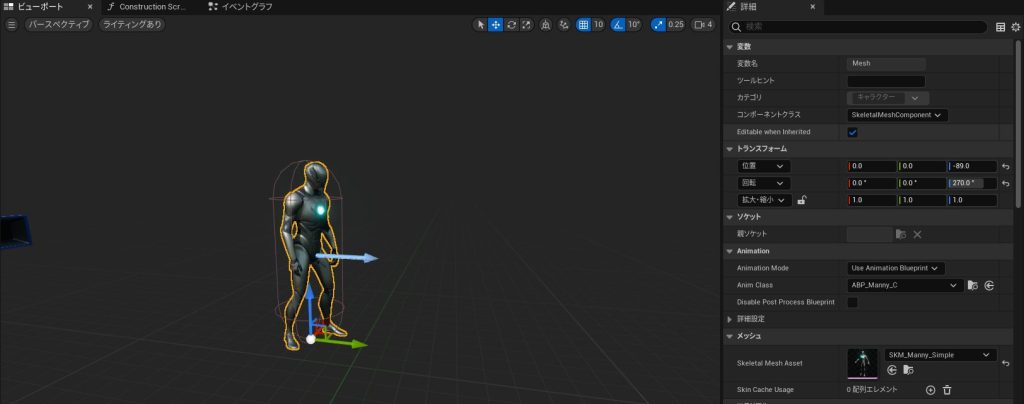
I duplicated the ThirdPersonCharacter and edited its Blueprint.
▼Duplicate "BP_ThirdPersonCharacter."
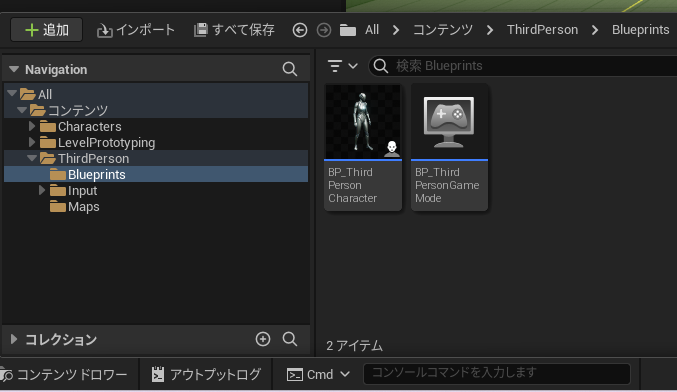
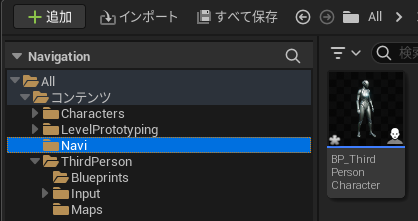
▼I created a folder named "Navi" to store it.
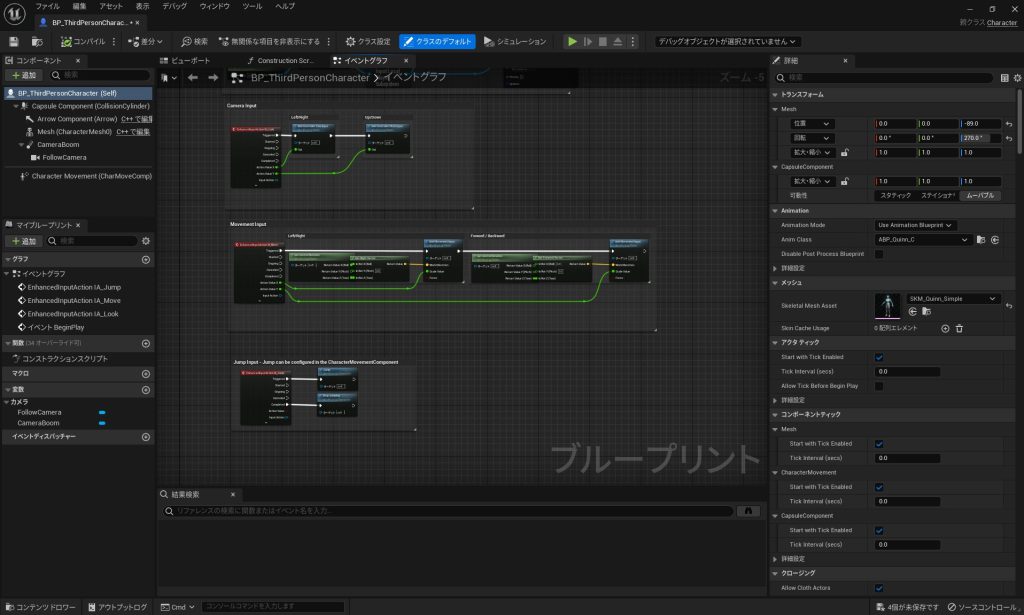
▼Double-clicking it opens the details.
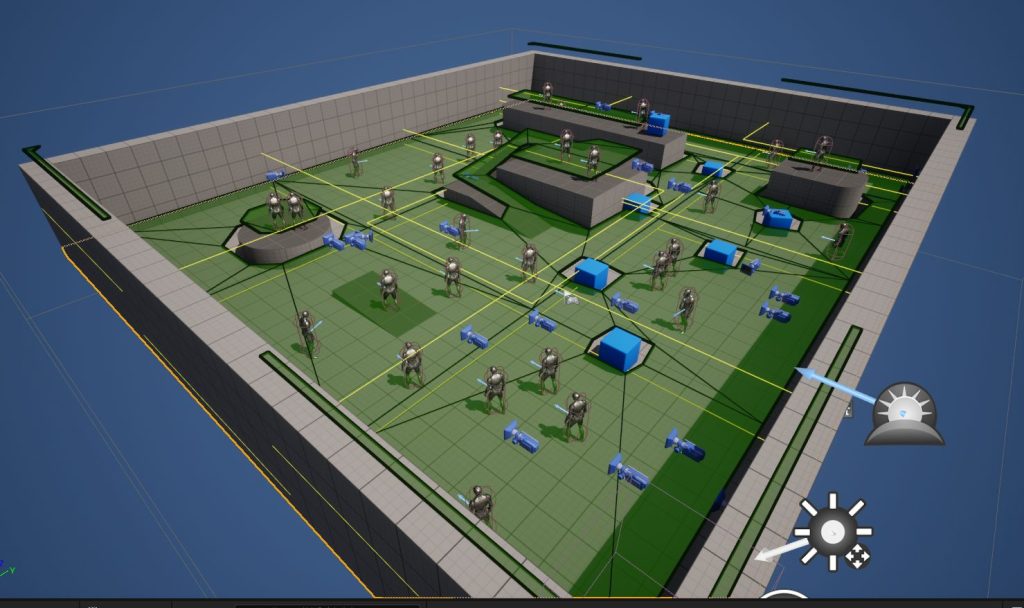
▼I placed 30 instances of them in the level.
I also changed their appearance so they look different from the player. You can select this in the "Skeletal Mesh Asset" under the Mesh section.
▼It might be even easier to tell the difference if the colors were changed too.
Editing the Blueprint
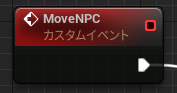
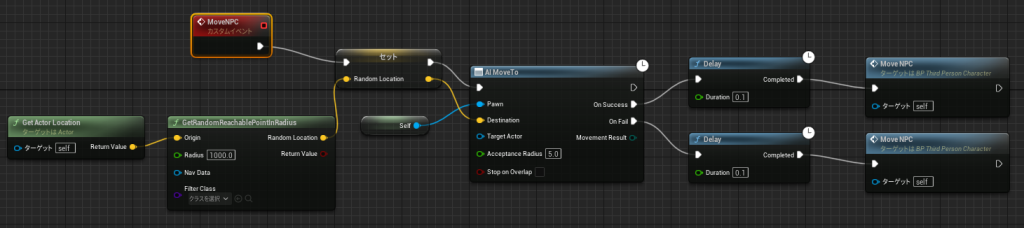
I created a Custom Event named "MoveNPC" to be called whenever the NPC needs to move. In programming terms, this is like creating a function.
▼Right-clicking in the Blueprint editor allows you to search for nodes.
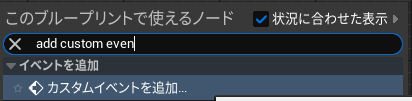
▼I added a Custom Event and named it "MoveNPC."
I set the NPC to move to a random location within a "Radius" of 1000 from its current position.
▼I set the Radius to 1000.
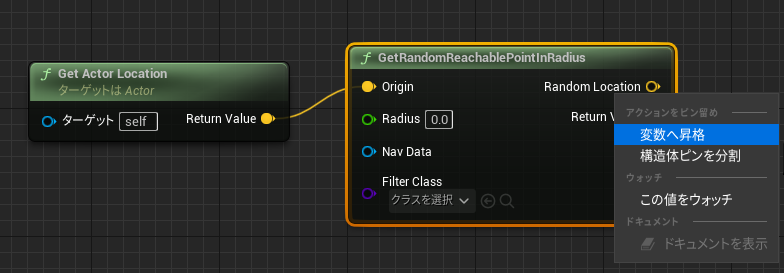
I right-clicked "Random Location" and selected "Promote to Variable" to allow the value to be set.
Using the "AI Move To" node, the agent starts moving toward the specified Location. When the movement is finished, it calls "MoveNPC" again to repeat the process.
▼If the "Duration" of the Delay is long, the NPC will move a bit and then stop repeatedly.
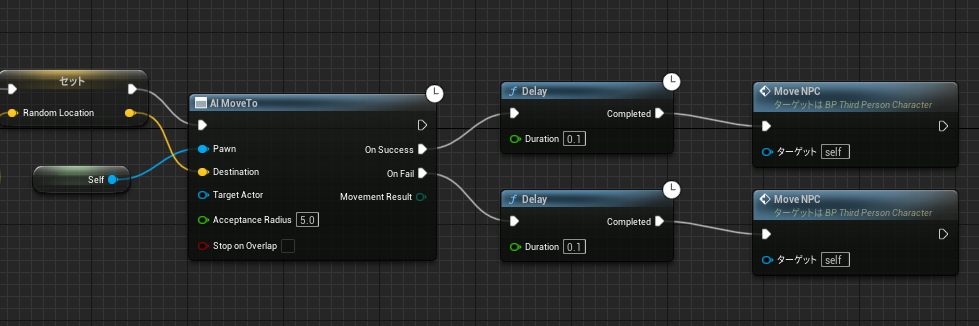
▼Here is the overall flow.
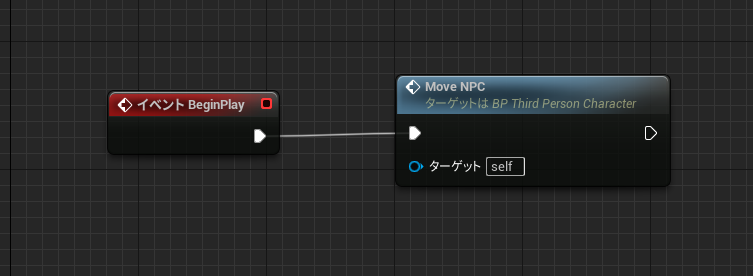
▼Finally, connect "MoveNPC" to the "Event BeginPlay" so it is called right at the start.
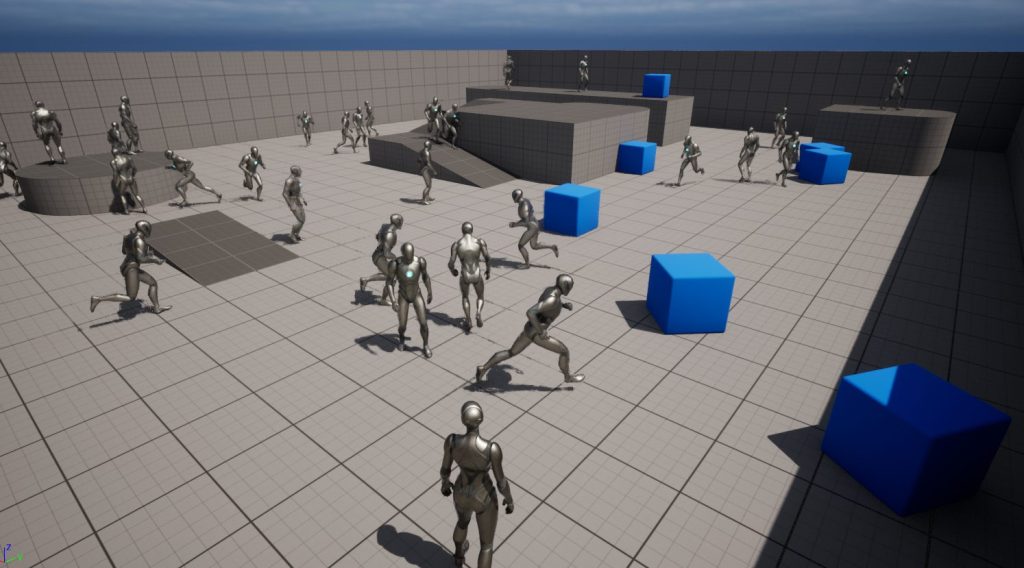
I actually ran the simulation. By the way, pressing the "F8" key allows you to detach from the actor control.
▼You can see the NPCs moving without leaving the navigation mesh. The NPC on the platform doesn't come down.
▼30 NPCs are roaming around.
Trying to Make Them Run Toward a Goal
Next, I’ll try making them run toward the actor I am controlling.
Using "Get Player Pawn" and "Get Actor Location," I retrieve the player's position. This value is then passed to the "AI Move To" node.
▼I replaced the "Random" logic with this.
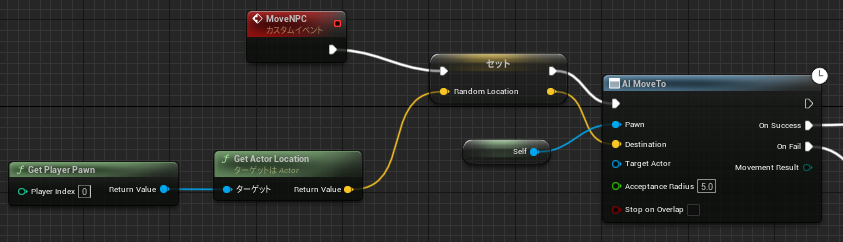
With just this change, they start approaching the player.
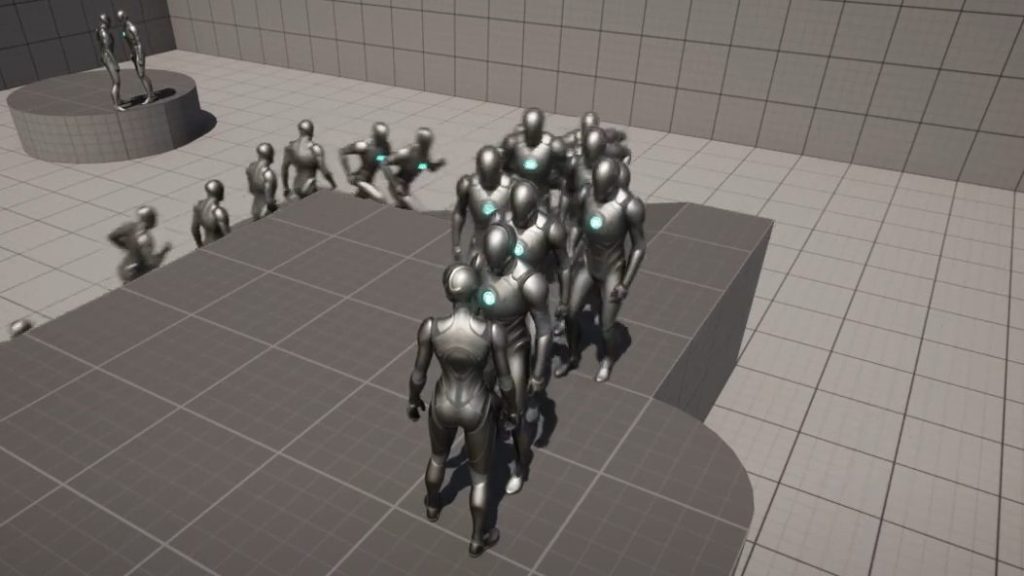
▼Maybe it would be interesting to make them maintain a certain distance from the player?
▼They've swarmed around me.
Trying to Spawn Agents
I searched for spawning and found "Spawn AIFrom Class," so I tried it out. To make it obvious, I decided to spawn them directly above the existing NPCs.
▼I am spawning them at the agent's Location with +500 added to the Z-axis.
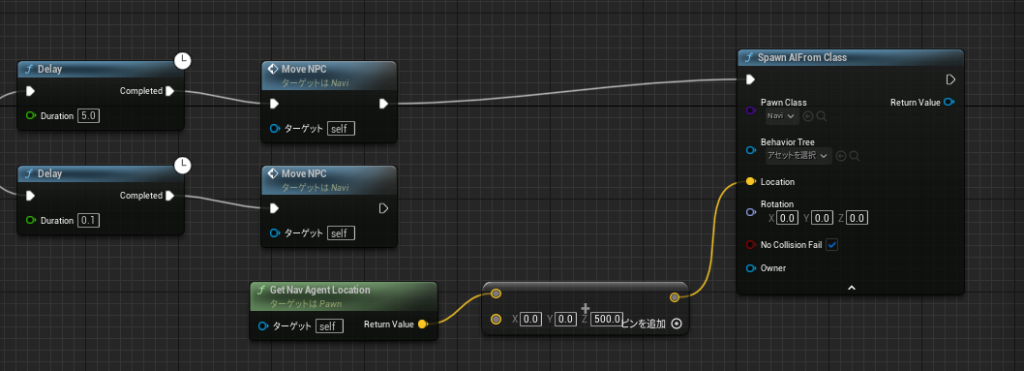
The spawned NPCs won't move unless they call "MoveNPC," but it seemed that "Event BeginPlay" is only called at the very beginning of the play session. In other words, NPCs spawned after play has already started won't automatically trigger their movement logic.
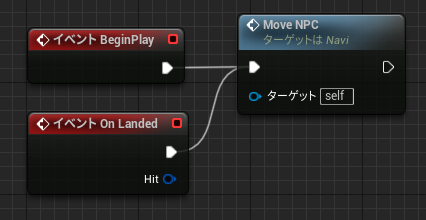
Since I’m spawning them from above, I set it up so that "MoveNPC" is called when they land.
▼Conveniently, there was an event called "On Landed."
I ran the simulation again. Since it looked quite taxing on the system, I set the Delay Duration to 5.0.
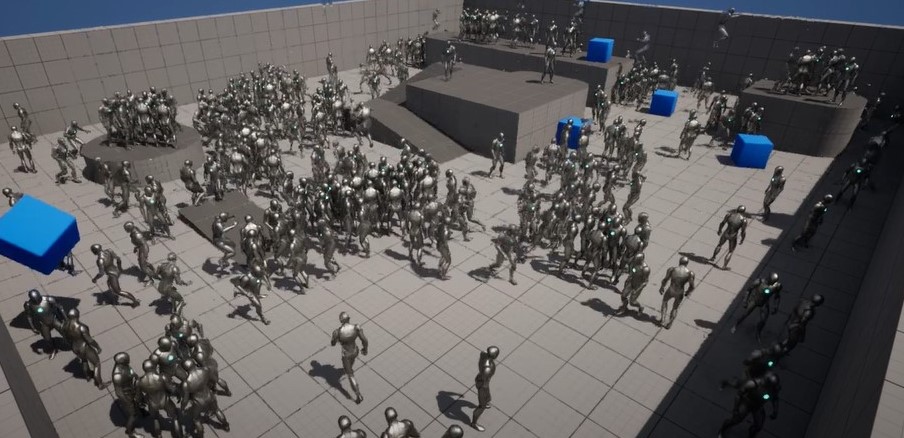
▼NPCs are falling from the sky.
▼A growing crowd…
Finally
I successfully set up NPC navigation. The nodes themselves are quite simple.
If they only move within a defined range, you could probably make them move like a robot vacuum cleaner while avoiding obstacles. I’d like to try replacing the appearance of the ThirdPersonCharacter next.
▼I heard there are even plugins that allow voice conversations with NPCs! That sounds fascinating.
https://www.gamespark.jp/article/2023/05/26/130299.html
▼I later learned that it's also possible to make NPCs avoid colliding with each other.